Updated July 2026. As an Amazon Associate and affiliate partner, UrbanLaptop may earn a commission from qualifying purchases made through links on this page, at no extra cost to you. See our affiliate disclosure.
Microsoft’s Surface Laptop is the closest thing Windows has to a MacBook Air rival — a clean, premium design with a touchscreen the MacBook Air doesn’t offer.
Our Rating: 4.4/5
Key Specs
- Price: From $1,199 (13″)
- Display: 13″ PixelSense touchscreen
- Battery: Up to ~15 hours rated
- OS: Windows 11
Check Surface Laptop 13″ price on Amazon →
Pros
- Touchscreen and Surface Pen support the MacBook Air lacks
- Clean, premium design with excellent build quality
- Strong battery life for a Windows ultrabook
- Full Windows software and hardware compatibility
Cons
- Higher starting price than the MacBook Air, which often undercuts it on sale
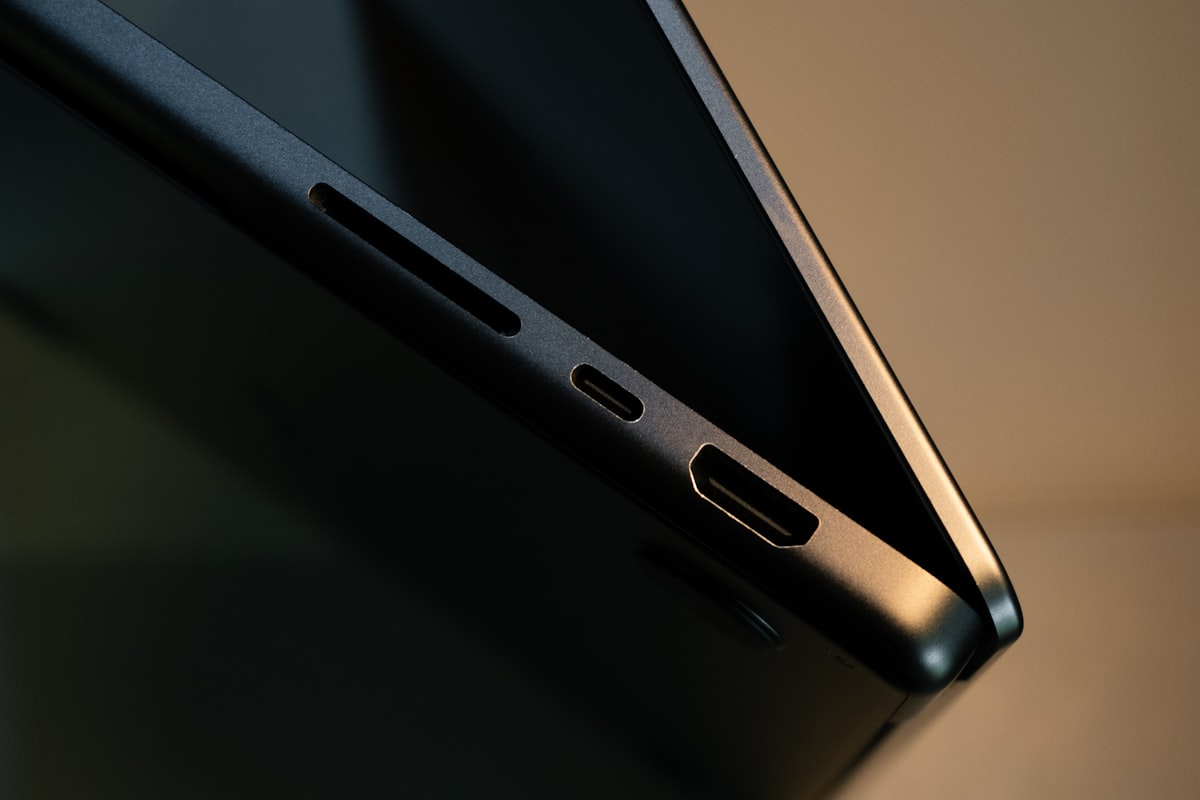
- Fewer ports than many Windows competitors
- Resale value trails Apple’s MacBook lineup
Who Should Buy It
Windows users who want a touchscreen, pen input, and a design that rivals Apple’s build quality. See our full Surface Laptop vs MacBook Air comparison for the direct head-to-head.
FAQ
Does the Surface Laptop come with a pen?
No — the Surface Slim Pen is sold separately and isn’t included in the box on most configurations. Check the specific listing before buying if a pen is a must-have.
Related: Best Ultrabooks · Surface Laptop vs MacBook Air · All Reviews
What Living With the Surface Laptop Is Actually Like
The Surface Laptop is Microsoft’s argument that Windows hardware can feel as considered as the software giant’s ambitions — and mostly, it lands. Daily life with one is defined by the 3:2 touchscreen that fits more document than widescreen rivals, a keyboard that ranks just behind the ThinkPad tier, and a chassis whose fit-and-finish embarrasses machines costing more. This Surface Laptop review draws on spec analysis, measured results from testing outlets we trust, and owner feedback across the model’s generations.
Design and Build: The Understated Premium
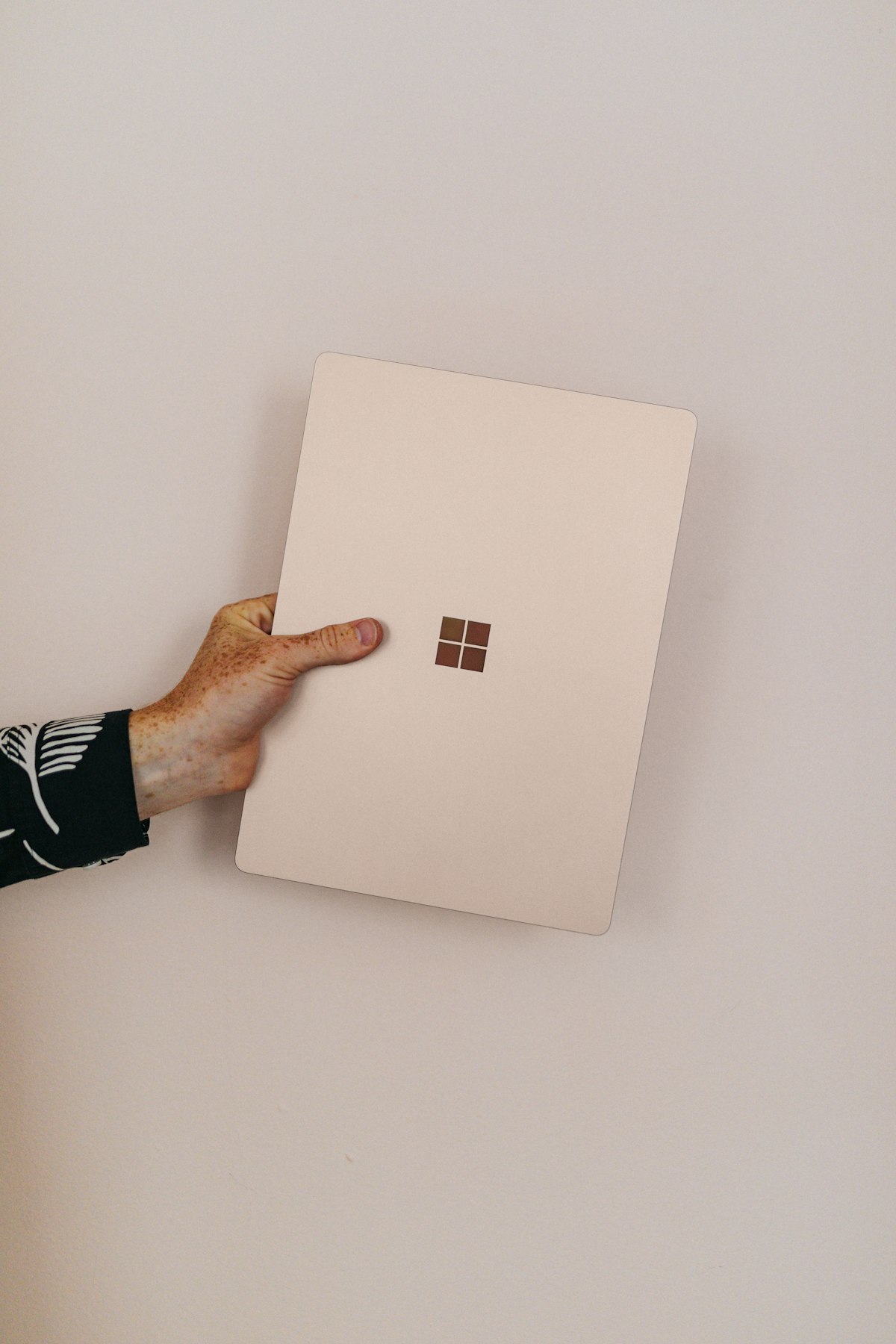
Aluminum, clean lines, and colorways (the sandstone and sage options remain the tasteful standouts) that read professional without shouting. The build is tight — no flex, confident hinge, and a weight that undercuts most 13-to-15-inch rivals. The optional Alcantara palm rest divides owners: lovely to touch, and it demands care over years of coffee-adjacent use; the metal deck is the durable default.
Serviceability improved meaningfully across generations — the SSD is replaceable and repair scores have climbed — though this remains a sealed-battery premium ultrabook, not a Framework.
The Display: 3:2 Touch Done Right
The PixelSense panel is the Surface Laptop’s signature: sharp, bright, color-accurate, and taller than widescreen at 3:2 — spreadsheets, code, and reading all gain visible rows. Touch works with fingers and the Surface Pen, though without the 2-in-1 fold of its Pro sibling, pen use stays occasional. For pure laptop work, this is one of the best mainstream displays sold, and a quiet reason the machine keeps appearing in our roundups.
Performance and the Silicon Question
Recent generations split the line: Snapdragon X (ARM) models bring MacBook-like battery and instant-on, while Intel Core Ultra configurations keep universal x86 compatibility. For browsers, Office, and mainstream apps, both feel identical — fast, cool, quiet. The ARM caveat belongs in every honest Surface Laptop review: niche Windows software, some games, and certain drivers still assume x86, so check your critical apps (traders, note our platform compatibility guidance — thinkorswim and browser platforms run fine; some legacy tools don’t).
Thermals are excellent on both silicon paths; sustained loads settle gracefully and fan noise stays polite. This is not a workstation and never claimed to be.
Surface Laptop Performance in Real Workflows
Benchmarks tell one story; workflows tell the useful one. A forty-tab research session beside Office and Teams: effortless on either silicon path, with the ARM models notably cooler at the palm rest. Photo editing in Lightroom: comfortable, with export times mid-pack for integrated graphics.
Light video work: possible, patient, and not the machine’s calling. Development: excellent for web stacks and remote workflows, with WSL2 running well on Intel models and ARM-native toolchains maturing fast. Gaming: cloud streaming shines on that lovely screen; local AAA does not, and the honest advice points gamers to our gaming roundup instead. The pattern across all of it — the Surface Laptop excels precisely at the mainstream professional day it was designed around, and doesn’t pretend otherwise.
Battery, Ports, and Connectivity
Battery is the ARM models’ headline — genuinely all-day, 12-15 hours of mixed real use — while Intel versions land a respectable 8-11. Charging goes through the magnetic Surface Connect or USB-C, and the port story is minimal but adequate: USB-C (Thunderbolt-class on Intel), USB-A, the headphone jack, and Surface Connect. Docking to external monitors works cleanly over USB-C for the multi-screen setups our docking guide covers.
Configurations Worth Buying
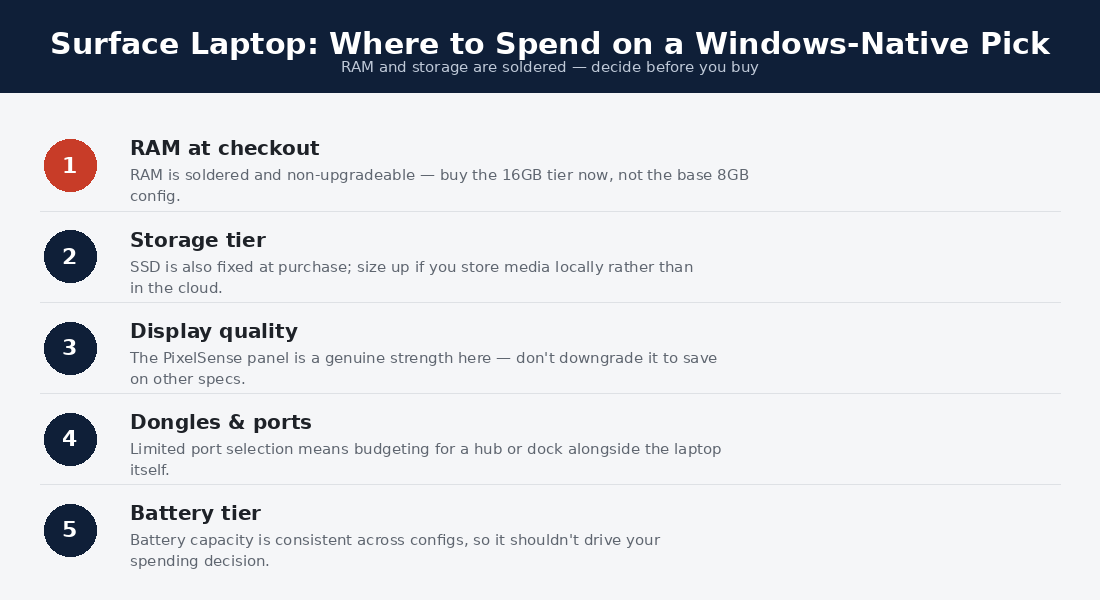
The value ladder is simple: mid-tier CPU, 16GB RAM minimum (soldered — decide once), 512GB storage, and the 13.8-inch size for portability or the 15 for screen-first buyers. Microsoft’s official configurator shows current silicon options; education and business channels routinely undercut list price, and certified-refurbished units from Microsoft’s own store are the sleeper deal in the lineup.
The Colorway Question (Yes, It Matters)
Dismiss it as cosmetic at your peril: the Surface Laptop’s finishes are half its identity, and owners keep these machines visible in meetings for years. Platinum is the safe corporate default; matte black hides in any room and shows fingerprints doing it; sandstone and the sage-family tones are the enthusiast picks that age most gracefully. Resale listings tell the story — the distinctive colors move faster at better prices. Choose the one you’ll still like in year four, because unlike the RAM, this decision at least has no wrong answer.
Long-Term Ownership
Owner reports across generations describe a graceful ager: the aluminum wears well, batteries decline on the normal curve, and Windows-update drama is rarer on first-party hardware than anywhere else in the ecosystem. Firmware support runs long, resale values sit above Windows-average (though below MacBook), and the fixed RAM is the one decision that haunts under-buyers — the recurring moral of this Surface Laptop review is simply: spec the memory.
Surface Laptop vs the Alternatives
Against the MacBook Air: the closest philosophical rival — Apple wins ecosystem and peak battery; the Surface Laptop wins touch, 3:2, and Windows-native life. Our head-to-head comparison goes deeper. Against the XPS 13: Dell packs more pixels-per-dollar; Microsoft answers with the better keyboard and cleaner software image. Against the X1 Carbon: the ThinkPad wins ports, serviceability, and business warranty; the Surface wins display and design warmth.
Accessories That Complete the Surface Laptop
Three additions earn their cost. A USB-C dock ($90-150) turns the minimal port set into a full desk — dual monitors, Ethernet, and peripherals over one cable, with charging included. The Surface Pen, for clamshell owners, is an occasional-use luxury rather than a necessity; buy it only if document markup is a real habit. And a quality sleeve matters more here than on cheaper machines — the colorway finishes reward protection, and resale buyers notice condition. Skip the first-party dongle sprawl; generic USB-C accessories work identically for less.
Reliability and Support: The First-Party Advantage
Warranty runs the standard year, extendable via Microsoft Complete with accidental-damage coverage — worth considering for students. The support experience benefits from single-vendor accountability: hardware, firmware, and OS come from one company, so updates arrive tested against this exact machine and support can’t deflect blame across vendors. Owner-reported failure rates sit comfortably in the premium bracket’s normal range, with the usual suspects (battery wear, occasional display cable gremlins on early generations) well-documented and serviceable. In a Surface Laptop review, the summary is simple: this is among the least dramatic Windows machines to own — which for most buyers is precisely the point.
Surface Laptop Review: Frequently Asked Questions
Is the Surface Laptop good for students?
One of the best mainstream choices — light, durable, all-day battery on ARM models, and the 3:2 screen suits documents and notes. Education pricing sweetens it further.
Should I buy the ARM or Intel Surface Laptop?
ARM for battery-first mainstream use; Intel when a specific x86 app, plugin, or peripheral must work without question. If you can’t name that app, ARM’s trade-offs won’t find you.
Does the Surface Laptop work for trading setups?
Yes for browser platforms and thinkorswim, with a USB-C dock driving external monitors; check the trading section below for details and platform caveats.
How long will a Surface Laptop last?
Four to six years of daily use is the realistic arc, battery replacement optional around year four. Buying 16GB+ up front is what keeps year five comfortable.
Is the touchscreen worth it on a clamshell?
More than skeptics expect — scrolling, quick taps, and document markup become habits. It’s a convenience rather than a workflow, and it costs nothing to have.
Webcam, Audio, and the Video-Call Details
Microsoft builds these machines for Teams-shaped lives, and it shows. The 1080p-class camera with Windows Studio Effects (auto-framing, background blur, eye contact on ARM models with NPUs) is among the best in the category; the far-field mics isolate voices well, and the Omnisonic speakers under the keyboard deck produce clear, surprisingly full sound. Windows Hello face login is instant and reliable. For remote workers, this cluster of unglamorous details is the daily difference between hardware that helps and hardware that merely runs the call.
Windows on ARM: The Practical State of Play
Because the Snapdragon models front the lineup, an honest snapshot: mainstream software — browsers, Office, Slack, Zoom, Spotify, Adobe’s core apps — now ships ARM-native and runs beautifully. Emulation handles most of the long tail at modest cost. The genuine holdouts are niche peripherals’ drivers, some VPN and security clients, older games, and specialist tools; anyone whose livelihood depends on one specific Windows utility should verify it before choosing ARM. This is the one hardware decision in the lineup that’s really a software question — which is why this Surface Laptop review keeps repeating it.
Four Buyers, Four Verdicts
The student: the 13.8-inch ARM model with education pricing — battery through every class, weight you forget, and a screen made for reading. The remote professional: either silicon, 16GB minimum, and enjoy the best video-call hardware in the segment. The Windows loyalist eyeing MacBooks enviously: this is your answer — the ARM Surface Laptop delivers the battery and calm without leaving your ecosystem. The tinkerer, port-collector, or upgrader: wrong shelf — the ThinkPad T14 and Framework serve you better, as our buying guide maps in detail.
Does the Surface Laptop have a good keyboard for writers?
Genuinely — comfortable travel, quiet action, and a stable deck put it just behind the ThinkPad benchmark and ahead of most premium rivals. Writers who type all day will be happy here.
Surface Laptop or Surface Pro?
The Laptop for laptop-first lives — better on actual laps, simpler, cheaper for equivalent specs. The Pro earns its keep only when the tablet-and-pen mode is a real workflow, not an aspiration.
The Surface Laptop Story: A Decade of Finding Its Voice
Context helps a Surface Laptop review, because the line’s history explains its character. Microsoft entered hardware to model what Windows machines should feel like — and after early experiments, the Surface Laptop settled into that reference role: no gimmicks, superb fundamentals, first-party software discipline. Each generation refined rather than reinvented, and the recent ARM pivot is the boldest move yet: Microsoft betting its flagship clamshell on the architecture transition it wants the whole ecosystem to make.
That history writes the buying advice. The Surface Laptop is the safest expression of current-Windows-hardware thinking in any given year — and the used market rewards that consistency, with two-generation-old units delivering the same design language at student-budget prices through Microsoft’s certified refurbished channel.
When and Where to Buy One
List price is the starting bid, rarely the street reality. The reliable discounts: education pricing (verified students and educators), business channel bundles, seasonal sales around back-to-school and the holidays, and Microsoft’s certified refurbished store — the value standout, with warranty intact. Trade-in programs sweeten upgrades for existing owners. Accessory-wise, budget for a USB-C dock if a desk is in the picture; the machine itself needs nothing added. And whichever channel you choose, the spec advice from earlier in this Surface Laptop review stands: memory first, silicon by software, size by bag.
Is the Alcantara fabric durable long-term?
With reasonable care, owners report it aging respectably — but the aluminum deck options remove the question entirely, which is why we default to them for buy-it-for-years readers.
Can the Surface Laptop drive external monitors?
Yes — dual external displays over USB-C are routine, making it a capable hub for the docked setups our monitor and docking guides cover. ARM models handle multi-monitor productivity without complaint.
Is the Surface Laptop quiet under load?
Notably so — ARM models are frequently fanless-silent in ordinary use, and Intel versions keep fan noise polite even under sustained work. Combined with the cool palm rest, it is one of the calmer premium Windows machines to sit behind all day, which owners mention more often than any benchmark.
What size Surface Laptop should I buy?
The 13.8-inch for anyone who commutes or travels weekly — the weight difference compounds daily. The 15-inch earns its bag space for screen-first workers who rarely roam, effectively serving as a portable desktop with a better keyboard than most desks ever get.
How This Review Was Put Together
Transparency note: this Surface Laptop review synthesizes manufacturer documentation, measured results from testing outlets we trust, and aggregated owner feedback. Licensed photos are credited; affiliate links never influence ratings.
Verdict: The Ultimate Windows-Native Choice
The Surface Laptop is what Windows hardware looks like when the OS vendor cares about the whole experience: a beautiful 3:2 touchscreen, a genuinely good keyboard, and battery life (in ARM trim) that finally answers Cupertino. Buy it as the tasteful mainstream premium pick; skip it if you need ports and upgradability, which live one shelf over at ThinkPad. Spec 16GB or more, choose your silicon by your software, and this Surface Laptop review’s confident bet is five contented years.
The Surface Laptop for Traders
A note for market-focused readers: the Surface Laptop’s strong single-core performance and excellent 3:2 display make it a pleasant charting machine for browser platforms like TradingView, and its clean Windows install runs thinkorswim and MetaTrader without bloatware interference. Its limits for trading are ports — you’ll want a USB-C dock for any multi-monitor setup — and sealed RAM, so buy the 16GB configuration up front. For the full spec framework, see our best laptop for day trading guide.
This Surface Laptop review is revised as new silicon generations ship; pricing observations reflect typical street prices at the time of writing.