Updated July 2026. As an Amazon Associate and affiliate partner, UrbanLaptop may earn a commission from qualifying purchases made through links on this page, at no extra cost to you. See our affiliate disclosure.
The Acer Swift 3 is the laptop the mid-market keeps quietly buying while the internet argues about flagships. It has never won a category outright — and that is precisely its trick: near-flagship weight, honest all-day battery, and current silicon at a price that undercuts the famous names by hundreds. This Acer Swift 3 review examines where the savings come from, who should pocket them, and who should keep walking toward the premium shelf.
Acer Swift 3 at a Glance
The short verdict: the Swift 3 delivers roughly 85% of the premium ultrabook experience for roughly 60% of the money, with the missing 15% concentrated in chassis rigidity, speaker quality, and trackpad feel. Students, budget-minded commuters, and second-laptop shoppers land squarely in its sweet spot; keyboard-first professionals and build-quality obsessives will feel the corners that were cut. Price band: $650-$850 depending on configuration and season.

Living With the Swift 3
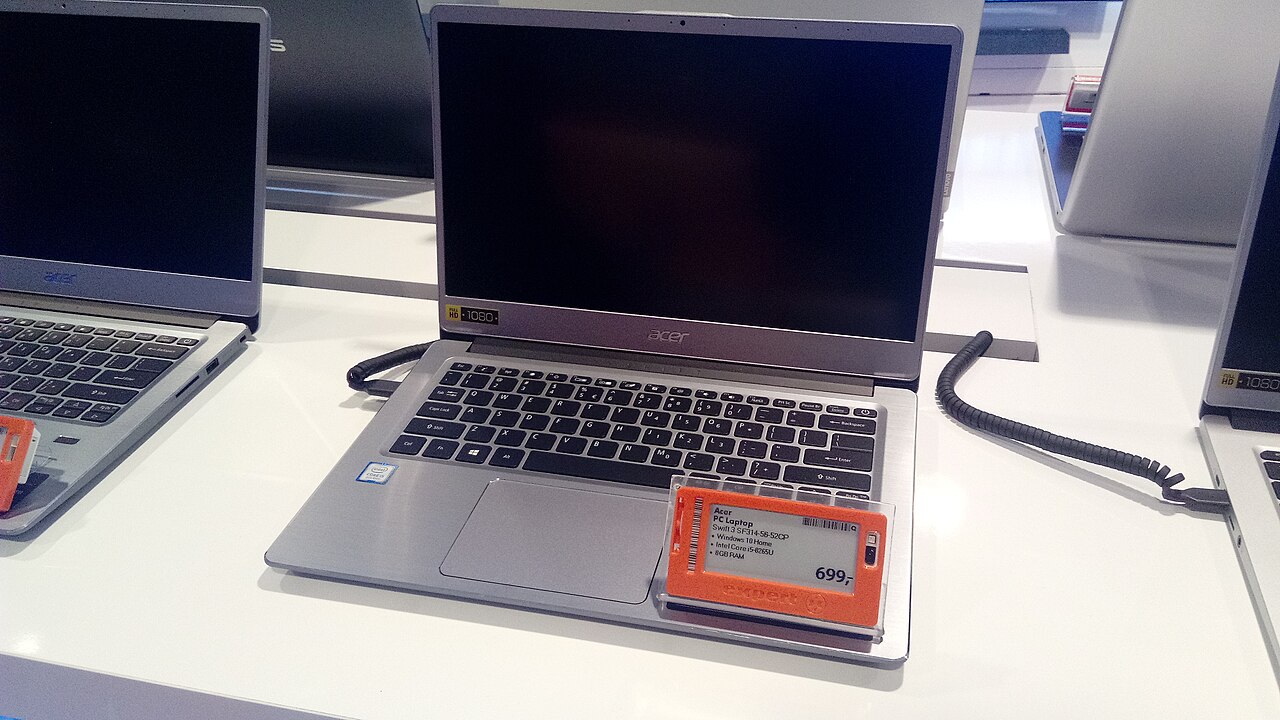
Day to day, the Acer Swift 3 disappears into a routine the way good mid-range hardware should. It weighs around 2.8 pounds, wakes quickly, charges over USB-C from any decent brick, and runs a full workday of documents, browsers, and calls without outlet anxiety. The aluminum lid and deck feel a class above the price until you press deliberately — there is more flex in the keyboard deck than an XPS or ThinkPad owner would tolerate, and the hinge allows a faint wobble on train tables that premium machines damp out.
The honest framing: nothing about the daily experience is bad, and several things — weight, battery, port selection — are objectively competitive with machines costing $400 more. What the price buys away is refinement at the margins: fan behavior that gets audible under sustained load, speakers that serve calls but not music, and a trackpad that registers accurately but clicks hollow. Whether those margins matter is the entire buying decision, and this Acer Swift 3 review keeps returning to that line.
Design and Build Quality
Acer builds the Swift 3 from aluminum where it counts — lid and top deck — with a plastic underside that most owners will never think about. The result passes the coffee-shop dignity test: it reads as a serious machine across a table, with clean lines and minimal branding. Fit and finish are consistent; panel gaps are tight; and generations of the design have proven durable in student backpacks, which is the closest thing the category has to a torture test.
The compromises show under pressure, literally: the deck flexes under firm typing, the lid twists slightly when opened from a corner, and the whole chassis transmits desk vibration in a way unibody machines don’t. None of this affects function; all of it affects feel. Buyers upgrading from budget plastic laptops will register the Swift 3 as a clear step up. Buyers stepping down from premium metal will notice within the first hour — and should read our under-$1,000 roundup to calibrate expectations across the whole tier before judging Acer for the tier’s physics.
Keyboard and Trackpad
The keyboard is the Acer Swift 3’s most consequential compromise. Travel is adequate at roughly 1.2mm, the layout is standard and sensibly spaced, and the backlight is even — but the deck flex adds a faint sponginess to hard typing, and key feel lands noticeably behind the ThinkPad benchmark and slightly behind the current MacBook Air scissor. For note-taking, email, and moderate writing it is entirely serviceable; writers producing thousands of words daily should try one in person or accept the compromise consciously.
The trackpad tracks accurately, handles Windows Precision gestures cleanly, and suffers only from acoustics — the click sounds hollow in quiet rooms. A budget wireless mouse solves what bothers most people about it. Neither input will delight; neither will obstruct. That summary — competent, not memorable — is the Swift 3’s input story in full.
Display: The Sensible Panel
The mainstream Acer Swift 3 configuration carries a 14-inch 1920×1200 IPS panel in the modern 16:10 ratio — a genuine quality-of-life win at this price, adding vertical working room that older 16:9 budget machines lack. Brightness lands near 300 nits: comfortable indoors, marginal beside sunny windows, below the 400-nit bar our café work guide recommends for glare-prone seats. Color coverage suits documents and streaming; it is not a color-critical panel and doesn’t pretend to be.
Against the OLED options that have colonized the mid-market — ASUS’s Zenbook line most aggressively — the Swift 3’s IPS looks flat in showroom comparisons but repays the difference in battery efficiency on white-background work and in price. Buyers whose days live in documents, spreadsheets, and browsers lose little; buyers who edit photos or binge cinema should weigh the OLED premium seriously.
Performance for Real Workloads
Current Swift 3 configurations run mid-tier Intel Core Ultra or AMD Ryzen silicon with 16GB of RAM and 512GB NVMe storage — a spec sheet that covers the actual workload of its actual buyers with room to spare. Documents, forty-tab research sessions, video calls with screen shares, light photo edits, and student STEM toolchains all run without drama. The integrated graphics handle casual and older games at modest settings; they do not make it a gaming machine.
Sustained heavy loads reveal the thermal budget: long exports and compiles pull clock speeds down after several minutes, and the fan announces the effort. This is ordinary physics for thin mid-range chassis, and the Acer Swift 3 throttles gracefully rather than stuttering. The practical read: burst performance is genuinely quick, sustained performance is adequate, and buyers with rendering-heavy workflows are shopping the wrong tier entirely — our laptop buying guide maps the tiers honestly.
Battery and Connectivity
Acer’s efficiency choices pay off in endurance: expect nine to eleven real hours of mixed work from the Swift 3, which clears the workday bar with margin and embarrasses several pricier Intel machines. Charging runs through USB-C Power Delivery — any modern brick works, the included one is light, and a lunch-break top-up banks hours. Standby drain is acceptable rather than phone-like; close the lid Friday and Monday still has most of the charge.
The port array is the category’s best argument against dongles: two USB-C (one or both Thunderbolt-capable depending on configuration), two USB-A, HDMI, and a headphone jack. That is a full desk setup and a hotel-room presentation without an adapter — a quiet advantage the premium thin-and-lights surrendered years ago. Wi-Fi 6E and Bluetooth run current standards and pair without fuss.
Configurations and Where to Buy
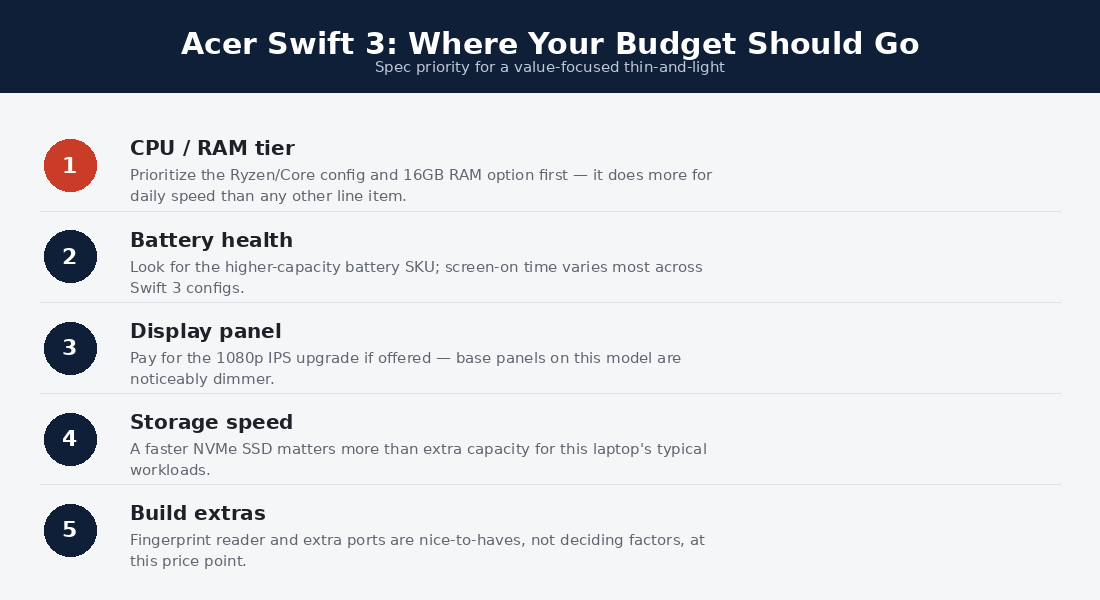
The configuration advice is short: take 16GB of RAM as the floor (8GB configs still appear at clearance prices and age poorly), 512GB storage unless external drives are already part of your life, and whichever CPU generation is on sale — the Swift 3’s real-world experience varies far less across silicon than its spec sheets suggest. Current models and configurations are listed at Acer’s official Swift page; street prices at major retailers routinely run $100-200 under list, and the line’s frequent sale cadence rewards patience. The used market is thinner than ThinkPad territory but fair — two-year-old Swift 3s at $400 are honest value with a battery-health check.
Long-Term Ownership
The Swift 3’s ownership story is better than its price implies. The bottom panel opens with standard screws, the SSD is replaceable, and on most configurations one RAM slot allows an upgrade — modest serviceability that budget buyers rarely get. Acer’s warranty service is adequate rather than legendary; the machine’s simplicity is the real insurance, with fewer exotic parts to fail than the OLED-and-haptics crowd carries.
Expect the battery to hold usefully past year three with sane charging habits, the chassis to accumulate character at the corners, and the performance to stay serviceable for the workload it was bought for well past year four. Resale value is unremarkable — Acer depreciates faster than Apple or Lenovo — which cuts both ways: poor for sellers, excellent for the used-market buyers picking up two-year-old units.
Acer Swift 3 vs the Alternatives
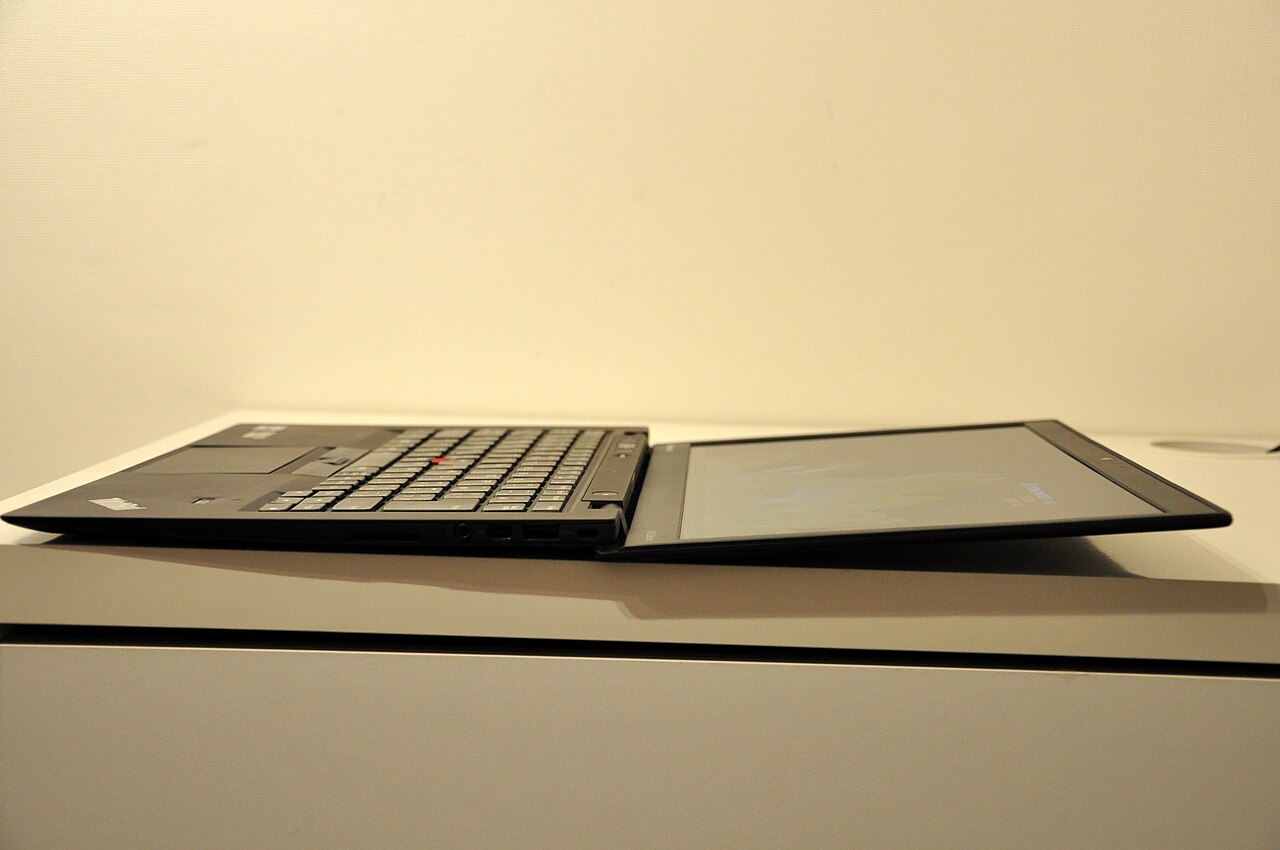
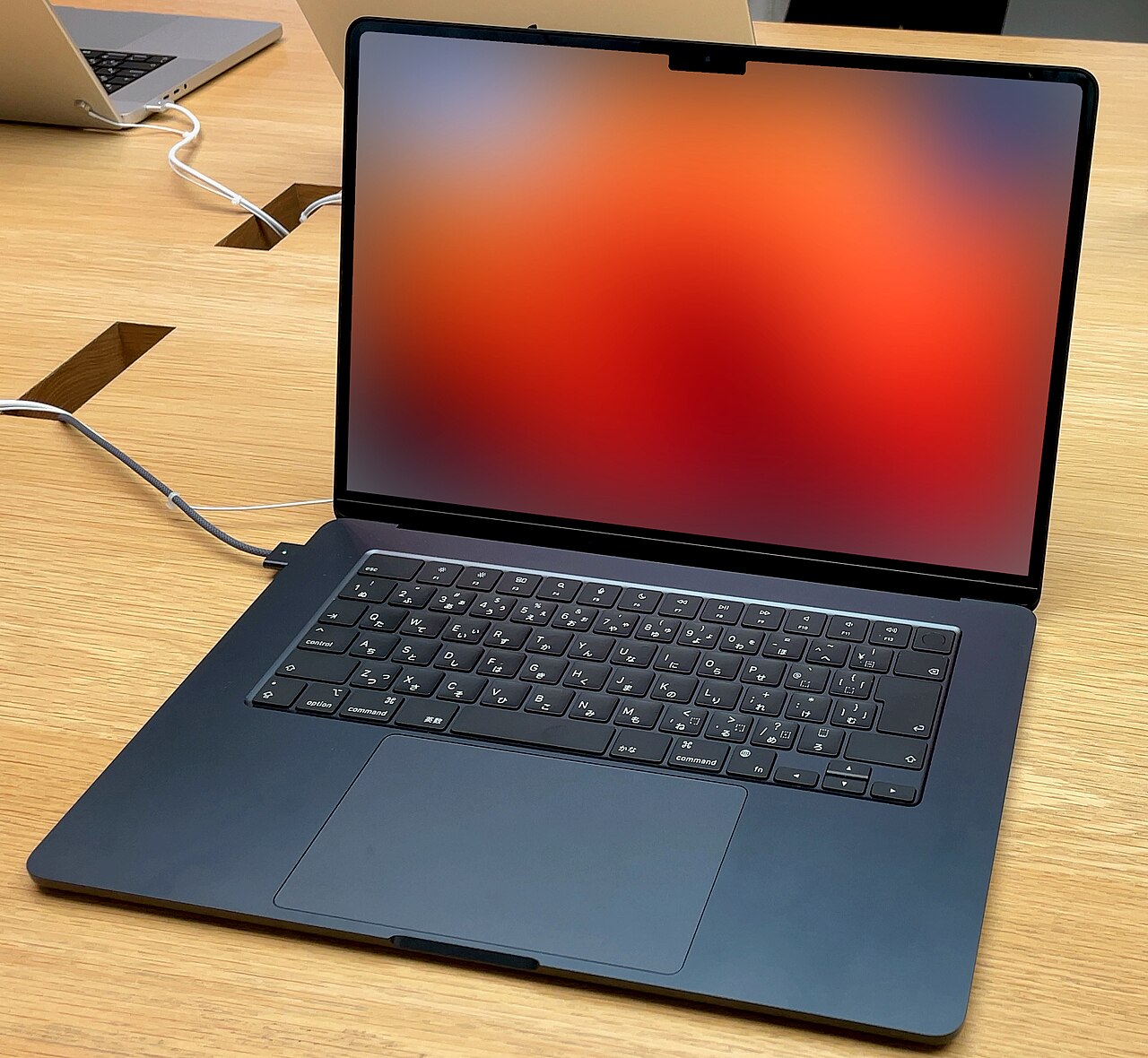
Against the Zenbook 14 OLED ($200-300 more): ASUS buys you the spectacular screen and a stiffer chassis; Acer answers with ports and price. Screen-first buyers go Zenbook; budget-first buyers stay. Against the MacBook Air (from $400 more): the Air wins battery, build, silence, and resale decisively — at a price gap that funds a lot of student dinners. Ecosystem and budget decide, not the spec sheet.
Against refurbished ThinkPads (from $300 less): the fleet-refurb route from our budget guide beats the Swift 3 on keyboard and durability while losing on warranty, battery freshness, and modern webcams. First-owner peace of mind versus proven metal — an honest coin flip we detail in the roundup. Against its own siblings: the step-up Swift Go and Swift X lines add OLED panels and discrete graphics for meaningful money; most Swift 3 shoppers are better served banking the difference.
Who the Acer Swift 3 Is Actually For
The student is the design target and gets the cleanest win: campus weight, class-day battery, projector-ready ports, and a price that respects a loan-funded budget. The hybrid commuter gets most of what our commuter guide demands — sub-3-pound carry, USB-C charging, all-day endurance — at the cost of the chassis stiffness that guide praises in the X1 Carbon; a padded sleeve narrows the gap. The household second-laptop buyer may be the quiet majority here: for the kitchen-counter, travel, and guest-machine role, the Swift 3’s competence-per-dollar is nearly unbeatable new.
The wrong buyers are equally clear. Full-time writers should spend their money where their hands live — the keyboard tier above. Creators grading photos or video need the OLED and color coverage the price omits. Sustained-load professionals — rendering, data work, serious compiles — are shopping a thermal class the whole thin mid-range can’t provide. The Acer Swift 3 serves the middle of the market superbly precisely because it refuses to chase the edges.
Acer Swift 3 FAQs
Is the Acer Swift 3 good for students?
It is close to the archetypal student laptop: light enough for campus, battery for a full class day, ports for every projector, 16GB headroom for STEM toolchains, and a price that leaves budget for everything else college costs. The keyboard is the only spec heavy note-takers should test first.
How long does an Acer Swift 3 last?
Four to five years of its intended workload with basic care — the battery is the first component to fade, and its USB-C charging plus replaceable SSD stretch useful life further. Depreciation, not durability, is the line’s weakness.
Is the Swift 3 good for programming?
For coursework, web development, and general coding, comfortably — 16GB and fast NVMe cover it. Heavy container work or large compiles will hit the thermal ceiling; our programming laptop guide maps the tier above. Linux compatibility on recent Swift 3 generations is solid, with occasional fingerprint-reader gaps.
Swift 3 or MacBook Air — which should I buy?
If the extra $400+ is painless, the Air is the better machine in most dimensions and holds value far better. If the budget is real, the Swift 3 delivers the workday essentials — weight, battery, screen area, ports — without the premium, which is exactly its job.
Does the Acer Swift 3 overheat?
Under everyday loads, no — it runs cool and mostly quiet. Sustained exports or gaming warm the deck and raise the fan audibly, with graceful throttling rather than shutdowns. It behaves like every thin mid-range machine; buyers needing sustained grunt need a thicker thermal budget.
The Mid-Range Context: Why This Tier Exists
The $650-850 band the Swift 3 occupies is the most rational shelf in laptops: below it, corners get cut from things that matter (panels, batteries, RAM); above it, money increasingly buys refinement rather than capability. Acer’s strategy in this band has been consistent for years — match the premium tier’s headline specs (weight, battery, screen ratio, silicon generation) and openly concede the tactile ones (deck stiffness, speaker tuning, trackpad acoustics). The buyer who reads spec sheets sees near-parity; the buyer who types on both machines feels the gap; both are perceiving the same design decision from different angles.
That decision ages well, too. Refinement gaps stay constant over a machine’s life, but capability gaps compound — and the Swift 3’s 16GB floor, current silicon, and honest battery mean it stays capable as long as its premium rivals. Owners report the flex and the fan long after they stop noticing them; nobody stops noticing a machine that ran out of RAM. For the majority of the mid-market, the Acer Swift 3 makes the trade the right way around, which is why this tier — and this line — keeps selling through every hype cycle the industry produces.
Is the Acer Swift 3 good for travel and nomad work?
Respectably: the weight, USB-C charging, and port selection all suit the road, and the price passes the replaceability test our nomad guide applies. The two caveats are the 300-nit screen in tropical light and a global service network thinner than Lenovo’s or Apple’s — pack the sleeve, keep the cloud backup current, and the Acer Swift 3 travels fine.
What accessories should Swift 3 buyers budget for?
Three cheap ones close most of its gaps: a $25 sleeve for the chassis, a $20 mouse for the trackpad acoustics, and a compact GaN charger to replace the stock brick for bag duty. Music listeners add earbuds — the speakers are the one shortfall no accessory priced under the laptop meaningfully fixes.
Which Acer Swift 3 configuration is the best value?
The 16GB/512GB build with whichever mainstream CPU is discounted deepest — historically the sweet spot lands near $700 on sale. Skip 8GB configurations entirely regardless of price; they bottleneck years before anything else on the machine does, and the RAM is the one spec no accessory or habit can rescue later. If two builds sit $80 apart, take the newer silicon generation for the battery efficiency rather than the marginal speed; the Acer Swift 3 experience improves more per watt saved than per gigahertz gained.
How This Review Was Put Together
UrbanLaptop does not run a hardware lab, and this review makes no claim of instrumented, weeks-long testing. It synthesizes Acer’s official documentation, published measurements from independent outlets that do lab-test (display brightness, battery rundowns, thermal behavior), long-term owner reports across student and professional communities, and hands-on retail time with the current Swift 3 generation. Photography is credited to its licensed sources rather than passed off as our bench. Where the evidence is mixed — keyboard feel, fan annoyance — we say so and tell you to try it in person. We think this honesty makes the recommendations more useful, not less.
Verdict: The Smart Money’s Ultrabook
The Acer Swift 3 wins by refusing to lose anywhere that costs its buyer real money: the weight, battery, screen ratio, and ports of machines a tier up, with the savings extracted from refinements that matter less per dollar. It is the right purchase for students, commuters, and pragmatists who want a competent daily machine and a fatter remaining budget. It is the wrong purchase for keyboard connoisseurs, build-quality romantics, and anyone whose workload sustains heavy loads. Know which buyer you are, and the Swift 3 is either invisible or unforgivable — for most of the mid-market, happily, it is the former.