Updated July 2026. As an Amazon Associate and affiliate partner, UrbanLaptop may earn a commission from qualifying purchases made through links on this page, at no extra cost to you. See our affiliate disclosure.
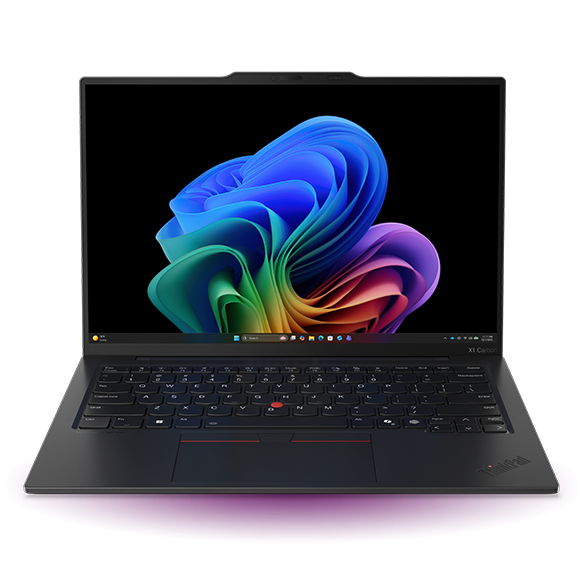
The ThinkPad X1 Carbon remains the gold standard business laptop in 2026 — the Gen 13 Aura Edition pairs the line’s legendary keyboard and durability with a genuinely great OLED display.
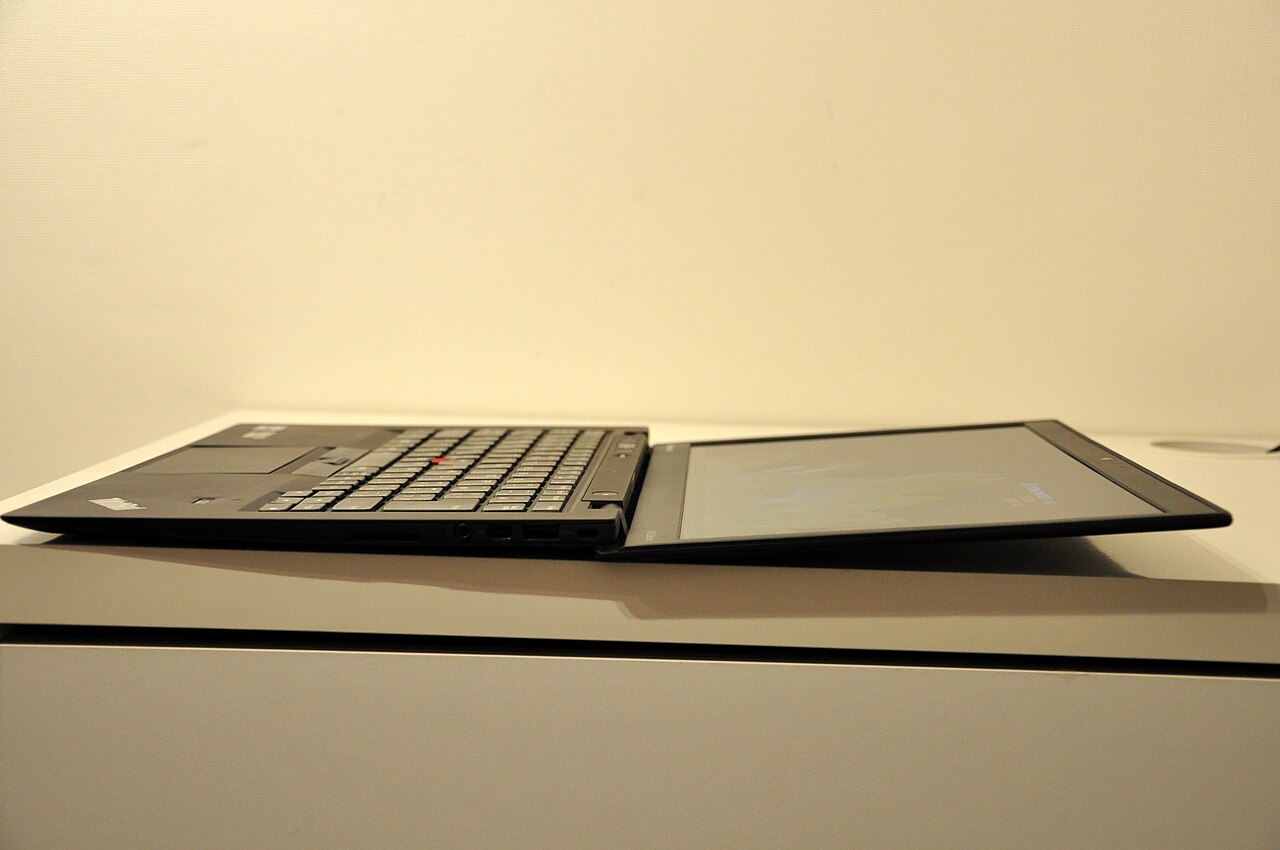
Our Rating: 4.6/5
Key Specs
- Price: $1,899.99
- CPU: Intel Core Ultra 7
- RAM/Storage: 32GB / 512GB
- Display: 14″ 3K OLED
- Durability: MIL-STD-810H tested
Check ThinkPad X1 Carbon Gen 13 price on Amazon →
Pros
- Best-in-class keyboard, still a benchmark for the industry
- Excellent durability and build quality backed by military-grade testing
- Beautiful OLED display, unusual for a business-focused laptop
- Strong enterprise management and security features
Cons
- Premium price compared to other business laptops with similar specs
- No discrete GPU option, limiting it to integrated graphics only
- Conservative design won’t appeal to buyers wanting something flashier
Who Should Buy It
Business professionals and heavy typists who prioritize reliability, durability, and keyboard feel above all else. If you want touchscreen flexibility instead, see our ThinkPad vs Latitude comparison.
FAQ
Is the ThinkPad X1 Carbon worth the price?
For professionals who use their laptop heavily for typing and travel, yes — the durability and keyboard quality genuinely justify the premium over budget business laptops. See our best business laptops guide for lower-cost alternatives.
Related: Best Business Laptops · ThinkPad vs Latitude · All Reviews
What Living With the X1 Carbon Is Actually Like
Every ThinkPad X1 Carbon review eventually reaches for the same word: effortless. At around 2.4 pounds with a 14-inch screen, it disappears into a bag, opens with one hand, and starts working before you’ve finished sitting down. This ThinkPad X1 Carbon review is built on spec analysis, the reviewer consensus we track across outlets we trust, and long-run owner feedback — and all three sources converge on the same picture: a machine whose individual specs rarely top a chart, and whose whole beats nearly everything.
The daily experience is defined by three things. The keyboard, still the standard every laptop keyboard is measured against. The weight-to-durability ratio — carbon fiber and magnesium that passes MIL-SPEC testing yet undercuts most 13-inch machines on the scale. And the quiet competence of the thermals: the X1 Carbon runs cool and near-silent through office workloads, video calls, and forty-tab research sessions.
Design and Build: The Anti-Fashion Statement
The X1 Carbon looks like every ThinkPad since the Clinton administration, and that’s the point. The matte black chassis hides fingerprints, survives airport security bins, and signals nothing — which, in many meeting rooms, signals everything. Owner feedback consistently praises the soft-touch finish’s feel and consistently notes its one flaw: it can shine at the palm rests after years of heavy use.
Build quality is where the price starts justifying itself. The hinge holds any angle without wobble, the lid resists twisting, spill channels protect the board, and the whole machine is rated against military-grade shock, dust, and temperature tests. Serviceability is business-class too: the bottom panel opens with standard screws, and the SSD is replaceable — though note for this ThinkPad X1 Carbon review’s budget-minded readers that RAM is soldered, so buy the memory you’ll want in year five.
Keyboard and Input: Still the Benchmark
If one component sells the machine, it’s this. The X1 Carbon’s keyboard delivers deep-for-an-ultrabook travel, sculpted keycaps, and an actuation feel that makes long writing sessions genuinely pleasant. Every ThinkPad X1 Carbon review from every serious outlet lands here; typists buy this laptop the way photographers buy particular lenses.
The TrackPoint remains for the faithful, the glass trackpad is excellent, and the physical click buttons above it are a workflow gift for anyone doing precision work. The fingerprint reader is fast and — as covered in the Linux section below — works across operating systems.
Display Options: Choose Deliberately
The 14-inch panel comes in tiers, and the choice matters more than the CPU step-up. The base 1920×1200 IPS is bright, matte, and battery-friendly — the sensible default. The 2.8K OLED option delivers the contrast and color that make photo work and dark-theme coding sing, at a real battery cost. Both keep the taller 16:10 ratio that fits more document and more chart on screen — one reason the X1 shows up in our trading laptop guide despite its premium price.
Performance and Thermals: Tuned for Consistency
The current X1 Carbon runs Intel’s Core Ultra silicon tuned for sustained comfort rather than benchmark heroics. In practice that means snappy single-core response — the thing office work, browsers, and platforms actually feel — with fans that rarely spin up audibly. Sustained all-core loads will throttle sooner than thicker machines; this is a 2.4-pound executive ultrabook, not a render rig.
Reviewer consensus puts it mid-pack for raw multi-core in its class and top-tier for performance consistency and noise. That trade is exactly right for the buyer this ThinkPad X1 Carbon review is aimed at: people whose workload is durable productivity, not compilation marathons — and who can dock it for the heavy days anyway.
Battery, Charging, and Connectivity
Real-world battery lands between 9 and 13 hours depending on panel choice — the 1200p IPS comfortably covers a full workday; the OLED asks for an afternoon top-up under heavy brightness. Rapid charge restores most of a day in under an hour over standard USB-C, meaning any modern charger in any office works.
Ports are the practical business set: two Thunderbolt-class USB-C, two USB-A, full HDMI, and a headphone jack — dongle-free presentations and legacy peripherals included. Wi-Fi 6E/7 depending on configuration, optional 5G WWAN on some models, and one-cable docking to a full multi-monitor desk. This connectivity story is a quiet reason the X1 Carbon anchors so many hybrid work setups.
The Configurations Worth Buying
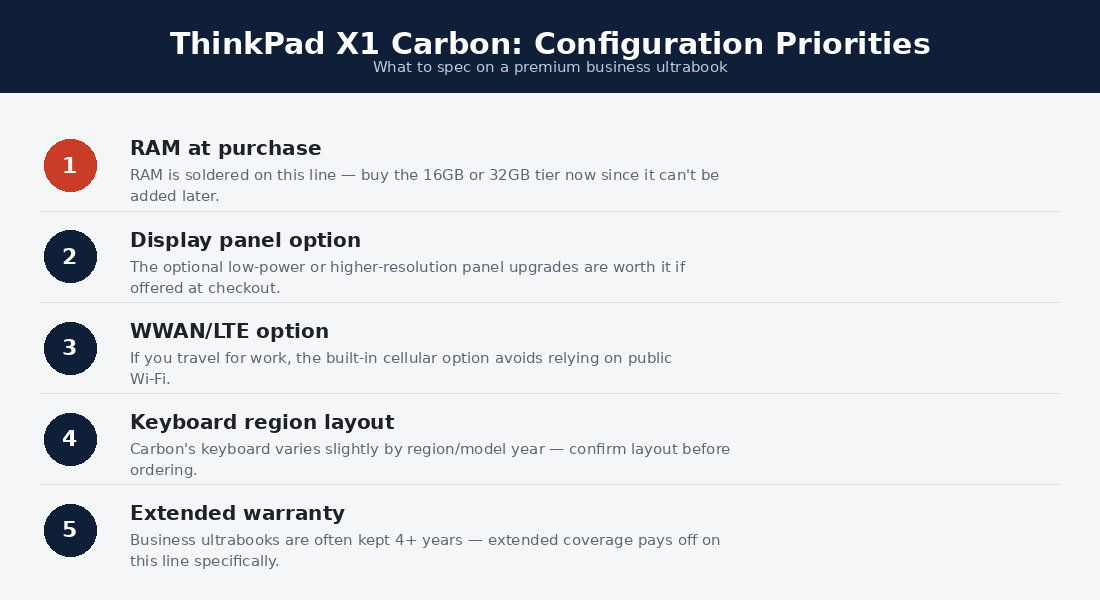
Lenovo’s configurator is a maze; the value paths through it are few. The sweet spot for most buyers reading a ThinkPad X1 Carbon review: current-generation Core Ultra 7, 32GB of RAM (soldered — this is the never-regret choice), 512GB or 1TB SSD, and the 1200p IPS panel. Watch Lenovo’s own perpetual sales rather than the fiction of list price — the official product page routinely runs 25-40% off — and cross-shop the certified-refurb outlet, where one-generation-old units are the smartest money in the premium ultrabook market.
Long-Term Ownership: The Five-Year Report
The used market is this laptop’s strongest testimonial. Corporate fleets run X1 Carbons for three-year leases precisely because failure rates stay low and keyboards survive; those same fleet machines then flood the refurb market and keep working for another half-decade. Batteries are the usual first casualty — replaceable, and cheaper through Lenovo’s parts program than most rivals’.
Firmware support runs long, driver support (Windows and Linux both) runs longer, and the classic ThinkPad parts ecosystem means dead keyboards or panels are repairs, not replacements. Few premium laptops age this gracefully — a theme this ThinkPad X1 Carbon review shares with our Linux hardware coverage, where longevity is the whole game.
X1 Carbon vs the Alternatives
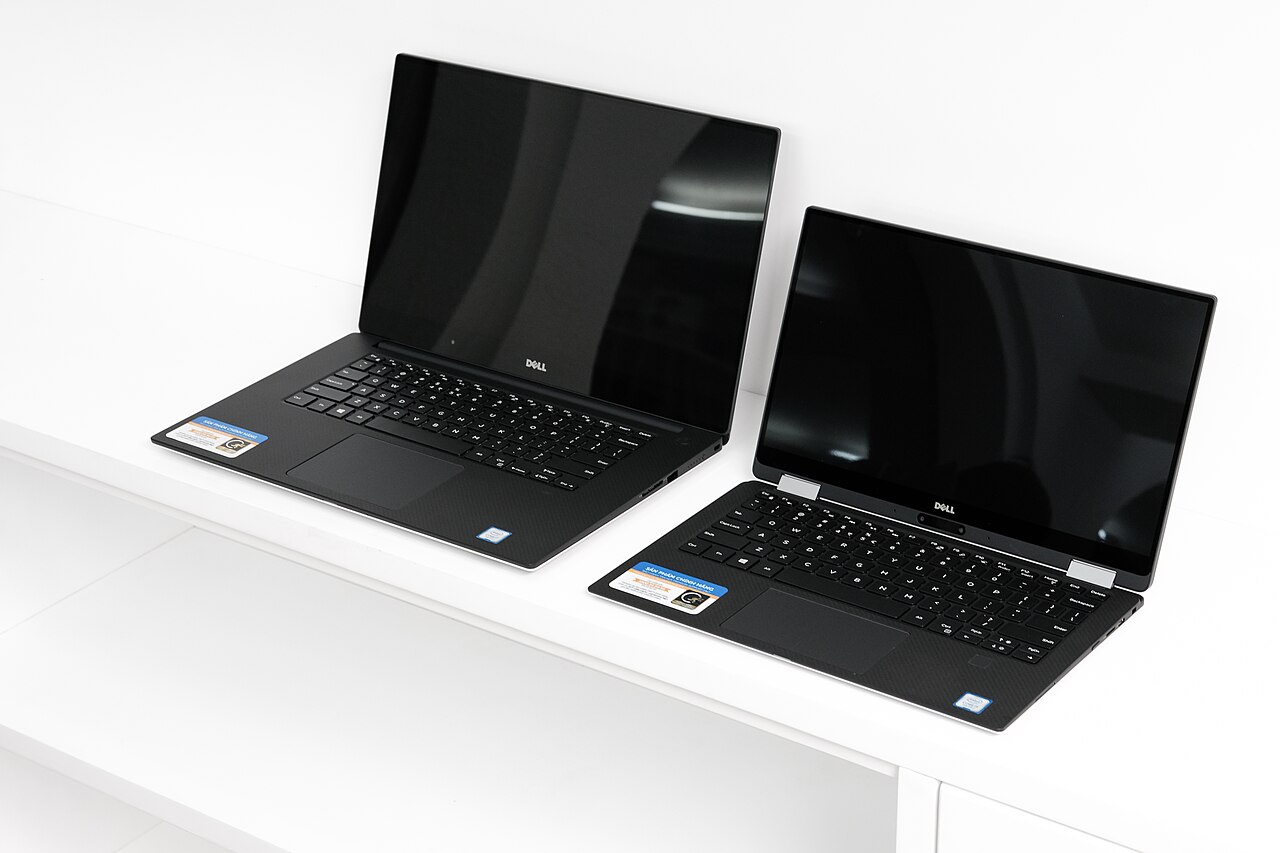
Against the Dell XPS 13: the Dell wins design flair and display-per-dollar; the ThinkPad wins keyboard, ports, serviceability, and business warranty depth — the full breakdown lives in our business laptop comparisons. Against the MacBook Air: the Air wins battery and raw single-core speed; the X1 wins Windows/Linux flexibility, ports, and the keyboard. Against its own sibling T14: the T14 delivers 85% of the experience at 60% of the price with socketed RAM — the honest answer for budget-first buyers, and the reason our under-$1,000 guide keeps recommending it refurbished.
ThinkPad X1 Carbon Review: Frequently Asked Questions
Is the ThinkPad X1 Carbon worth the price?
At full list, rarely; at Lenovo’s real street prices or refurbished, yes for the right buyer — the keyboard-first professional who values weight, durability, and boring reliability over flash. This ThinkPad X1 Carbon review’s rating assumes street pricing.
How long will an X1 Carbon last?
Five to seven years of daily professional use is routine, with a battery swap around year four. Corporate lease cycles and the thriving used market are the proof.
Is the OLED panel worth it on this machine?
For media, photography, and dark-theme work, genuinely — it’s a beautiful panel. For battery-first road warriors, the 1200p IPS is the smarter spec and our default recommendation.
X1 Carbon or MacBook Air?
Platform first: if your tools span Windows or Linux, the X1; if you live in Apple’s ecosystem, the Air. Hardware-wise it’s keyboard and ports versus battery and silence — honest trade, no wrong answer.
Does the X1 Carbon handle trading and multi-monitor work?
Very well — fast single-core performance and one-cable Thunderbolt docking to three external displays. Details in the trading section below and our day-trading guide.
How This Review Was Put Together
Transparency note: this ThinkPad X1 Carbon review synthesizes manufacturer specifications, measured results published by testing outlets we trust, and aggregated long-term owner feedback across forums and retailer reviews. Where hands-on photography or benchmarks appear on UrbanLaptop, they are labeled as ours; licensed photos are credited to their photographers. We buy nothing from brands, and affiliate links never change a rating.
The X1 Carbon Story: Why This Design Persists
Context earns its place in a ThinkPad X1 Carbon review because the machine’s persistence is the product. Since the first X1 Carbon, the formula — carbon-fiber lid, black slab, best-in-class keyboard, business-first ports — has survived every industry design fashion: the thin-bezel wars, the convertible craze, the ARM transition talk. Each generation swaps silicon and tweaks panels while the promise stays fixed, which is why corporate buyers specify it sight unseen and why its resale curve embarrasses flashier rivals.
That consistency also makes generational buying advice unusually simple: the newest generation buys you the current CPU and the nicest panel options; each step back buys nearly the same daily experience at a steep discount. Few laptops make the used-versus-new decision this safe, and it’s the quiet reason this ThinkPad X1 Carbon review keeps pointing budget readers toward the refurb outlet rather than away from the model.
Webcam, Audio, and the Meeting-Room Details
Hybrid work turned these former footnotes into daily equipment, and the X1 Carbon treats them that way. The 1080p webcam (with an 8MP option on some configurations) is comfortably above the laptop average, the physical privacy shutter answers the taped-over-camera crowd, and human-presence detection locks the machine when you walk away and wakes it when you return. Microphones are tuned for conference calls with effective noise isolation; speakers are clear for voices, modest for music — standard business-laptop truth. Security rounds out with the fingerprint reader, optional IR face login, a dTPM, and vPro management options that IT departments specify by default. None of this photographs well in a review; all of it compounds daily.
Four Buyers, Four Verdicts
The traveling consultant: this is your machine — the weight, the battery, the durability, and the keyboard that makes hotel-desk deadlines humane. Buy the IPS panel and 32GB, expense it without guilt. The writer or academic: the keyboard alone justifies the refurb-market price; a two-generation-old X1 Carbon at $600 is the best writing instrument in computing.
The developer: excellent terminal-and-editor machine with first-class Linux support, but weigh the soldered RAM ceiling against a Framework or a P14s if containers are your day job. The student: new, no — the premium buys logo, not utility; refurbished, absolutely, for the same reasons as the writer. Every ThinkPad X1 Carbon review should say plainly who shouldn’t buy: spec-per-dollar maximalists and GPU-dependent creators, who have better homes elsewhere in our buying guide.
When and Where to Buy One
Never pay Lenovo’s list price — the perpetual-sale model means 25-40% off is the true price, with the deepest cuts around back-to-school, Black Friday, and post-CES clearances. The certified-refurbished outlet is the value play: one-generation-old units with warranty at 40-50% under original street. The corporate off-lease market goes deeper still for two-to-three-generation-old models — the sub-$500 X1 Carbons there are the keyboard bargain of the decade, with the usual checks (battery cycles, screen condition, seller returns) from our budget guides. Accessory-wise, the only near-mandatory addition is a USB-C dock for the desk; the machine needs nothing else out of the box.
Does the soldered RAM ruin the value?
It changes the buying math rather than ruining it: configure 32GB up front and the question never returns. Budget-constrained buyers who want socketed memory should look one shelf down at the T14 — same DNA, upgradeable, cheaper.
Is the X1 Carbon good for Linux users?
Among the best mainstream choices there is — officially certified for Ubuntu and Fedora, everything works including the fingerprint reader, and firmware updates arrive inside Linux. Full details in the Linux compatibility section below.
Verdict: The Ultimate Boring Recommendation
The ThinkPad X1 Carbon is what happens when a manufacturer iterates the same correct idea for over a decade: a light, tough, quiet machine with the best keyboard in the business and no drama anywhere. It won’t win a spec-sheet shootout or a design award, and its buyers wouldn’t trade it for the machines that do. If this ThinkPad X1 Carbon review has a one-line summary: buy it on sale or refurbished, spec the RAM generously, choose the IPS panel, and expect to forget what laptop shopping feels like for five years or more.
The X1 Carbon as a Trading Laptop
A note for market-focused readers: the X1 Carbon’s fast single-core performance, best-in-class keyboard, and dock-friendly Thunderbolt ports make it a natural fit for running trading platforms like thinkorswim across multiple monitors. If that’s your use case, see our full best laptop for day trading guide for the spec checklist and setup advice, or the best trading laptops under $1,000 if the X1’s price is a stretch.
Linux Compatibility
The X1 Carbon is among the most Linux-friendly laptops ever made — ThinkPads are the hardware kernel developers famously carry, and Lenovo officially certifies this line for Ubuntu LTS and Fedora, with Linux-preinstalled configurations available in some regions. In practice everything works out of the box: Wi-Fi, suspend, the fingerprint reader via fprintd, and firmware updates through fwupd without touching Windows. If Linux is your plan, this machine and its T-series siblings anchor our best Linux laptops guide, and the used-market value angle is covered in Linux laptops under $1,000.
This ThinkPad X1 Carbon review is updated as new configurations ship; pricing observations reflect typical street prices at the time of writing.
Questions this ThinkPad X1 Carbon review didn’t answer? Our team keeps this page current, and reader questions shape each revision. The comparisons hub and buying guide linked above go deeper on every trade-off.
Where does the X1 Carbon sit in the wider ThinkPad range?
Think of the range as three tiers: the X1 Carbon is the flagship ultralight, the T14 family carries the same virtues with socketed memory at friendlier prices, and the P14s adds workstation certification for professional applications. Most buyers cross-shopping should read our business-line comparison before deciding — the right ThinkPad is usually one tier away from the one you first looked at.