
Updated July 2026. As an Amazon Associate and affiliate partner, UrbanLaptop may earn a commission from qualifying purchases made through links on this page, at no extra cost to you. See our affiliate disclosure.
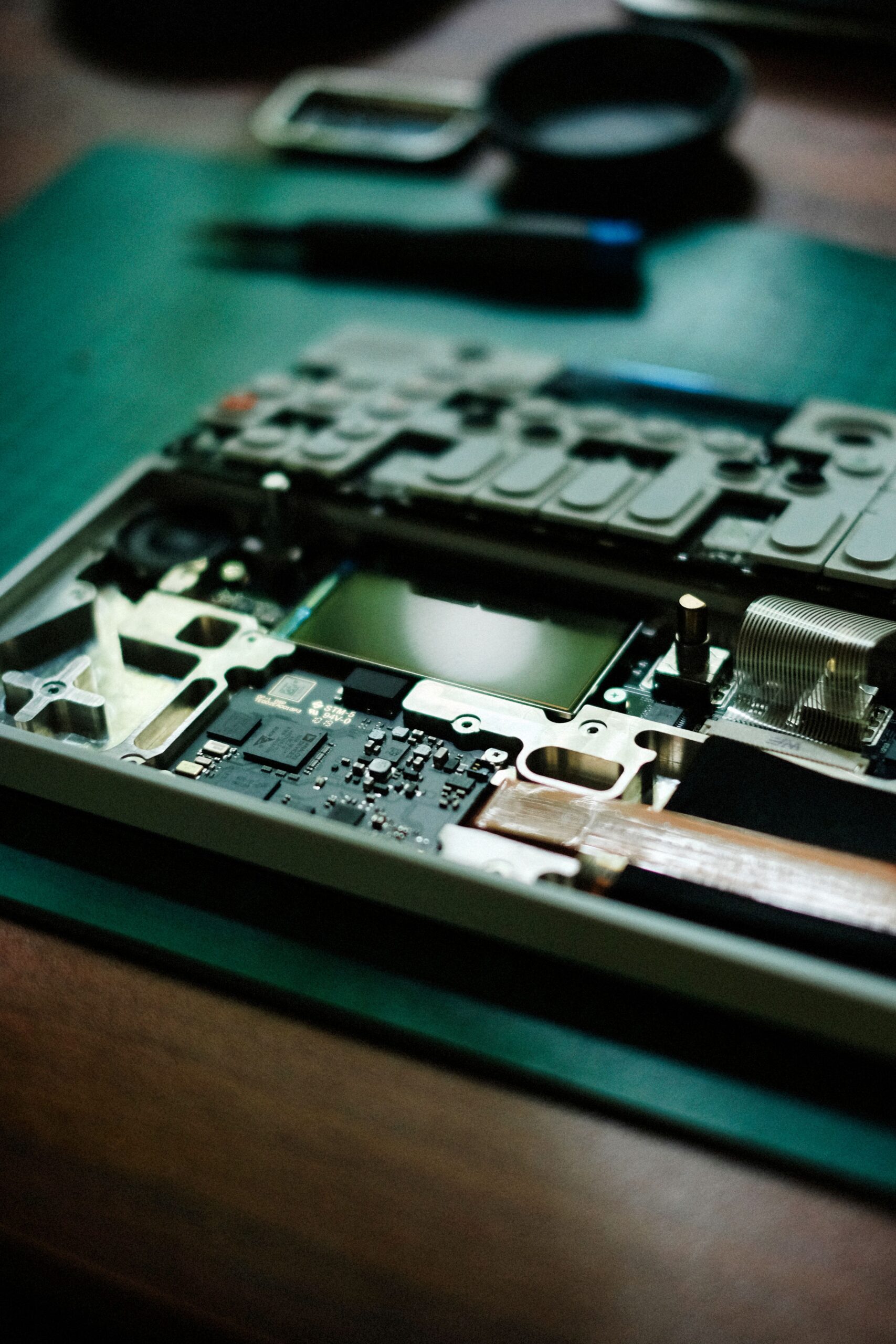
Framework’s modular laptop is a genuinely different proposition from every other laptop on this list: nearly every component — RAM, storage, ports, even the mainboard — is user-replaceable and upgradeable, aimed at buyers who want a laptop that lasts.
Our Rating: 4.4/5
Key Specs
- Price: From $849 (DIY Edition) / $1,049 (pre-built)
- CPU: AMD Ryzen AI 300 series (AI 5 340, AI 7 350, or AI 9 HX 370)
- RAM: Up to 96GB DDR5-5600, user-installable
- Storage: Up to 8TB NVMe SSD, or bring your own
- Display: 13.5″ 2.2K (60Hz) or 2.8K (120Hz), 3:2 aspect ratio
Check Framework Laptop 13 price on Amazon →
Pros
- Genuinely modular and repairable — swap RAM, storage, ports, even the whole mainboard
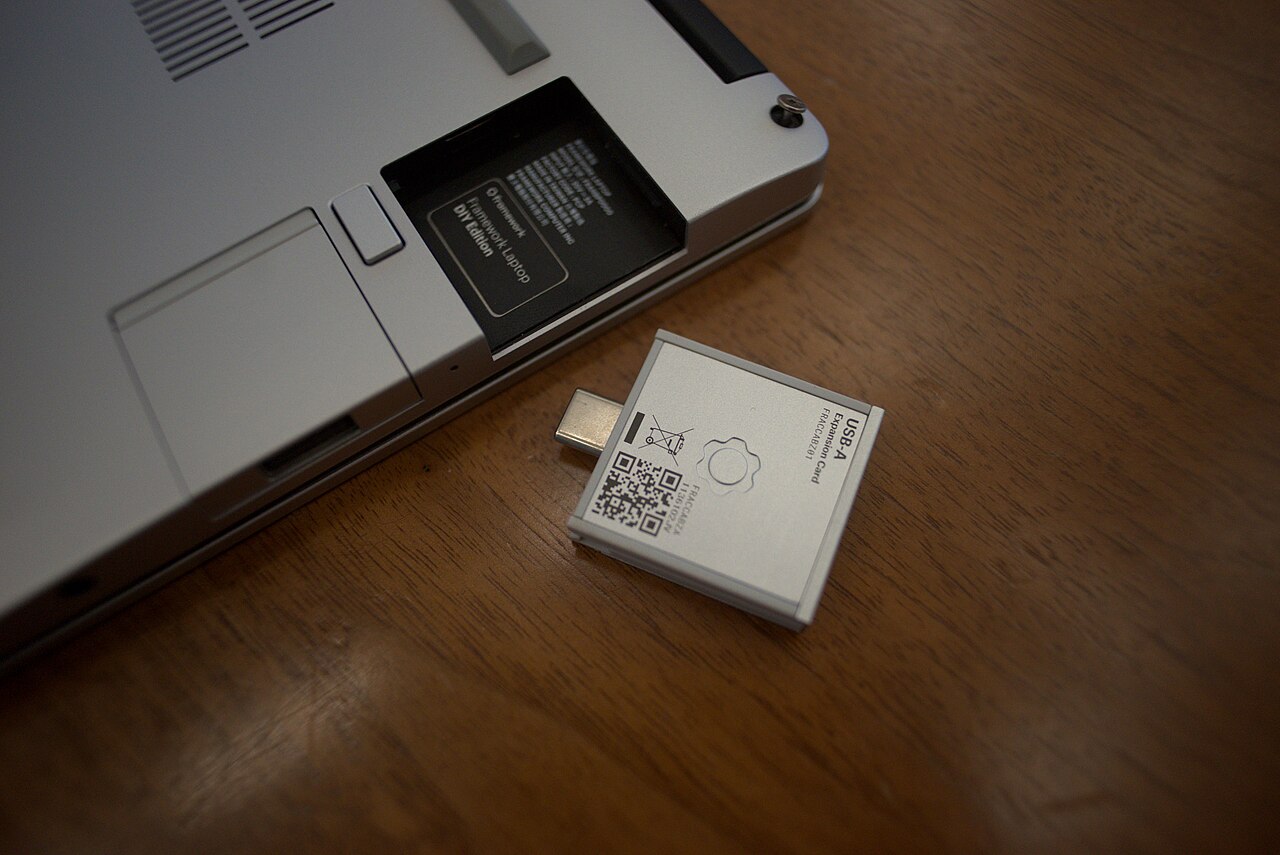
- Configurable expansion-card ports let you choose exactly which connectors you need
- Excellent 3:2 display, great for productivity work
- Reduces e-waste by allowing component-level upgrades instead of full replacement
Cons
- DIY Edition requires self-assembly, which isn’t for everyone
- Battery life trails dedicated ultrabooks like the MacBook Air
- Build quality, while solid, doesn’t quite match premium unibody laptops
Who Should Buy It
Tinkerers, right-to-repair advocates, and anyone who wants a laptop they can upgrade and repair for years rather than replace. If ease-of-use matters more than modularity, see our best ultrabooks guide instead.
FAQ
Is the Framework Laptop good for non-technical users?
The pre-built version arrives fully assembled and works like any standard laptop day-to-day — you don’t need technical skills unless you choose to open it up for upgrades or repairs later.
Can you run Linux on a Framework Laptop?
Yes — Framework laptops have strong Linux support and are popular among the Linux community, in addition to shipping with Windows 11.
Related: Best Ultrabooks · How Much RAM Do You Need? · All Reviews
What Living With the Framework Laptop Is Actually Like
The Framework Laptop asks a question no other mainstream machine does: what if you actually owned your laptop? Living with it answers in small, satisfying ways. Ports are whatever you decided this morning — the expansion-card system means USB-C, USB-A, HDMI, Ethernet, or extra storage slide in and out like cartridges. The QR code inside every part links to its repair guide. And when something breaks or ages, the reflex changes from “how much is a new laptop” to “which part do I order.”
This review draws on spec analysis, the measured results published by testing outlets we trust, and the unusually vocal Framework Laptop owner community — a group whose long-term reports matter more here than for any other machine, because longevity is the entire pitch.
Design and Build: Repairability Without the Kit-Car Feel
Early skeptics expected a screwdriver-chic prototype; the current Framework Laptop 13 feels like a premium ultrabook that happens to open easily. The aluminum chassis is rigid, the hinge is confident, and the 3:2 display sits in bezels slim enough to look current. At around three pounds it’s ordinary in the bag and extraordinary on the workbench: one screwdriver (included, magnetized, hidden in the box) opens everything.
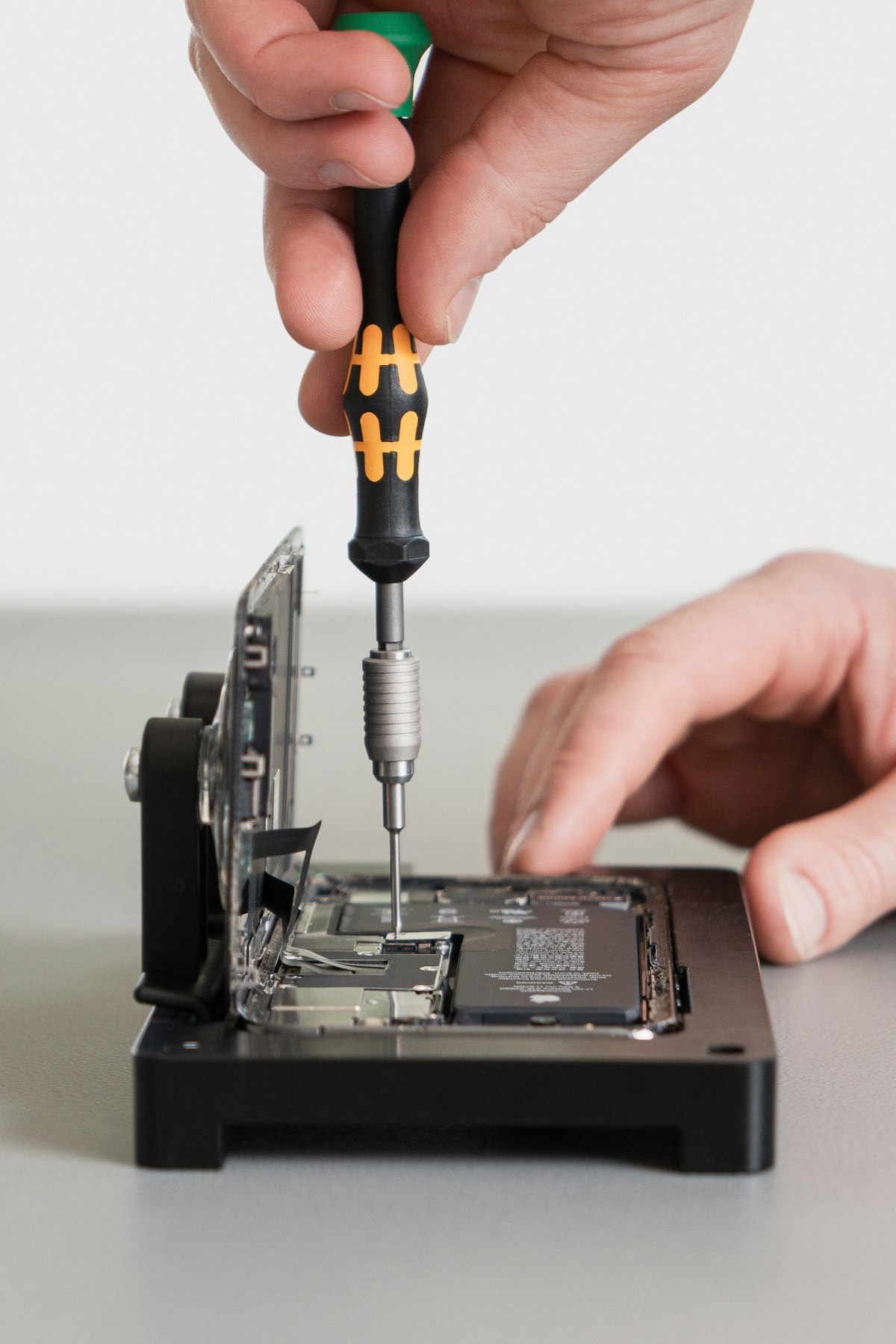
The engineering trade-offs are honest. A chassis designed for disassembly gives up a little of the monolithic density a MacBook achieves, and the fan is more audible under load than sealed rivals. Owners report the trade the right way around: a machine that’s 95% as refined and 500% as fixable.
The Display: 3:2 Is a Productivity Cheat Code
The 13.5-inch, 2256×1504 panel is bright, sharp, and — crucially — taller than the widescreen norm. Documents, code, and chat threads gain rows of visible content; the only people who’ll miss 16:9 are letterboxed-video purists. Higher-refresh and matte options have joined the lineup, and because this is a Framework Laptop, the display itself is a replaceable, upgradeable part — cracked panels are a $180 afternoon, not an insurance claim.
Keyboard, Trackpad, and the Input Story
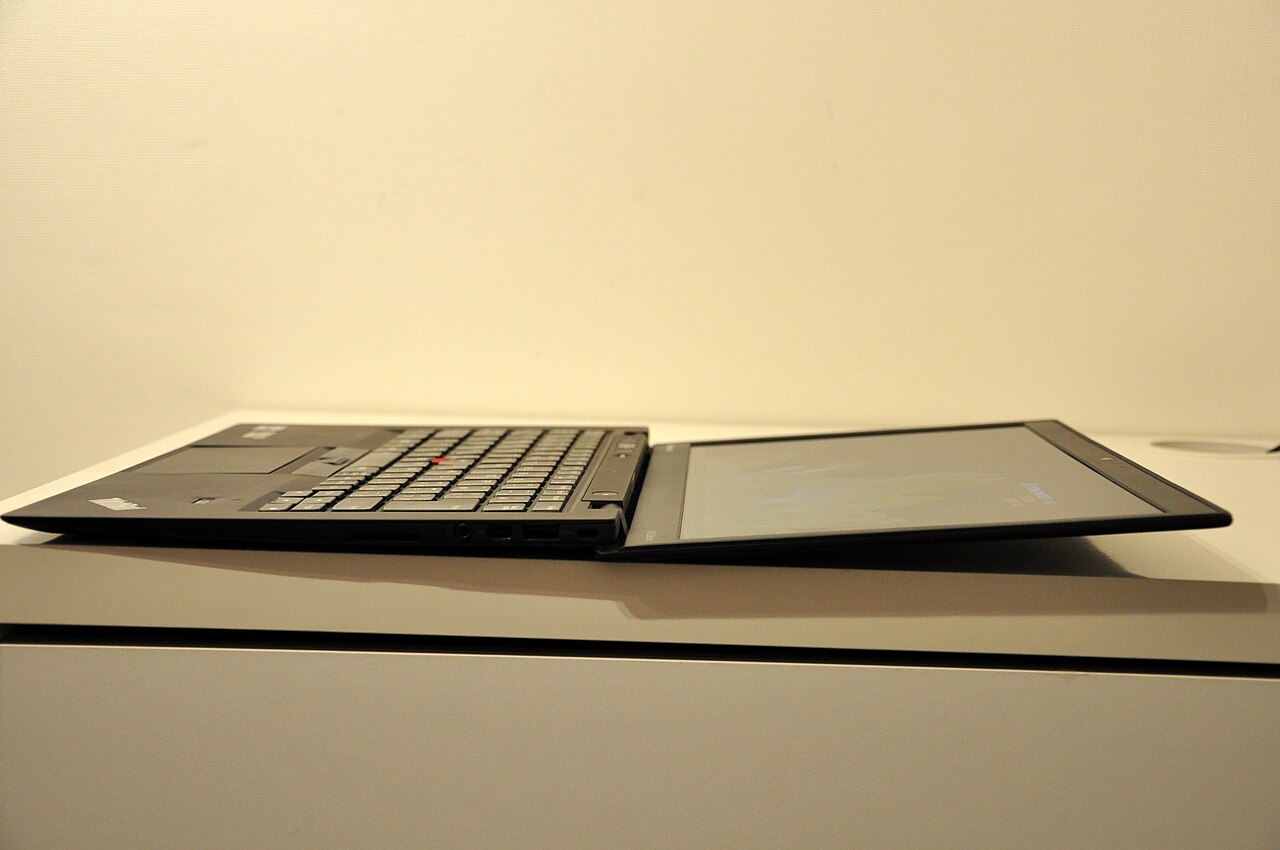
The keyboard is quietly excellent — 1.5mm of travel, sensible layout, none of the shallow clatter thin laptops normalize. It doesn’t dethrone the ThinkPad benchmark from our X1 Carbon review, but it comfortably beats most ultrabooks. The trackpad is large and accurate; the 1080p webcam and its hardware privacy switches (camera AND microphone kill switches, physical, on the bezel) show the company’s instincts.
Performance and Thermals: Mainstream Silicon, Honest Cooling
The Framework Laptop ships with current Intel Core Ultra or AMD Ryzen mainboards — genuinely current silicon, not last year’s leftovers. Everyday performance matches premium rivals: instant office work, comfortable heavy browsing, competent photo editing. Sustained all-core loads run the fan audibly and settle into sensible limits — mid-pack for the class, fine for the use.
The unique performance story is the upgrade path: when 2028’s mainboards ship, your 2026 chassis takes one. Nobody else sells that sentence. The retired mainboard even lives on — a 3D-printed case turns it into a tiny desktop, and the community actually does this.
Battery, Ports, and Connectivity
Battery life lands in the 8-11 hour real-use range depending on mainboard generation and panel — a workday with sense, not a MacBook-Air marathon. Charging is USB-C from any port (any port is a charging port if you slot a USB-C card there, which remains delightful). Wireless is current Wi-Fi 6E/7 on a socketed — of course — module.
Ports deserve their own sentence in any Framework Laptop review because they’re the party trick: four bays accept your choice of cards, so the machine is dongle-free by construction. Frequent presenters carry an HDMI card; photographers a microSD card; everyone carries whatever their week needs.
Configurations, Pricing, and the DIY Edition
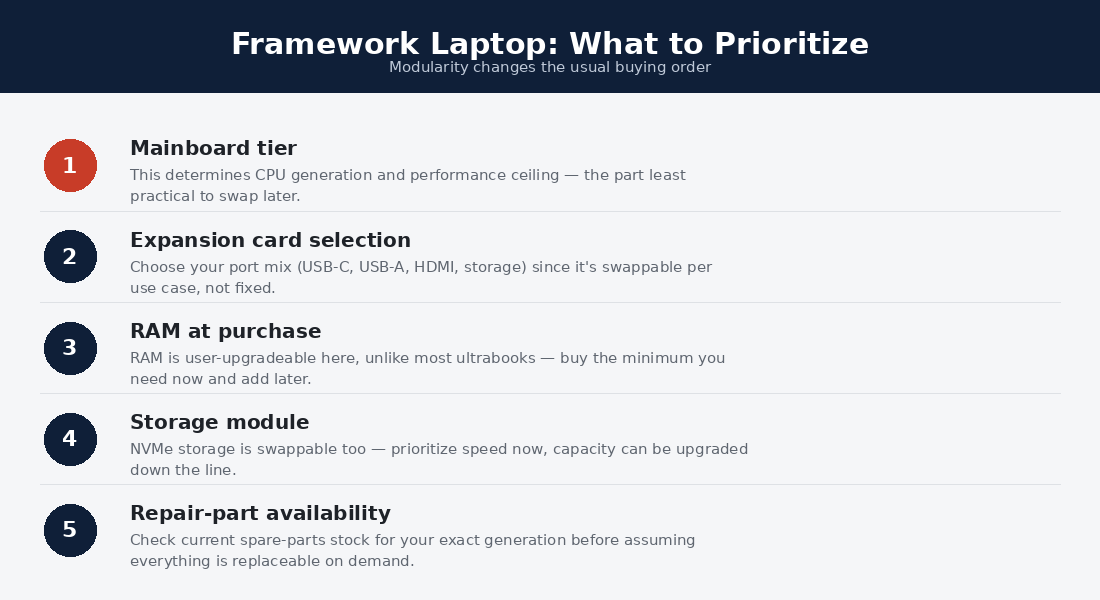
Two routes: prebuilt (assembled, OS installed) or the DIY Edition — cheaper, arrives as elegant flat-pack, assembles in twenty minutes, and ships with no OS, which Linux users read as a discount and a compliment. Check current configurations on Framework’s site; the sweet spec for most buyers is the mid-tier CPU, 32GB (socketed, so upgradeable later — but RAM prices only fall), and the base 61Wh battery.
Sticker prices sit slightly above equivalent conventional ultrabooks — the repairability premium is real but modest, and the resale/parts economics repay it. The marketplace sells every component separately, refurbished units appear periodically, and student discounts exist.
Long-Term Ownership: The Whole Point
Three years into the platform’s maturity, the longevity pitch has receipts. Batteries, keyboards, panels, and even full mainboards flow through the marketplace at sane prices; repair guides are first-party and excellent; and firmware updates arrive for old boards alongside new. The Framework Laptop is the only ultrabook whose five-year cost projection includes upgrades instead of replacement — the arithmetic that anchors its spot in our Linux laptop guide and the vendor philosophy comparison.
Framework Laptop vs the Alternatives
Against the X1 Carbon: the ThinkPad wins keyboard and featherweight travel; the Framework Laptop wins ownership economics and the port system. Against the MacBook Air: Apple wins battery and silence; Framework wins everything the word “repair” touches, plus Windows/Linux freedom. Against the Dell XPS 13 from our review: Dell’s design flair versus Framework’s design philosophy — sealed sculpture versus open platform. None of these are wrong answers; this one just refuses to expire.
Framework Laptop Review: Frequently Asked Questions
Is the Framework Laptop good for non-tinkerers?
Yes — the prebuilt edition behaves like any premium ultrabook out of the box. The repairability sits in reserve until you need it, like a spare tire.
How hard is the DIY Edition to assemble?
Twenty minutes with the included screwdriver and pictorial guide; the hardest step is opening the RAM’s packaging. It’s IKEA-simple by design and a genuinely pleasant introduction to your own machine.
Does the Framework Laptop hold its value?
Unusually well, structurally: parts have independent resale value, and old mainboards sell to the mini-desktop crowd. The machine depreciates like a platform, not a gadget.
Framework Laptop 13 or 16?
The 13 for portability-first buyers; the 16 for the modular GPU bay, more memory ceiling, and workstation ambitions — it stars in our developer picks for exactly those reasons.
Is Framework a risky small-company bet?
Smaller than Lenovo, certainly — but several mainboard generations, an expanding country list, and a parts marketplace that keeps old models alive argue the platform has crossed its survival threshold. The design itself hedges the risk: standard parts mean even a worst case leaves you a serviceable machine.
The Expansion Card Ecosystem in Practice
The card system sounds like a gimmick until the third week of ownership. Real usage patterns from the owner community: most people settle on a home loadout (two USB-C, one USB-A, one HDMI is the modal answer) and keep two or three spare cards in the bag pocket. The storage expansion cards deserve special mention — a 1TB card turns a port into a permanent second drive for backups or media, something no conventional ultrabook offers at any price.
Third-party and community cards extend the official catalog: Ethernet with its charmingly oversized housing, magnetic charging adapters, even microcontroller dev cards. The Framework Laptop’s ports are a platform in miniature, and the ecosystem behaves like one — new cards appear without new laptops.
Which Framework Laptop Buyer Are You?
The Linux enthusiast: DIY Edition, no OS, your distro — official guides for Fedora and Ubuntu make first boot boring in the best way; the deeper dive lives in our preinstalled Linux vendor guide. The sustainability-minded professional: prebuilt edition, Windows, and the quiet satisfaction of a purchase that votes against e-waste without costing performance.
The parent buying for a student: genuinely compelling — cracked screens and worn batteries become weekend fixes instead of replacement cycles, and the machine grows through a degree. The developer: the Framework Laptop 13 handles the job; the 16 with its GPU bay and 96GB ceiling is the ambition pick. The wrong buyer: anyone whose top three priorities are battery, battery, and silence — the MacBook Air exists for them and there’s no shame in it.
Framework Laptop Sustainability: The Numbers Behind the Story
The environmental pitch survives scrutiny better than most green marketing. A conventional ultrabook’s five-year lifecycle typically means one full replacement — chassis, display, battery, board, packaging, shipping — while a Framework Laptop’s means one mainboard and perhaps a battery, with the rest continuing to serve. The aluminum housing, the highest-embodied-carbon component, persists across upgrade cycles.
Owners who care can push further: refurbished parts in the marketplace, the retired-board mini-desktop conversion, and a packaging program that leans on recycled materials. None of this requires believing marketing; the repair economics enforce it. A machine that’s cheaper to fix than replace gets fixed — sustainability as a side effect of self-interest, which is the only kind that scales. For buyers weighing this against conventional rivals, that lifecycle difference is worth real money — and it compounds every year the chassis survives.
The Company Behind the Machine
A Framework Laptop review owes readers a word on Framework itself, because buying a platform means underwriting its steward. The signals are healthy: multiple mainboard generations shipped on schedule, an expanding marketplace that keeps old parts stocked, firmware support flowing to early units, transparent pricing breakdowns, and a repair-guide culture that treats owners as adults. The company’s incentives visibly align with longevity — they profit when you upgrade a board, not when you landfill a laptop. No small vendor is risk-free, but this one has spent years converting skeptics with the only currency that matters: shipped promises.
Can the Framework Laptop really replace a desktop?
Docked to a monitor via any USB-C card, comfortably — and the 16’s GPU module stretches the claim further. The retired-mainboard-as-mini-desktop trick means it can eventually replace a desktop literally.
What breaks first, and what does fixing it cost?
Owner reports mirror laptops generally: batteries age first (an easy swap at a sane price), hinges and keyboards next (both are catalog parts with guides). The difference isn’t what breaks — it’s that breakage has a part number instead of a shrug.
Setup Notes for a New Framework Laptop
First-day advice distilled from the community. DIY builders: ground yourself, seat the RAM firmly (the most common “it won’t boot” cause is a half-seated stick), and keep the box — its foam doubles as a work mat for future openings. Everyone: update firmware first via Windows updates or fwupd on Linux, enable the battery charge limit if the machine will live docked, and register the purchase so marketplace orders link to your configuration. Then do the thing every owner does within a week: rearrange the expansion cards twice for no reason, because you can. The machine rewards curiosity — which is, in the end, the whole review in one sentence.
Does the Framework Laptop work well for trading or multi-monitor desks?
Yes — USB-C cards drive external displays, and a dock turns it into a two-to-three screen station. Traders should read our day trading laptop guide for the full setup math; the Framework slots in comfortably at the quality mid-tier.
How This Review Was Put Together
Transparency note: this Framework Laptop review synthesizes manufacturer documentation, measured results from testing outlets we trust, and the owner community’s long-term reports. Licensed photos are credited to their photographers; affiliate links never influence ratings.
Verdict: The Ultimate Keep-It-Forever Ultrabook
The Framework Laptop is the rare product whose idealism survived contact with manufacturing: a genuinely good ultrabook that happens to be the most repairable, upgradeable computer sold today. Buy it if you think in years and like owning things fully; skip it only if silence and maximum battery outrank everything else. Our advice mirrors the community’s: choose the DIY Edition, spec 32GB, slot the ports your life needs, and plan on this being the last laptop chassis you buy for a very long time. Few reviews get to end on a sentence like that.
Running Linux on the Framework
The Framework deserves special mention as one of the best Linux laptops money can buy. The company publishes official installation guides for Fedora and Ubuntu, chooses components with Linux support in mind (Intel/AMD wireless, no problem hardware), ships firmware updates through LVFS so BIOS updates arrive inside Linux, and sells a DIY edition with no OS preinstalled — no Windows license in the price. Every major distro community maintains active Framework hardware documentation. If you’re weighing it against the other Linux-first options, see our System76 vs Framework vs ThinkPad comparison and the full best Linux laptops guide.
This Framework Laptop review is revised as new mainboards and configurations ship; the Framework Laptop marketplace and pricing observations reflect the time of writing.
Is the Framework Laptop available in my country?
The shipping list has grown steadily across North America, Europe, and parts of Asia-Pacific, with new regions added in batches — check the configurator for current availability. Buyers outside the list sometimes use freight forwarders; weigh that against warranty logistics before committing, since the platform’s parts-by-mail model works best where official shipping reaches.
