Updated July 2026. As an Amazon Associate and affiliate partner, UrbanLaptop may earn a commission from qualifying purchases made through links on this page, at no extra cost to you. See our affiliate disclosure.
HP Pavilion vs Dell Inspiron is the comparison millions of household buyers actually face — not the flagship duels reviewers prefer, but the $500-900 shelf where most laptops are really sold. Both lines are their makers’ mainstream volume plays: competent, configurable, aggressively discounted, and built to a price in ways that reward buyers who know exactly where each cuts its corners. This guide settles HP Pavilion vs Dell Inspiron model-tier by model-tier, and names the third option that beats both more often than either brand would like.
HP Pavilion vs Dell Inspiron: The Short Answer
They are closer than any rivalry on this site — same silicon menus, same price bands, same build philosophy, same corner-cutting temptations. Buy the Pavilion when its configuration is brighter-screened or cheaper on the day, and for slightly better speakers and design flair. Buy the Inspiron for Dell’s marginally better support reputation, its frequent 16:10 screen options, and typically stronger port selections. Buy neither blind: in this segment the specific configuration outweighs the badge every single time — and a refurbished business machine at the same price beats both, a case this guide makes honestly below.
What Both Lines Get Right
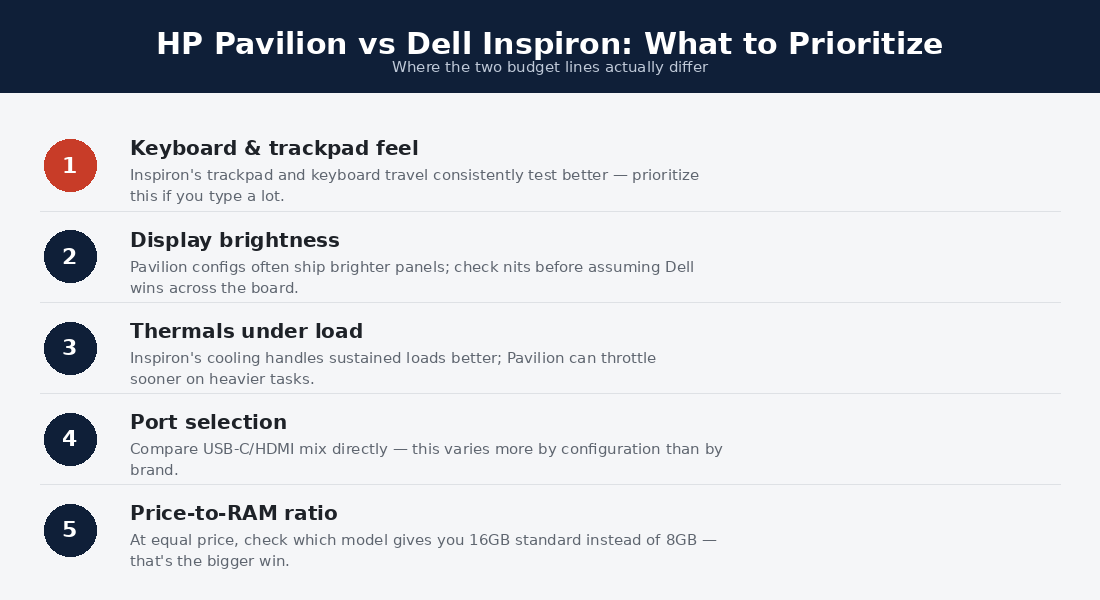
The mainstream tier’s economics produce genuine value when configured well: current mid-tier processors that handle household workloads — documents, streaming, homework, video calls, light photo work — without complaint; 16GB RAM options at honest prices; fast NVMe storage as standard; and modern connectivity (Wi-Fi 6E, USB-C with charging on most trims). Both lines have also quietly improved their screens’ floor: the miserable 250-nit TN panels of the old budget era are mostly gone from current HP Pavilion vs Dell Inspiron trims, replaced by adequate-to-good IPS.
Both also deliver the segment’s real killer feature — relentless discounting. List prices on these lines are fiction; sale prices 20-35% below are the true market, and both makers’ outlet stores stack further savings. A patient buyer with a price tracker gets mid-tier hardware at budget-tier money several times a year, which is the entire honest case for shopping this shelf.
Where Both Cut the Same Corners
The shared economies are predictable once named. Chassis are plastic with metal accents — fine in daily use, flexy under deliberate pressure, and the first thing that ages. Keyboards are adequate and forgettable; trackpads track fine and click hollow. Base-model screens remain the classic trap: both configurators still open with dimmer, narrower-gamut panels that cost the maker $30 and the owner four years of squinting — the single upgrade this guide insists on for either badge. Speakers serve calls, not music (HP’s tuning runs slightly warmer). And both ship with preinstalled software best described as negotiable — budget an hour of day-one cleanup on either machine.
Durability lands identically mid-pack: not fleet-grade, not fragile — machines that survive four-to-five careful household years and reward the $25 sleeve. The warranty floors are also twins (one year, mail-in), with both makers selling meaningful upgrades cheaply at checkout. Nothing in this section splits HP Pavilion vs Dell Inspiron; it defines the tier they share.
The Tiers, Compared Directly
At the budget floor ($450-550): Inspiron’s base trims more often include the 16:10 screen ratio and a USB-C that charges; Pavilion counters with more frequent brightness upgrades on sale. Verdict: the day’s better configuration wins. The mid-tier sweet spot ($600-750): both lines’ 16GB/512GB/decent-screen builds — the configurations this guide would actually buy — trade blows weekly; HP’s Pavilion Plus variants bring surprisingly good OLED options here, Dell’s answer leans battery and ports. The upper trims ($800-950): the honest advice is to stop — this money buys entry configurations of genuinely better machines (Zenbook, sale-priced premium lines, or the refurb route below), and both makers’ upper mainstream trims are the segment’s worst value real estate.
Reading Either Configurator Like a Pro
Both configurators sell the same three illusions, and dodging them is worth more than picking the right badge. Illusion one: the processor upgrade ladder — in this thermal class, the mid CPU option delivers the top option’s real-world experience at $100 less, because the chassis throttles them to similar sustained speeds anyway. Illusion two: the storage upsell — both makers price 1TB upgrades at triple component cost; take 512GB and a $60 external drive. Illusion three: the anti-glare checkbox that hides the brightness spec — always click through to nits and gamut, because “FHD display” spans everything from grim to good on both sites.
The two upgrades that always earn their price: memory to 16GB (soldered futures make it permanent) and the brighter screen option wherever offered — the $50-80 that separates a machine you tolerate from one you like. Timed against both makers’ sale calendars (the outlet stores, the seasonal events, the education portals), a disciplined HP Pavilion vs Dell Inspiron buyer routinely lands the good configuration at the bad configuration’s list price, which is the whole game on this shelf.
Two Households, One Year Later
The family that bought the sale-priced Pavilion — 16GB, bright-screen trim, $619 — reports exactly what the tier promises: homework, streaming, taxes, and video calls without drama, a hinge that loosened slightly by month ten, and speakers that turned out warmer than the neighbor’s Inspiron for kitchen-counter music. Nobody thinks about the laptop, which was the goal. The freelancer who stretched to the Inspiron’s upper trim reports the tier’s cautionary tale: $880 spent where a sale-priced Zenbook OLED lived, and a year of noticing the plastic deck and dim-ish panel that money nearly escaped. Same brands, opposite verdicts — the configuration chose the outcome, as it always does in the HP Pavilion vs Dell Inspiron band.
The Third Option That Beats Both
At every price point in the HP Pavilion vs Dell Inspiron band, a three-year-old business machine — ThinkPad T series, Latitude 7000, EliteBook — offers better build, better keyboard, better screen options, and better repairability for the same money, as our budget guide and ThinkPad vs Latitude comparison detail. The mainstream lines answer with new-machine warranties, current-generation silicon, and fresher batteries — real advantages for buyers who want zero used-market homework. The honest framing: Pavilion and Inspiron are the right call for warranty-first households; the refurb route is the right call for value-first ones; and knowing which buyer you are settles more than the brand question ever will.
Batteries, Screens, and the Specs That Age
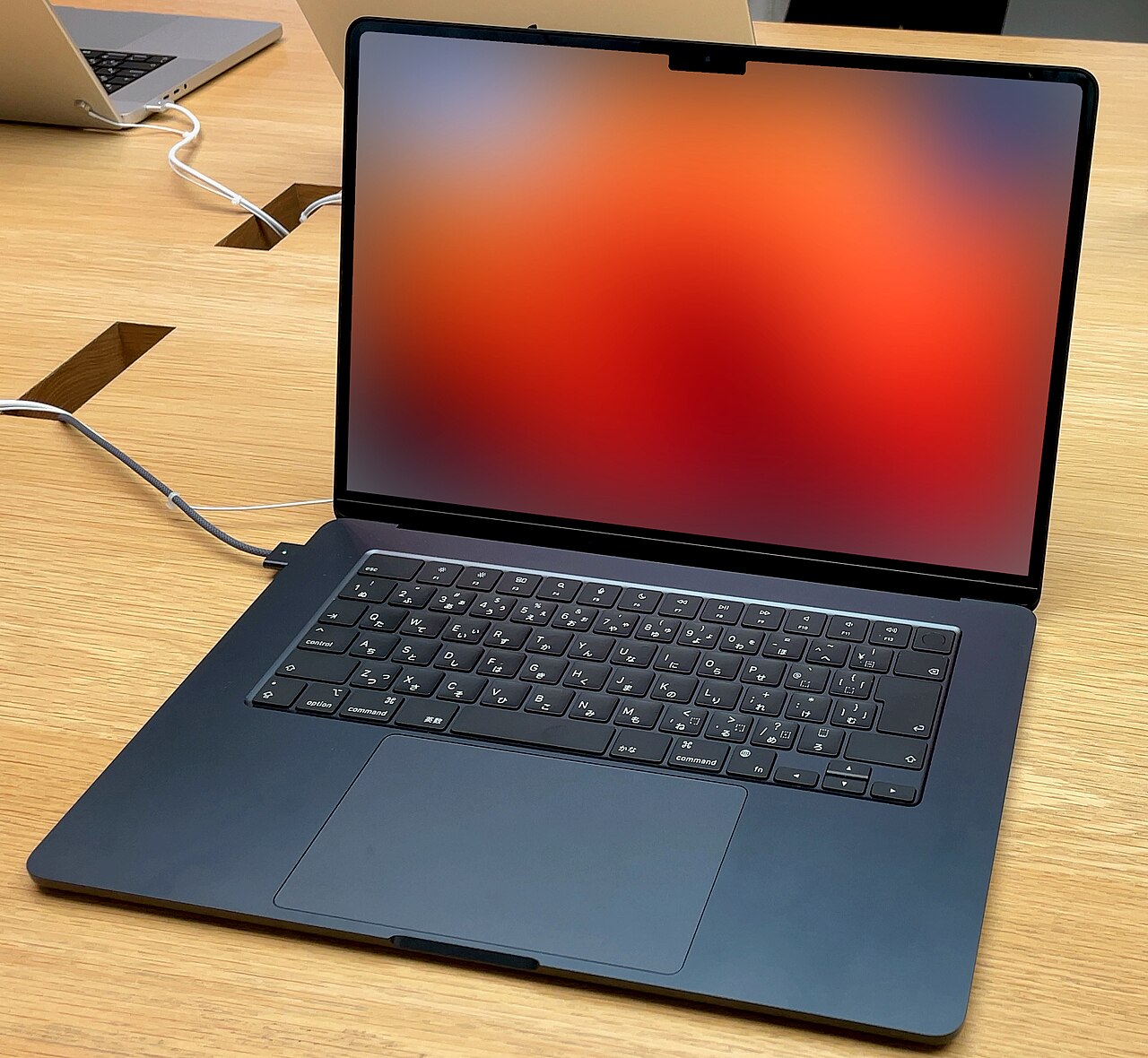
Battery life across current HP Pavilion vs Dell Inspiron trims lands in the 6-9 real-hour band — a workday with margin on the efficient configurations, an afternoon on the cheap ones — with independent rundowns at Notebookcheck showing configuration variance (screen brightness, processor tier) mattering more than badge. Neither line plays in the all-day efficiency class the premium ARM and Apple machines define; buyers whose weeks live unplugged should read our endurance rankings and accept a different shelf. For outlet-adjacent household life, both lines’ batteries serve fine and age normally — expect the 80%-at-three-years lithium arithmetic, with replacement service cheaper on Dell’s side by reputation and on HP’s by parts availability, a wash in practice.
The aging curve favors buyers who spent on the two durable specs: the bright screen stays bright, and 16GB stays enough — while the specs this tier flatters at checkout (processor bins, storage sizes) fade from memory by month two. That asymmetry is the deepest pattern in the whole HP Pavilion vs Dell Inspiron decision: money spent where the tier economizes repays daily, and money spent where it already suffices evaporates.
HP Pavilion vs Dell Inspiron by Buyer
The household daily driver: either, configured with 16GB and the screen upgrade — then the week’s best price wins. The student: compare against the refurb picks in our college guide first; if new-with-warranty wins your risk math, both education stores discount these lines further. The remote worker: Inspiron’s 16:10 trims edge documents-and-calls days; verify webcam quality on the specific trim either way. The light gamer: neither — the same money in our gaming guide‘s entry tier buys real graphics. The buyer keeping it seven years: the refurb business machine, full stop — longevity is exactly the dimension this tier traded away.
Setup, Care, and Getting the Tier’s Best Years
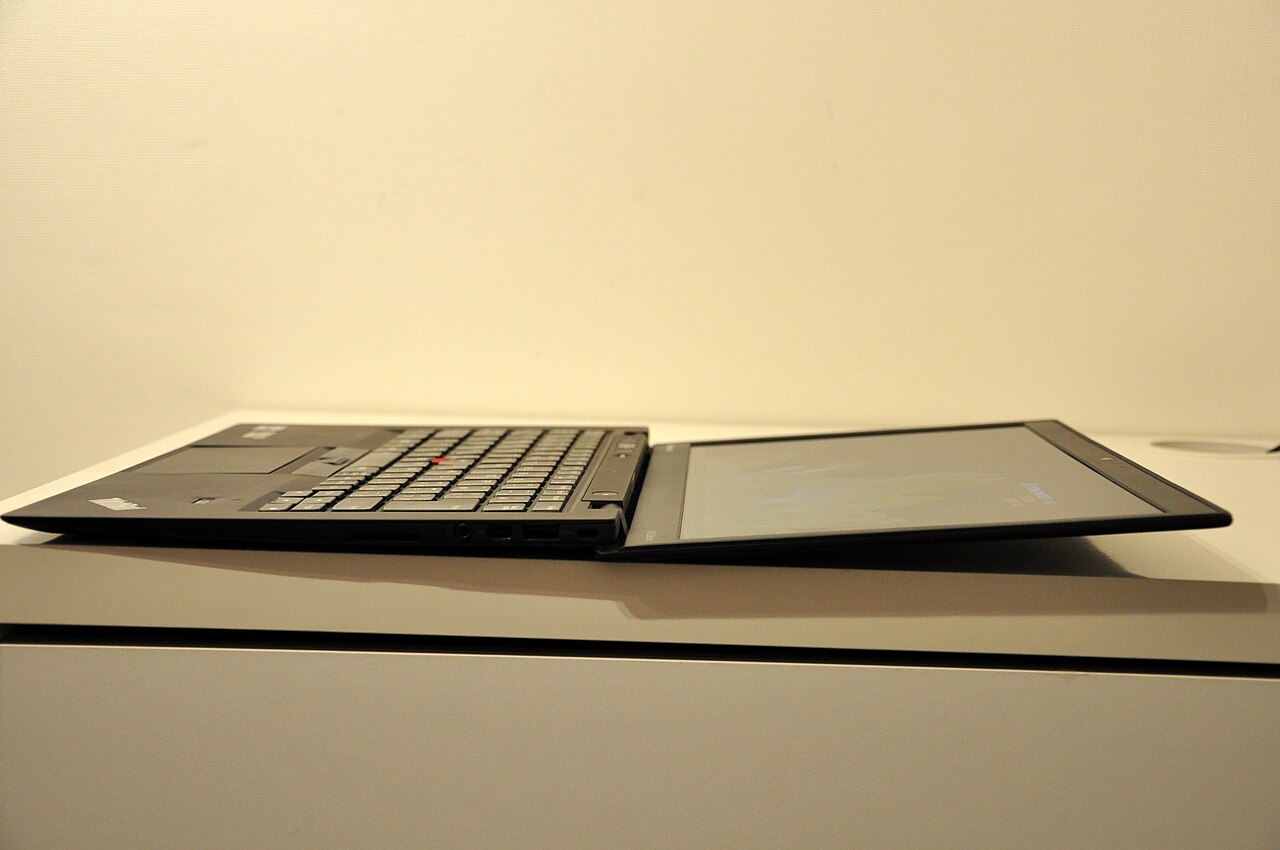
Day one on either machine: uninstall the trial antivirus and promotional apps (both lines ship them; both machines run noticeably lighter after), run every pending update in one sitting, configure cloud backup for the household’s documents, and set the battery-charge limiter both makers now include — the single setting that most extends this tier’s shortest-lived component. Fifteen minutes of cleanup closes most of the out-of-box experience gap between this shelf and the premium one.
Ongoing care matches the build’s honesty: a sleeve for transport, vents dusted quarterly (compressed air, thirty seconds), storage kept under 85% full, and the charger treated gently — this tier’s barrel-and-brick chargers fail more often than the laptops, and both makers sell official replacements cheaply. Owned this way, either badge delivers its full four-to-five years, and the HP Pavilion vs Dell Inspiron purchase retires as what it was designed to be: an unremarkable, fully-amortized household appliance — the quiet compliment this segment earns when bought with its eyes open.
Do the 2-in-1 variants of either line change the verdict?
No — both makers sell convertible trims (Pavilion x360, Inspiron 2-in-1) that inherit their clamshell siblings’ economics plus a hinge, and the same configuration rules apply with one addition: convertible trims’ base screens skew dimmer, making the brightness upgrade even less optional. Buyers whose tablet-mode ambitions are serious should read our Spectre x360 review — the convertible premium done properly — and buyers whose ambitions are occasional will find either mainstream x360 serves fine at the right config.
HP Pavilion vs Dell Inspiron FAQs
Which is more reliable, HP Pavilion or Dell Inspiron?
Large-fleet reliability data shows no meaningful gap — both land mid-pack, well behind business lines, with unit-to-unit variance exceeding the brand difference. Buy the extended warranty either way if reliability anxiety is real; it is priced for this tier’s honesty.
Is the Pavilion or Inspiron better for students?
Configuration decides: 16GB, the bright-screen option, and the day’s better price — in that order. Both survive a degree with care; neither survives carelessness like the business refurbs do.
Can these laptops handle video editing or gaming?
Casually yes, seriously no: short 1080p edits and older or esports titles run fine; sustained creative loads and modern AAA gaming exceed the thermal and graphics budgets this tier exists to economize. Buyers with those workloads are shopping the wrong shelf, not the wrong badge.
How long do Pavilions and Inspirons last?
Four to five careful years is the honest range — batteries and hinges age first, and the plastic builds reward gentle bags. The upgrade-relevant note: both lines’ RAM is increasingly soldered, so the 16GB decision at checkout is permanent.
Should I just spend $150 more on a better laptop?
Often yes — the step from this tier’s upper trims into sale-priced Zenbooks or entry premium machines buys disproportionate screen, build, and battery gains, while the step down to refurb business hardware buys durability at a discount. The mainstream tier’s sweet spot is its middle; its edges belong to other shelves.
How do HP Pavilion vs Dell Inspiron webcams and mics compare for remote work?
Both lines moved to 1080p webcams on most current trims — adequate for daily calls, a visible step behind the premium tier’s tuned cameras — and both makers’ mid trims add privacy shutters worth confirming on the specific configuration. Microphones are serviceable with the usual advice: a $30 headset outperforms either machine’s array and outlasts the laptop. Remote-first buyers comparing trims should verify the webcam spec per configuration rather than per line, because both makers still quietly ship 720p units on the cheapest builds.
Which has better customer support for home users?
Dell’s home-user support carries the slightly stronger reputation — more consistent phone escalation and a smoother parts-dispatch pipeline — while HP counters with a denser walk-in service network through retail partners in many regions. Both experiences improve dramatically with the inexpensive warranty upgrades bought at checkout, and both degrade at the base mail-in tier; the honest advice for either badge is that the $60-90 support upgrade is part of this tier’s real price.
Are refurbished Pavilions and Inspirons worth buying?
Rarely — and this is the tier where the advice flips from the business lines. Consumer-grade builds age faster, their refurb discounts run shallower, and the used price lands within sight of new-on-sale, which buys the fresh battery and warranty this tier needs most. The refurb dollar belongs with the fleet machines built for second lives; the HP Pavilion vs Dell Inspiron dollar belongs on the new-with-discount shelf where these lines do their honest work.
What about Linux on these machines?
Both lines run mainstream distributions acceptably with occasional trim-specific quirks — Wi-Fi cards and fingerprint readers being the usual suspects — but neither carries the certification depth or community coverage of the business lines, which is half the reason our Linux laptop guide steers penguin-bound buyers toward refurb ThinkPads at these exact prices. Dual-boot experimenters will manage on either badge; Linux-first buyers are on the wrong shelf, pleasantly cheaply.
Do these laptops make sense as a second machine?
This is quietly their best role: the kitchen-counter, guest, and travel-backup machine bought new for peace of mind at the sale-price floor. In second-machine service the tier’s compromises — plastic builds, adequate screens on base trims — stop mattering, the warranty freshness starts mattering, and a $500 sale-priced configuration of either line becomes hard to argue against. Households already owning a premium daily driver should shop the HP Pavilion vs Dell Inspiron floor trims without guilt; the tier was practically designed for the job.
Which should gift buyers choose for parents or relatives?
Either, configured with the guide’s two non-negotiables and one gift-specific addition: pay the checkout warranty upgrade, because the recipient will not troubleshoot and the support line becomes the gift’s real customer. Between badges, choose whichever brand the household already knows — familiarity is worth more than any spec delta on this shelf — and spend the leftover attention on setup: accounts configured, backup running, and the bloatware already gone before the wrapping paper.
What ports do current trims of each line actually include?
Both lines remain refreshingly dongle-free at this tier: expect USB-C (with charging and display output on most mid trims and up), a pair of USB-A ports, HDMI, and a headphone jack on either badge — the full household connectivity set that pricier minimalist machines surrendered. The checking points are the fine print: confirm the USB-C port’s charging support on budget trims (both makers still ship data-only C ports at the floor), and note SD card readers have become trim-dependent on both sides, a real consideration for camera-owning households. Thunderbolt appears on upper-mid trims of both lines but matters little at this tier’s workloads; the everyday ports are the ones this shelf gets right.
How big is the real-world performance difference between same-priced trims?
Smaller than either configurator implies: at matched prices, the HP Pavilion vs Dell Inspiron performance gap disappears inside configuration noise — the same processor menus, similar cooling budgets, and identical storage classes produce machines that benchmark within a few percent and feel indistinguishable in household use. The visible differences at matched money are the ones this guide keeps pointing at instead: screen brightness, RAM allocation, port details, and the week’s discount depth. Shoppers who catch themselves comparing processor model numbers between the two sites are studying the wrong line of the spec sheet — on this shelf, silicon is the commodity and configuration is the product.
Verdict: The Ultimate Config-Sheet Decision
HP Pavilion vs Dell Inspiron ends in the tie both companies engineered: two competent, aggressively discounted mainstream lines whose differences per configuration are smaller than the differences between configurations. Buy whichever offers 16GB, the screen upgrade, and the better price on the day you shop; respect the refurb alternative that beats both on everything but warranty freshness; and remember this tier’s golden rule — in the mainstream market, the badge is decoration and the config sheet is the product.