

Updated July 2026. As an Amazon Associate and affiliate partner, UrbanLaptop may earn a commission from qualifying purchases made through links on this page, at no extra cost to you. See our affiliate disclosure.
Dell XPS vs MacBook Air is probably the single most common laptop-shopping crossroads we hear about: two of the best thin-and-light laptops available right now, built on completely different philosophies, both genuinely excellent at what they’re trying to do. Neither one is objectively “better” — they’re built for different priorities, and which one is right for you depends on which of those priorities actually matches how you work.
We put both side by side across the categories that actually affect day-to-day use, rather than just stacking spec sheets next to each other, because a chip name on a page tells you almost nothing about what it’s like to actually own the thing.

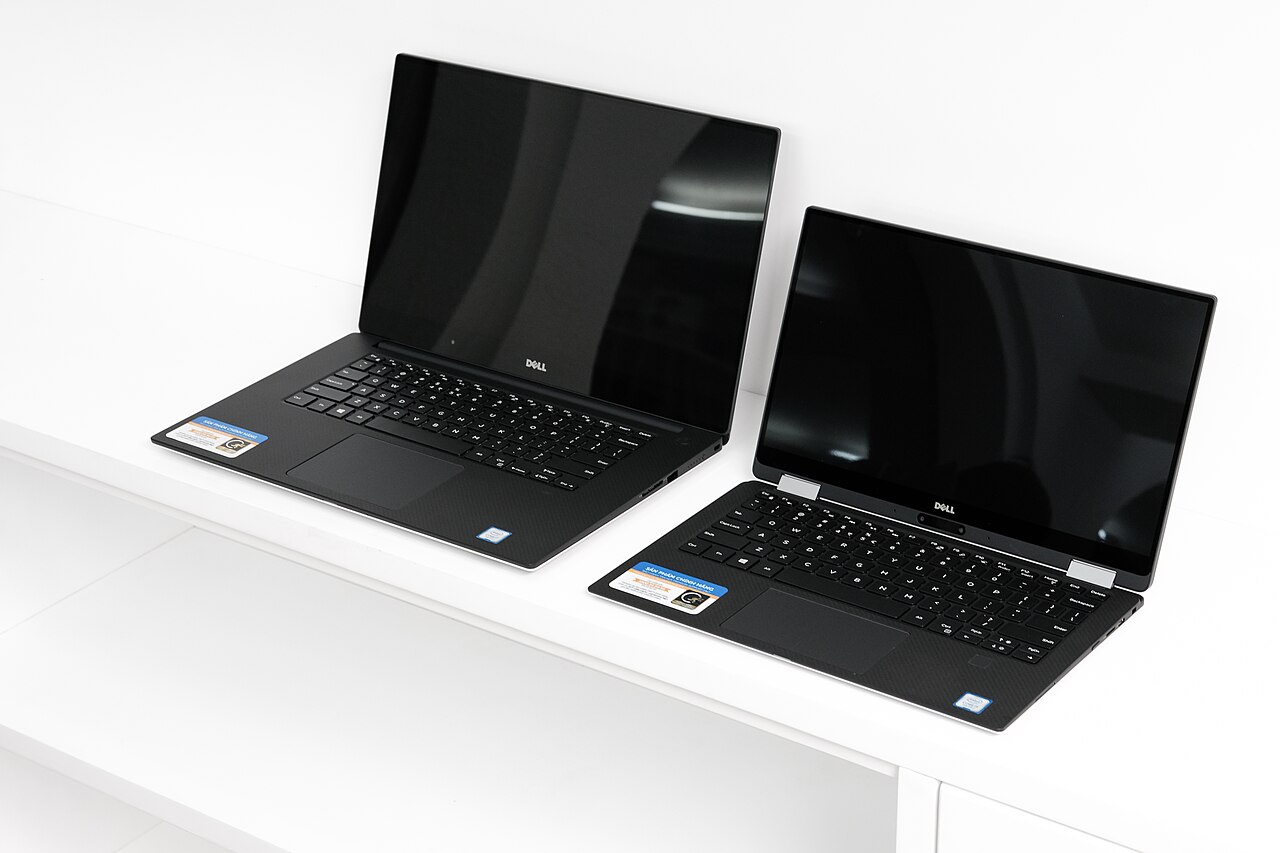
One framing note before the sections below: Dell XPS vs MacBook Air is really a question about philosophies wearing similar aluminum. Dell bets on Windows flexibility and display maximalism; Apple bets on efficiency and integration. Every Dell XPS vs MacBook Air section that follows is one philosophy colliding with the other on a specific front, and independent lab numbers at Notebookcheck referee the collisions we describe.
Design and Build
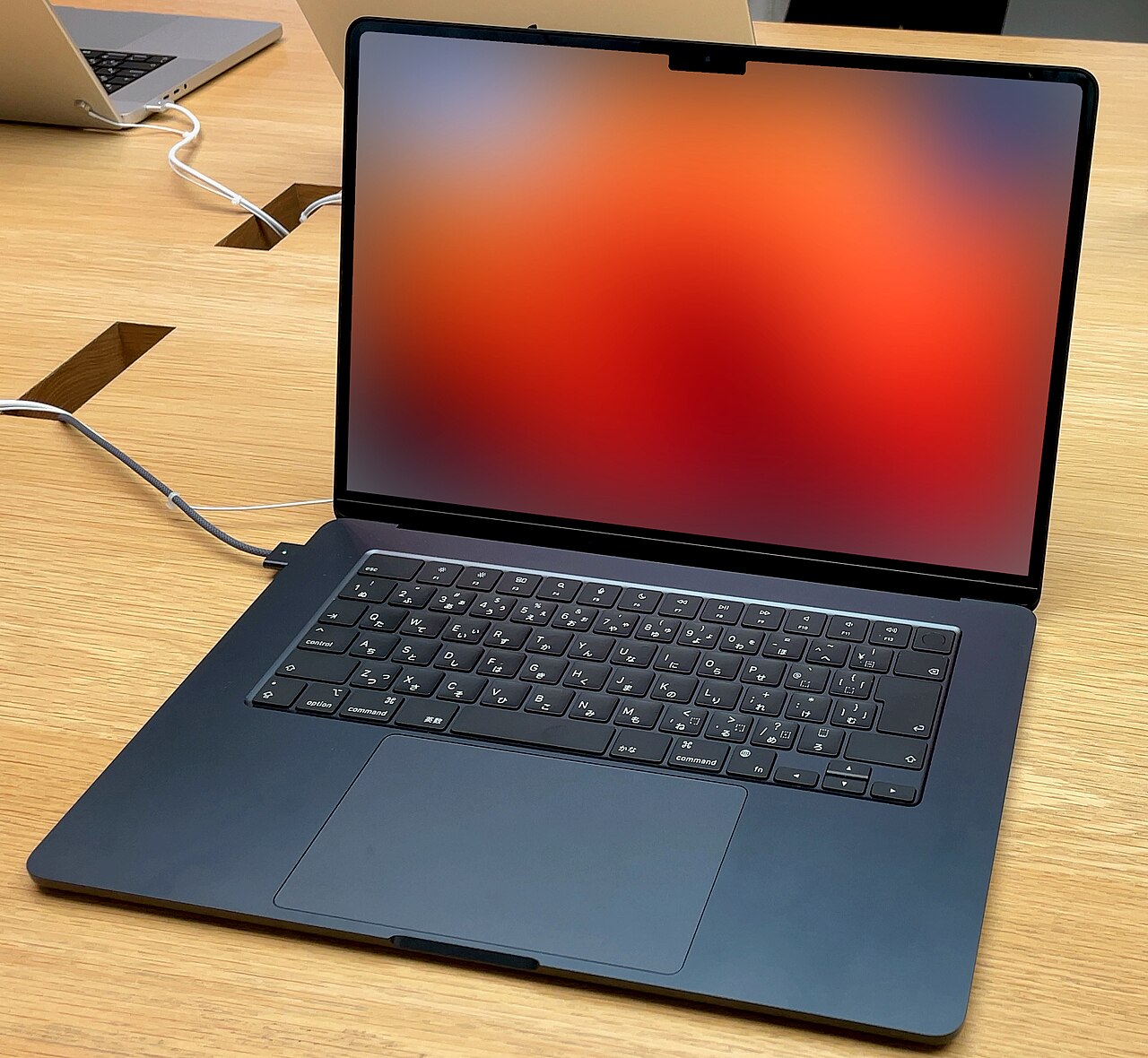
Both laptops are compact, premium-feeling, and clearly the flagship thin-and-lights of their respective brands. The XPS 13 leans on aluminum and carbon fiber with Dell’s signature near-invisible bezels; the MacBook Air uses Apple’s aluminum unibody construction, a design language that’s barely changed in years because it hasn’t needed to. In hand, the Air edges ahead on fit and finish — hinge feel, edge machining, that sort of thing — but it’s a close call, and the XPS 13 is genuinely premium in its own right, not a budget imitation.
Display
Both panels are sharp and color-accurate enough for everyday work, photo browsing, and video streaming. Neither is chasing the OLED-level contrast some premium Windows laptops now offer, and if display quality is your single biggest priority, it’s worth looking at options like the HP Spectre x360 instead. Between these two specifically, it’s close enough that most people won’t have a strong preference either way.
Performance
This is where the two philosophies really diverge. The MacBook Air’s M5 chip runs completely silent thanks to its fanless design, staying fast for everyday multitasking without ever spinning up a fan you can hear. The XPS 13 uses active cooling, which means a bit of fan noise under heavier load but also fewer thermal compromises when you’re pushing it. For typical productivity work — writing, browsing, spreadsheets, video calls — both feel snappy and responsive. Neither is built for sustained heavy workloads like 3D rendering or long video exports; if that’s your use case, look at dedicated creative laptops in our video editing guide instead.
Battery Life
This is the category where the Air pulls clearly ahead. Apple’s fanless, efficiency-focused design routinely delivers genuinely all-day battery life, the kind where you stop thinking about your charger. The XPS 13’s battery life is good, not great — comfortably covers a typical workday, but if you’re pushing it hard from morning to night, you’ll likely want a charger within reach by late afternoon. If all-day battery life without compromise is a hard requirement for you, this alone might settle the decision.
Operating System and Software Compatibility
This is less about which is “better” and entirely about which ecosystem actually fits your life. The XPS 13 runs Windows 11, giving you access to the widest possible range of software, hardware peripherals, and PC gaming. The MacBook Air runs macOS, which offers tighter integration if you already own an iPhone or iPad, along with Apple’s typically smoother out-of-box experience. If your work or school specifically requires Windows-only software, that requirement alone should end the debate regardless of anything else on this page.
Dell XPS vs MacBook Air: Which Fits Your Actual Situation?
Specs and pros/cons lists are useful, but sometimes it’s easier to recognize yourself in a specific scenario than in a bullet point. Here’s how we’d advise a few common types of buyers.
The College Student on a Tight Budget
If you’re paying out of pocket or working with financial aid, the XPS 13’s lower starting price is hard to ignore, and full Windows compatibility means you won’t run into surprises with campus software or printer drivers. Unless your program specifically leans Mac (design or film programs sometimes do), we’d lean XPS 13 here. See our best laptops for college students guide for more budget-conscious options.
The Road Warrior Who Lives Out of Airports
If you’re constantly moving between meetings, flights, and hotel rooms, all-day battery life without hunting for an outlet stops being a nice-to-have and becomes something you’ll actually feel every single week. This scenario tips clearly toward the MacBook Air. See our best laptops for business travel guide for more on this specific use case.
The Creative Freelancer
If you’re already several years into the Apple ecosystem — iPhone, iCloud Photos, maybe an iPad for sketching — the MacBook Air’s tight integration genuinely saves time in ways that are hard to quantify until you’ve lived without it. If you’re platform-agnostic and your creative software runs equally well on both (increasingly common), the decision comes down more to budget and battery preference than software lock-in.
The Home User Who Mostly Browses and Streams
Honestly, either laptop is overkill for pure browsing and streaming, and you might be better served by a Chromebook at a fraction of the price. If you want the option to eventually do more demanding work without buying a second device, though, both of these hold up fine — pick based on whichever ecosystem (Windows or Mac) you’re already comfortable with.

Dell XPS vs MacBook Air Side by Side
| Dell XPS 13 | MacBook Air 13″ (M5) | |
|---|---|---|
| Operating System | Windows 11 | macOS |
| Cooling | Active (fan) | Fanless, silent |
| Build | Aluminum / carbon-fiber | Aluminum unibody |
| Battery Life | Solid, workday coverage | Class-leading, genuinely all-day |
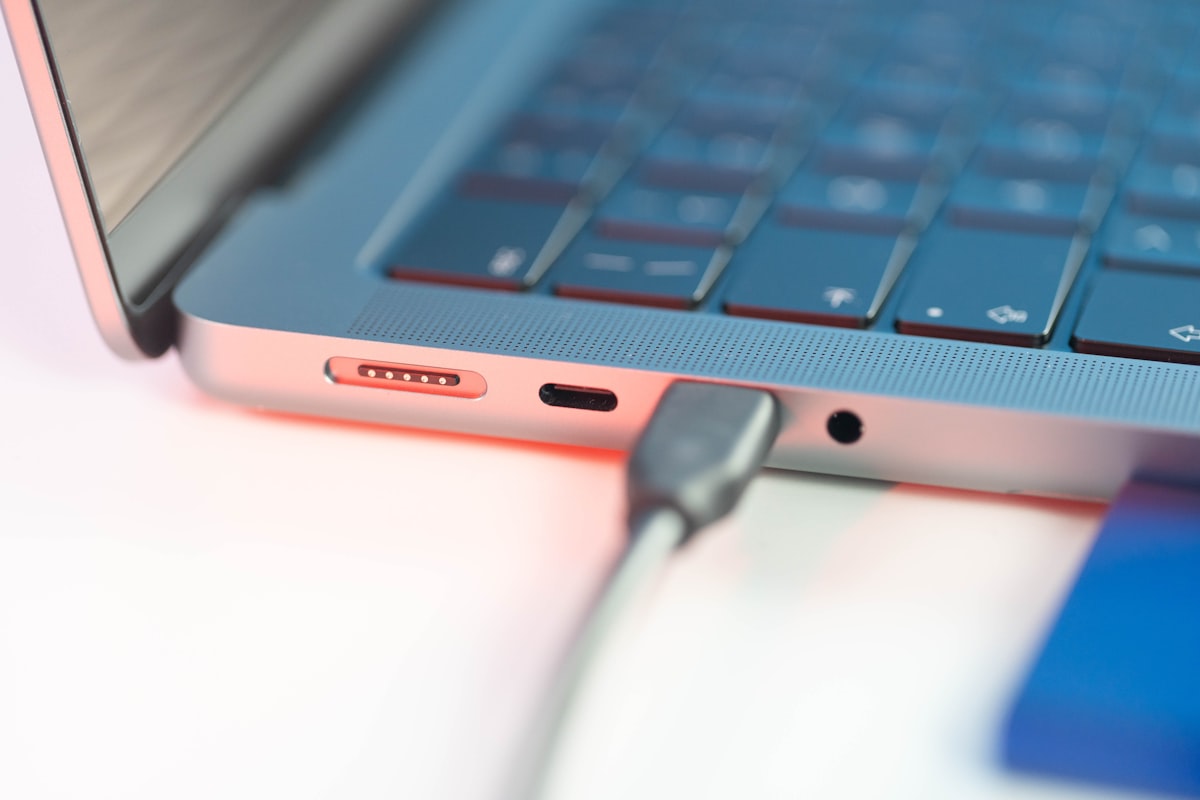
| Ports | USB-C only | USB-C / Thunderbolt, MagSafe |
| Gaming Support | Yes (PC gaming library) | Limited (Mac-native titles only) |
| Starting Price | Lower | Higher, though frequently discounted |
Value and Pricing
We’re intentionally not printing exact numbers here — Amazon pricing on both of these shifts week to week, sometimes dramatically during sale periods, and a static figure on this page would be stale within days. What we can tell you directionally: the XPS 13 generally starts meaningfully lower than the MacBook Air, though the Air frequently sees deep discounts that narrow the gap. Use the buttons below to check live, current pricing on each before deciding — that’s a far more reliable comparison than anything we could print here.
Dell XPS 13
MacBook Air 13″ (M5)
Choose the XPS 13 If…
- You need Windows for work, school, or software compatibility
- You want PC gaming as an option, even casually
- Starting price matters more to you than squeezing out the last hour of battery life
- You’re comfortable using a USB-C hub for extra ports
Choose the MacBook Air If…
- All-day battery life without compromise is a hard requirement
- You want a completely silent, fanless laptop
- You’re already invested in the Apple ecosystem (iPhone, iPad, iCloud)
- Resale value and long-term build consistency matter to you
A Little Context: How Each Got Here
The XPS 13 and MacBook Air haven’t always been this close a comparison. For years, the conventional wisdom was that if you wanted a genuinely premium, well-built thin-and-light, you paid Apple’s prices — Windows alternatives existed, but usually asked you to trade away build quality, battery life, or both to hit a lower price point. Dell’s latest XPS 13 is a fairly direct response to that gap: a laptop that doesn’t pretend to out-battery-life the Air, but competes hard on price while keeping the build quality and keyboard feel that actually matter for daily use.
Apple, for its part, hasn’t stood still either. Successive M-series chips have kept pushing the Air’s performance-per-watt further, which is a big part of why it can stay fanless and silent while still feeling fast for everyday work. Neither company is resting on its laurels, which is exactly why this comparison is worth revisiting periodically rather than treating as settled.
Common Misconceptions About Both
“Macs are always more expensive”
Not necessarily true anymore — the Air frequently sees meaningful discounts, and Apple’s entry-level Mac lineup (including the MacBook Neo) has pushed prices down. It’s still generally true that the XPS 13 starts lower, but the gap is narrower than it used to be, especially during sale periods.
“Windows laptops don’t last as long”
This was truer a decade ago than it is now. Build quality on premium Windows laptops like the XPS 13 has closed much of the gap with Apple, though Macs still tend to hold resale value better over time, which is a slightly different question than day-to-day durability.
“You can’t do real work on a MacBook Air without a fan, it must throttle constantly”
For the vast majority of everyday tasks, this isn’t something you’ll notice. Thermal throttling becomes relevant mainly under sustained heavy loads — long video exports, big compile jobs — which isn’t what most people are doing most of the time on either machine.
Accessories Worth Considering Either Way
Whichever one you land on, a few accessories tend to make the ownership experience noticeably better. Both laptops are light on ports, so a good USB-C hub or docking station is close to essential if you regularly connect an external monitor or wired peripherals. If you’ll be using either at a desk for long stretches, a laptop stand paired with an external keyboard and mouse makes a real ergonomic difference. And given how thin and travel-friendly both of these are designed to be, a properly fitted laptop bag or sleeve is worth the modest investment to protect your purchase.
Long-Term Ownership Considerations
Neither laptop is designed for at-home repairs or component upgrades — RAM and storage are set at purchase on both, and battery service requires a professional on either platform. If long-term repairability and upgradeability matter more to you than what either of these offers, it’s worth reading our Framework Laptop review, which takes a fundamentally different, modular approach. For most buyers, though, both the XPS 13 and MacBook Air are built to comfortably last three to five years of regular use before performance starts to feel genuinely dated.
Noise, Heat, and the Little Things Spec Sheets Miss
A few details that never show up on a spec sheet but genuinely affect daily satisfaction: the MacBook Air’s fanless design means it’s completely silent in a quiet room, meeting, or library — something the XPS 13 can’t fully match once you’re pushing it under real load, even if its fan noise is well-controlled compared to cheaper Windows laptops. On the flip side, the XPS 13’s active cooling means it can sustain performance for slightly longer stretches under heavier tasks before any thermal compromise kicks in, since it has an actual mechanism for dissipating heat rather than relying purely on the chassis.
Neither difference is dramatic enough to be a dealbreaker on its own, but if you’ve ever been annoyed by a laptop fan during a quiet video call, or found yourself wishing a laptop could sustain performance a little longer under load, these are the kinds of small, lived-in details worth weighing alongside the bigger specs.
What We’d Actually Buy
If pressed to give a single, no-caveats answer: for a primary everyday laptop with no strong software requirements pulling you toward Windows specifically, we’d lean toward the MacBook Air, mostly for the battery life and the fact that you genuinely stop thinking about charging it. But that’s a personal-use lens, not a universal one — for anyone who games casually, needs Windows-specific software, or simply wants to spend less upfront without a meaningful drop in build quality, the XPS 13 is just as easy a recommendation, and we wouldn’t talk anyone out of it.
The honest truth is that this comparison has fewer wrong answers than most. Both are genuinely good laptops from companies that know exactly what they’re building and why. Trust your actual priorities over ours.
What If You’re Switching Ecosystems Entirely?
Switching from Windows to Mac (or vice versa) is a bigger decision than the laptop itself, and it’s worth being honest about that cost. Muscle memory for keyboard shortcuts, file management habits, and familiarity with the settings menus all reset when you switch, and there’s a genuine adjustment period, usually a few weeks, before a new platform feels as natural as your old one. If you’re on the fence, it’s worth spending time on a friend’s or family member’s machine running the OS you’re considering before you commit, rather than learning the hard way after the return window closes.
That said, if you’ve been wanting an excuse to switch — say, you’re tired of Windows update interruptions, or you’ve always been curious about macOS — this comparison is as good a jumping-off point as any, since both machines represent their platform at its best in this size and price class.
How We Approached This Comparison
Rather than just placing spec sheets side by side, we tried to weigh what actually changes the day-to-day experience of owning each laptop — cross-referencing manufacturer specs against hands-on reviews from outlets we trust, and against patterns in verified owner feedback once the initial hype settled for both. Where the two machines are genuinely close (like display quality), we’ve said so rather than manufacturing a winner. Where one has a clear, consistent edge (like the Air’s battery life), we’ve stated that plainly too. You can read more about our general approach on the How We Test page.
Zoom out and the Dell XPS vs MacBook Air decision usually resolves on three fronts: ecosystem (the strongest force in the whole comparison), battery philosophy (the Air wins the unplugged life; the XPS answers with display choice), and the software your work demands. Buyers still torn after those three should reread the situation-matching section above — the Dell XPS vs MacBook Air stalemate almost always breaks on a detail already sitting in your actual week.
The Comparison, Compressed
If this page had to fit on a card: Dell XPS vs MacBook Air on build is a photo finish between two of the industry’s best chassis. Dell XPS vs MacBook Air on display goes to Dell’s OLED configurations by a visible margin, while the Air answers on efficiency — battery, silence, and cool-lap thermals — decisively enough that road warriors rarely look back. Dell XPS vs MacBook Air on performance is a burst-speed tie that the Air’s fanless design concedes only under sustained loads, and Dell XPS vs MacBook Air on value swings with sale calendars: the XPS discounts routinely, the Air holds price but repays it at resale.
The tiebreakers, in the order they actually decide buyers: ecosystem gravity first, required software second, unplugged hours third, screen taste fourth. Every Dell XPS vs MacBook Air deadlock we’ve watched resolve has broken on one of those four — almost never on the benchmark rows that dominate the comparison’s search results.
FAQ
Which is better for programming, the XPS 13 or MacBook Air?
Both handle typical development work — coding, running local servers, using Docker containers, and so on — comfortably well. Many developers prefer macOS’s Unix-based terminal environment, but plenty of professional development happens on Windows too, especially in .NET or Windows-specific stacks. See our best laptops for programming guide for more on this decision specifically.
Can I run Windows software on a MacBook Air?
Not natively without extra software. You can use virtualization or remote-access tools to run some Windows applications on a Mac, but it’s an added layer of friction that the XPS 13 simply doesn’t require. If Windows-only software is a firm requirement, that’s a strong argument for the XPS 13.
Which one is better for gaming?
Neither is a dedicated gaming laptop, but the XPS 13 has a real edge here since it can run the much larger library of PC games, even if only older or less demanding titles run smoothly on integrated graphics. The MacBook Air’s game library is comparatively limited. For serious gaming, see our best gaming laptops guide instead — neither of these is really built for it.
Does either laptop have a touchscreen?
Neither the XPS 13 nor the MacBook Air offers a touchscreen in their standard configurations. If a touchscreen and pen input matter to you, look at our best 2-in-1 laptops guide instead.
Which holds its resale value better?
MacBooks have historically held resale value better than most Windows laptops, the XPS 13 included. If you plan to sell or trade in every couple of years, that’s worth factoring into the total cost of ownership, not just the sticker price at checkout.
Dell XPS vs MacBook Air for Specific Lives
Some concrete verdicts to close the loop. For students, Dell XPS vs MacBook Air tilts Air on battery and resale unless a Windows-only course package votes first — our college guide holds the budget alternatives. For commuters and café workers, the Air’s efficiency wins the unplugged columns of our commuting and café guides, while the XPS’s OLED options win every seat with a view. For developers, Dell XPS vs MacBook Air is a toolchain question wearing a hardware costume: Unix-native work loves the Mac, .NET and Windows-target work answers itself.
For creative-lite workers — photo libraries, social content, light video — the Dell XPS vs MacBook Air gap narrows to the screen-versus-silence trade, and either machine serves; for sustained creative loads, both lose to the MacBook Pro tier our Air-vs-Pro comparison maps. And for the buyer who just wants the fewest regrets: the Air’s consistency has made it the safer blind pick for years, which is exactly the kind of sentence the XPS’s configurator exists to argue with.
Our Take
If we had to boil this down to one sentence each: choose the Dell XPS 13 if you need Windows and want the most laptop for the least money, and choose the MacBook Air if all-day battery life and a silent, fanless design are worth paying a bit more for. Neither choice is a mistake — these are simply two very good laptops built around different priorities, and the right one is whichever set of priorities matches how you actually work.
Dell XPS 13
MacBook Air 13″ (M5)
Related: Dell XPS 13 Review · MacBook Air Review · Best Ultrabooks · All Comparisons
