

Updated July 2026. As an Amazon Associate and affiliate partner, UrbanLaptop may earn a commission from qualifying purchases made through links on this page, at no extra cost to you.
Most laptops are designed for portability, not posture. The screen sits too low, the keyboard is fused to the display, and after ninety minutes of typing your neck is doing work it was never built for. The best laptop stands fix the geometry problem in one move: it lifts the screen closer to eye level, which is the single biggest lever you have for reducing neck and shoulder strain when you’re working off a laptop instead of a proper desktop rig.
This guide ranks the best laptop stands of 2026 — the best laptop stands among folding travel designs, fixed aluminum risers, and full articulating arms — researched against independent reviews, ergonomics guidance, and long-term owner reports, and narrowed the list down to six that actually earn a spot on a desk or in a bag.
How We Evaluated These Stands
We looked at stands across four practical categories rather than just ranking them by price or brand recognition: fixed desk stands built for a single permanent setup, folding stands built for travel, budget options that still hold up to daily use, and adjustable or articulating designs for people who split time between sitting and standing.
For each one we weighed height range and stability against the laptop’s own weight rating, checked how the stand handled cable routing and airflow, and factored in how it would actually survive being packed, unpacked, and repacked if that’s how someone plans to use it. None of these are exotic or hard-to-find products — they’re all established, widely reviewed stands with enough of a track record that you’re not gambling on a first-generation product.
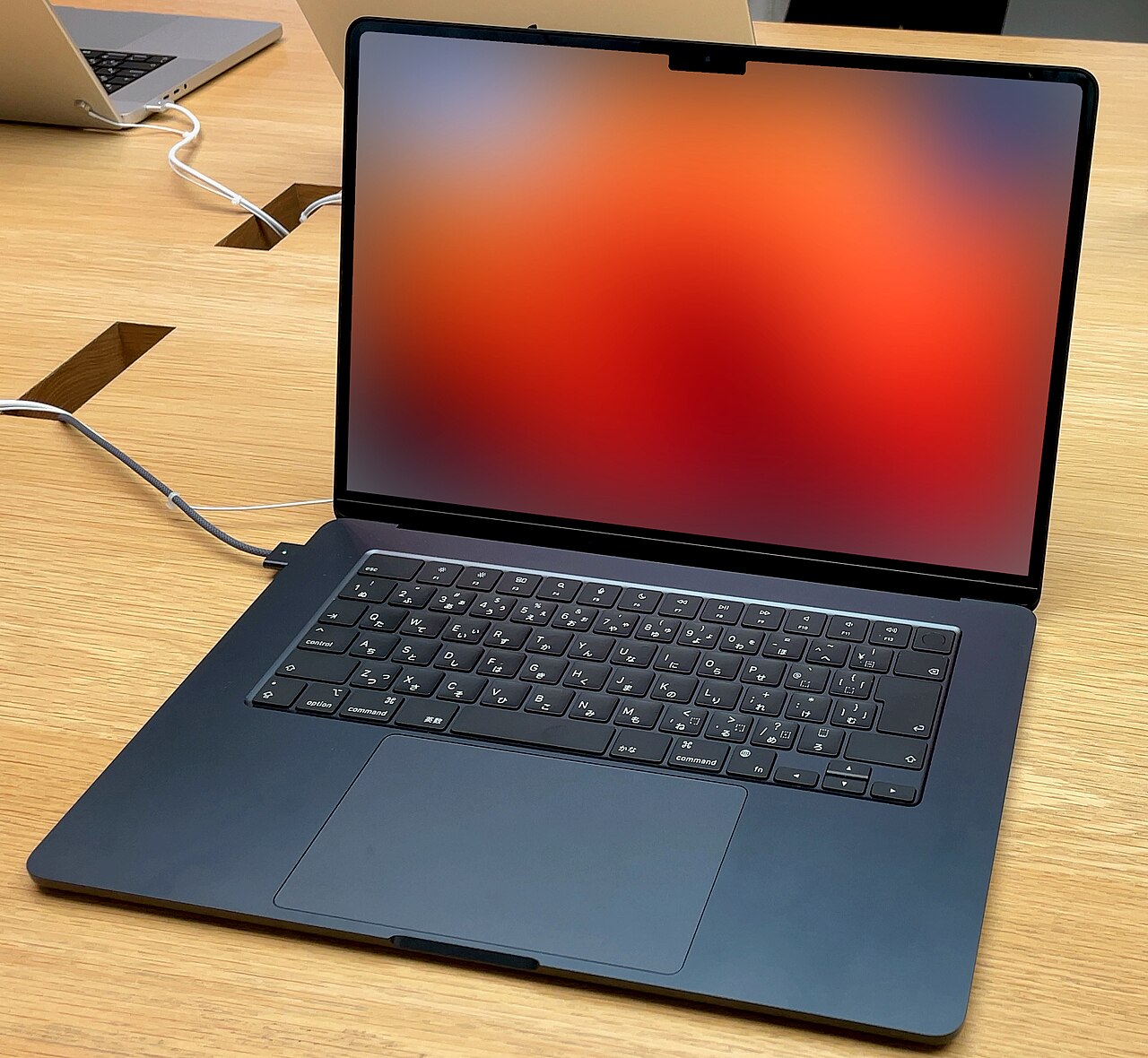
Why Ergonomics Matters When You’re Working From a Laptop
A laptop screen that sits at desk height forces your chin down and your shoulders forward for hours at a stretch. That posture, sometimes called “tech neck,” loads the cervical spine with far more effective weight than an upright head position does — physical therapists commonly cite figures in the range of two to three times the head’s actual weight once you’re tilted forward 30 to 45 degrees. Do that for six or eight hours a day, five days a week, and the cumulative strain shows up as tension headaches, tight trapezius muscles, and in some cases nerve irritation that radiates down an arm.
The fix isn’t complicated, but it does require two things working together. First, the screen needs to come up to roughly eye level so your neck can stay in a neutral, upright position. Second, once the screen is raised, the keyboard rises with it — which means you now need an external keyboard and mouse to keep your wrists and shoulders in a comfortable typing position. A stand by itself without an external keyboard just trades neck strain for shoulder strain, since you’ll be reaching up and forward to type on a keyboard that’s now at chest height. Budget for both pieces if you’re setting this up properly.
There’s a secondary benefit that gets less attention but matters just as much over a long day: viewing distance and eye strain. Laptop screens tend to sit closer to your face than a desktop monitor would, and combined with the downward angle, that near-and-low positioning is part of why long laptop sessions leave people rubbing their eyes as much as their necks. Moving the screen up and, where the stand allows it, slightly back tends to open up that viewing distance a bit, which is a small but real contributor to why a good stand makes an eight-hour day feel less draining than the same day spent hunched over a laptop sitting flat on the desk.
None of this requires expensive equipment or a full desk overhaul. A stand, a keyboard, and a mouse are a modest investment compared to what a physical therapy visit or a new office chair costs, and unlike a lot of ergonomic advice, the payoff is immediate — you’ll notice the difference in your neck within the first afternoon of using one.
What to Look For in a Laptop Stand
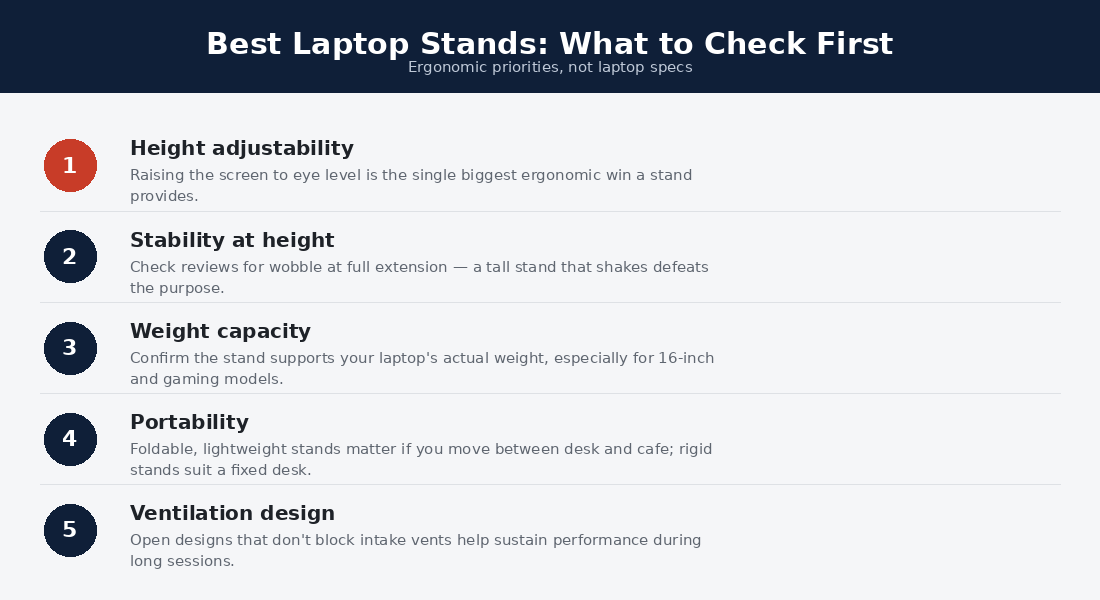
Not every stand is built for the same job, and the “best” one depends heavily on where you’re going to use it. Before getting into individual picks, here’s what actually matters when you’re comparing options:
- Height range: Look for at least 4-6 inches of lift over desk height; fixed stands should land your screen’s midpoint close to eye level when you’re seated normally.
- Stability: A stand that wobbles when you type defeats the purpose — check weight capacity ratings against your actual laptop weight, not just the screen size.
- Portability vs. permanence: Folding, lightweight designs trade some rigidity for pack-ability; solid aluminum unibody stands trade portability for a rock-solid desk presence.
- Airflow: Elevating a laptop off a flat surface generally improves intake airflow to the bottom vents, which can shave a few degrees off sustained CPU/GPU temperatures under load.
- Cable management: Some stands route the charging cable through a channel in the base so it doesn’t dangle in front of the keyboard tray — a small detail that matters more once you live with it daily.
- Material and finish: Aluminum dissipates heat better and feels sturdier than plastic, but it also costs more and adds weight if you’re traveling with it.
The Best Laptop Stands for Ergonomics in 2026
1. Rain Design mStand — Best Overall for a Home Desk
The mStand has been a fixture on “best laptop stand” lists for over a decade for a simple reason: it’s a single piece of machined aluminum with no moving parts to loosen or rattle. It lifts a laptop screen roughly six inches above the desk, which puts most 13-15 inch laptops close enough to eye level for people of average height, and the open-back design lets heat escape rather than getting trapped underneath the chassis. There’s a routing slot in the rear for the power cable, so it doesn’t hang awkwardly over the edge of your desk.
The catch is that it’s a one-height stand — there’s no adjustment lever, so if the fixed height doesn’t work for your desk-and-chair combination, you’re stuck shimming your monitor arm or chair instead. It’s also not something you’d want to carry around; at roughly two and a half pounds of solid aluminum, it’s a desk fixture, not a travel accessory. For a stationary WFH setup where you’re pairing it with an external keyboard and mouse, though, it’s hard to beat for the combination of stability, looks, and simplicity.
2. Roost Laptop Stand — Best for Travel
Roost solved a problem most stand makers don’t even try to address: how do you get a rigid, stable riser into a backpack without it eating half the space? The Roost’s telescoping aluminum legs fold down into a bundle about the size of a large pen, and the whole thing weighs close to a pound. Unfolded, it opens into a tripod-style frame that grips the laptop’s edges and lifts it anywhere from about 6 to 10 inches depending on how you extend the legs, which is more height range than most fixed stands offer.
It’s genuinely one of the few “packs flat, still feels sturdy” designs on the market, which is why it shows up in so many road-warrior setups and coworking bags. The tradeoffs are real, though: there’s no cable channel, the legs can feel a little bouncy on a soft or uneven surface like a hotel bed tray, and at this price point you’re paying a premium for the packability rather than for raw material or finish. If you work from cafes, airports, or client sites more than you work from a single desk, it earns its place in the bag.
3. Nexstand K2 — Best Budget Portable Stand
If Roost is the premium travel option, the Nexstand K2 is the one you buy when you’re not sure you’ll even like using a laptop stand yet. It folds flat into a slim aluminum bar you can drop in a laptop sleeve pocket, and it unfolds into a scissor-hinge frame that supports laptops up to 15-16 inches without much fuss. Setup takes about ten seconds, and the height is adjustable across a few notches, which is more flexibility than you’d expect at this price tier.
Build quality is where the savings show up. The hinges are noticeably less refined than Roost’s telescoping legs, there’s some flex if you push down hard on one corner, and it can feel a bit tippy on a glass desk or anything without texture to grip. None of that makes it a bad stand — it does the core job of raising the screen and improving airflow — but you’re trading long-term durability and rock-solid stability for a price that makes it an easy first purchase. For someone testing whether a stand-plus-external-keyboard setup even works for their space, it’s a low-risk way to find out.
4. Twelve South Curve — Best Design-Forward Desk Stand
The Curve is built around one idea: a laptop’s charging cable and the stand’s silhouette shouldn’t fight each other for attention on your desk. The unibody aluminum shell curves back and down, hiding a channel that routes the power cable out of sight, and the whole thing is shaped to sit flush against a wall or monitor riser without looking like an accessory bolted on as an afterthought. It lifts the screen a solid several inches and, like the mStand, its open design helps with passive cooling.
It’s a fixed-height, non-folding stand, so it’s squarely a desk piece rather than something you’d travel with, and the finish is clearly designed to complement aluminum-bodied laptops rather than every laptop on the market — it can look a little out of place next to a plastic-bodied budget machine. If you’re building a clean, minimal WFH setup and you care as much about how the desk looks as how the ergonomics feel, this is the one most likely to make the cut.
5. Ergotron Neo-Flex Notebook Lift Stand — Best Height-Adjustable / Sit-Stand Option
Every stand above this one has a fixed or semi-fixed height. The Ergotron Neo-Flex is a different category entirely: it’s an articulating arm that clamps to the edge of your desk and lets you swing, tilt, and raise the laptop through a much wider range of motion, including up to standing height if you’ve got a sit-stand desk or just want to alternate positions during the day. Ergotron built its name on monitor arms used in hospitals and control rooms, and the notebook version carries over the same “set it once, it stays put” hinge tension.
This is the stand to get if you genuinely alternate between sitting and standing, or if desk space is tight and you want the laptop to swing up out of the way entirely. It’s also the most involved to set up — it requires a clamp or grommet mount to your desk edge, it’s noticeably bulkier and heavier than anything folding, and it’s overkill if you just want a simple fixed riser. Most laptops need to sit in an open-clamshell tray on the arm, so check the weight and size limits against your specific machine before buying.
6. Moft Z Sit-Stand Laptop Stand — Best Ultra-Portable Adjustable Stand
Moft’s approach skips the “stand as separate object” idea entirely. The Z attaches directly to the underside of your laptop lid with a strong adhesive pad, folds completely flat when not in use, and pops up into either a lower typing angle or a taller, more upright angle for video calls and screen work. Because it lives on the laptop itself, there’s nothing extra to pack, dig out of a bag, or forget at home — it travels because it’s already there.
The adhesive mount is both the appeal and the main hesitation people have. It bonds well and Moft says it’s designed to be repositioned or removed cleanly, but some users are understandably nervous about anything sticky living on a laptop lid long-term, especially on rented or company-owned machines. It’s also not rated for the heaviest 17-inch gaming laptops, and the lift height is more modest than a full riser or arm — closer to a couple of inches than the six-plus inches you get from something like the mStand. For anyone who wants “adjustable and adjustable-height” in a form factor that adds essentially zero bulk, it’s the standout pick in this category.
The Best Laptop Stands by Desk, Compressed
The card version: the best laptop stands for permanent desks are fixed aluminum risers — stable, cheap, forever. The best laptop stands for hybrid workers fold flat and weigh ounces, riding beside the machines in our commuter guide; the best laptop stands for sit-stand desks articulate through the full height range; and the budget tier under $30 covers students and second desks honestly, per the kit math in our college guide. Every tier of the best laptop stands obeys the same physics: screen top at eye level, keyboard external (the stand creates the problem it solves if you keep typing on the raised laptop), and stability rated above your machine’s weight with margin.
The health case for the best laptop stands is the quiet headline. Ergonomics research — the guidance summarized by OSHA’s workstation standards — keeps landing on the same geometry the best laptop stands exist to restore: eyes level with the screen top, elbows at ninety degrees, wrists neutral. A $40 stand plus a $30 keyboard delivers that geometry to any laptop on this site, which makes the pairing the highest-value ergonomic spend in computing.
Quick Comparison
- Rain Design mStand — fixed height, solid aluminum, best for a permanent desk setup.
- Roost Laptop Stand — folds to pocket size, adjustable height, best for frequent travelers.
- Nexstand K2 — cheapest folding option, decent but less rigid, good entry point.
- Twelve South Curve — fixed height, cable-hiding design, best for a minimal aesthetic desk.
- Ergotron Neo-Flex Notebook Lift Stand — full articulating arm, best for sit-stand desks.
- Moft Z Sit-Stand Laptop Stand — adhesive mount, near-zero added bulk, best for minimalist travel.
Pairing a Stand With a Keyboard and Mouse
Once the screen goes up, the built-in keyboard and trackpad go with it, and typing on a keyboard that’s now at chest or shoulder height will wreck your wrists faster than the neck strain you were trying to fix in the first place. A compact external keyboard and a mouse (or trackpad) set at elbow height, with your laptop stand doing the job of pushing the screen up rather than doubling as your typing surface, is the actual complete setup.
If you haven’t picked those up yet, our best wireless mice guide and our roundup of accessories for laptop setups cover options that pair well with any of the stands above. Bluetooth keyboards with a low profile tend to sit better under a raised screen than tall mechanical boards, though that’s mostly a matter of preference once the core ergonomics are sorted.
Frequently Asked Questions
Do I really need an external keyboard and mouse with a laptop stand?
Yes, if you’re using the stand for more than the occasional video call. Raising the screen without raising your input method just moves the strain from your neck to your shoulders and wrists, since you’ll be reaching up to type. The stand and the external keyboard/mouse are really a package deal for proper ergonomics, not two separate purchases.
What height should my laptop screen be at?
As a general rule, the top third of the screen should be roughly at or just below eye level when you’re sitting upright with your shoulders relaxed. You shouldn’t have to tilt your chin down more than slightly to see the middle of the display. If you wear bifocals or progressive lenses, you may prefer the screen a touch lower — adjust to what feels neutral rather than chasing an exact number.
Will a laptop stand actually help with heat and fan noise?
Often, yes, though the effect varies by laptop. Most laptops draw cooling air in through vents on the bottom panel, and setting the machine flat on a desk or, worse, a soft surface like a lap or bed restricts that airflow. Elevating the chassis on a stand typically improves intake airflow and can lower sustained temperatures a few degrees under heavier workloads, which sometimes translates to quieter fan behavior too.
Are folding travel stands as sturdy as fixed aluminum ones?
Generally, no — there’s a real tradeoff between portability and rigidity. Fixed one-piece stands like the mStand or Curve have no hinges to loosen over time and feel completely solid under typing pressure. Folding stands introduce moving joints that, especially at lower price points, can develop some flex or wobble. That’s not a dealbreaker for most people, but if rock-solid stability matters more to you than portability, lean toward a fixed stand for your primary desk.
Can I use a laptop stand with a laptop closed, running an external monitor?
Some stands work fine for this “clamshell mode” setup, others don’t. Fixed risers like the mStand or Curve are designed around an open laptop lid and won’t do much for you with the lid shut and a monitor doing the display work — in that case you’d want a simple vertical laptop dock or riser instead. Folding tripod-style stands like Roost can sometimes support a closed lid depending on the model and laptop weight, but check the specific product’s guidance before relying on it for closed-clamshell use, since not all of them are rated for that orientation.

How long do the best laptop stands last?
The best laptop stands in the fixed-riser tier last effectively forever — solid aluminum has no moving parts to fail, making these the rare purchase that outlives several laptops. The folding tier’s hinges and the articulating tier’s gas springs are the mortality points: the best laptop stands in those categories rate their mechanisms for years of daily cycles and back them with warranties, while the bargain tier’s hinges loosen within months. Buy the fixed tier once for the desk, and treat folding stands as the consumable they quietly are — or spend up once and stop rebuying.
Do the best laptop stands work for every laptop size and weight?
The best laptop stands publish two numbers to check: the weight rating (gaming and 16-inch machines exceed the flimsiest tier’s limits) and the depth of the support lip, which must clear your machine’s front edge without blocking vents or the screen hinge. The best laptop stands publish both numbers plainly; the ones that don’t are answering the question anyway. Fanless machines pair especially well with open-frame designs, and every stand on this list keeps the intake vents of the laptops this site recommends breathing freely.
Stand plus keyboard, or just a bigger monitor?
Both geometries work; the best laptop stands simply cost less to try. The best laptop stands plus a keyboard and mouse rebuild ergonomic posture for under $100 and travel with the laptop; the external-monitor route from our monitor guide costs more, stays on the desk, and adds screen acreage the stand cannot. Hybrid workers increasingly run both — the best laptop stands with a keyboard as the portable posture kit, the monitor as the home anchor — which is the endgame our desk-setup coverage keeps converging on.
Which of the best laptop stands suit hot-running machines?
Any open-frame design among the best laptop stands improves thermals as a side effect — raising the chassis un-blocks intake vents that desks smother — and the effect is largest on the gaming and sustained-load machines that need it most. The best laptop stands for genuinely hot machines skip built-in fans (they add noise and USB clutter for marginal gains) and simply maximize airflow clearance; pair with the quarterly dust-out our maintenance guides prescribe and the stand quietly extends the laptop’s own life alongside your neck’s.
Bottom Line
There’s no single “best” laptop stand — there’s a best stand for how and where you actually work. If you’ve got one permanent desk, a fixed aluminum riser like the Rain Design mStand or Twelve South Curve gives you the most stability and the cleanest look. If you’re moving between locations regularly, the Roost or Moft Z keep the setup light without giving up the ergonomic benefit entirely.
And if you split time between sitting and standing, the Ergotron Neo-Flex is the only option on this list built to actually follow you through that range of motion. Whichever you pick, the real fix only happens when you pair the raised screen with an external keyboard and mouse — that combination, not the stand alone, is what gets your neck, shoulders, and wrists back into a position they can hold for a full workday.
