

Updated July 2026. As an Amazon Associate and affiliate partner, UrbanLaptop may earn a commission from qualifying purchases made through links on this page, at no extra cost to you. See our affiliate disclosure.
The MacBook Air vs MacBook Pro question is the most-asked comparison in laptops, and Apple has quietly made it harder by making the Air too good: the same design language, the same silicon family, overlapping prices at the boundary — and a marketing structure built to nudge you one tier past what you need. This guide settles MacBook Air vs MacBook Pro with the only test that matters: what your actual workload does to each machine, and what your money buys at every point of the gap.
MacBook Air vs MacBook Pro: The Short Answer
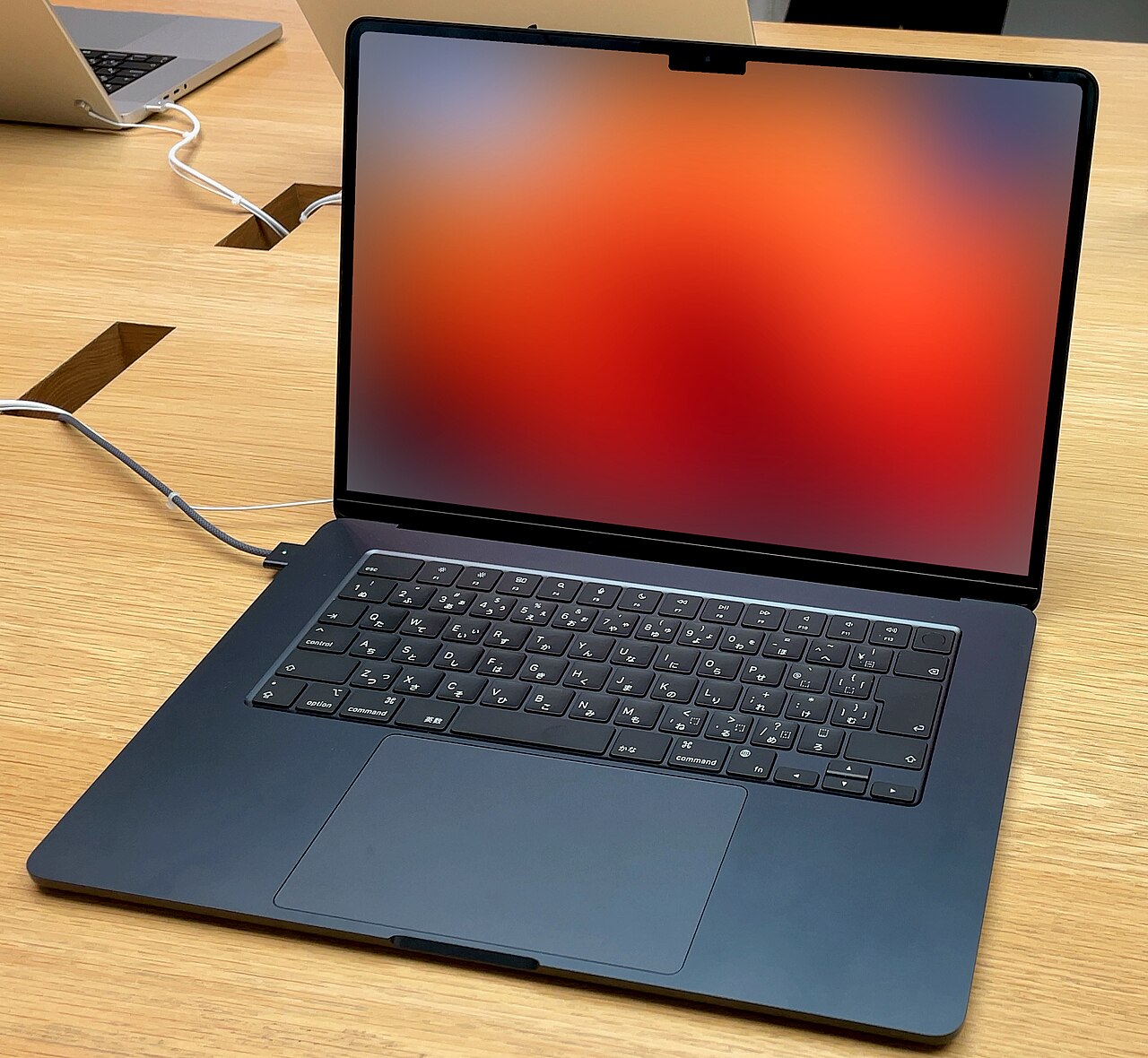
Buy the Air if your work is browsers, documents, calls, code editing, photo libraries, and light creative projects — which describes most buyers, including most who talk themselves into the Pro. Buy the Pro if you sustain heavy loads for minutes at a time — video export, 3D rendering, big compiles, audio production with large sessions — or if your eyes will cash the mini-LED display’s check daily. The gap between them is not speed as most people experience it; it is sustained thermal capacity, screen technology, and speakers, purchased for a meaningful premium.
Performance: Where the Gap Is Real and Where It Isn’t
Here is the fact the spec sheets bury: at burst workloads — opening apps, loading pages, exporting a short video, compiling a modest project — MacBook Air vs MacBook Pro is nearly a tie within the same chip generation. Apple silicon runs identically until heat accumulates, and the Air’s fanless design only concedes ground when a load runs long enough to bank serious thermal debt: several minutes of sustained maximum effort. Most people’s hardest tasks never get there.
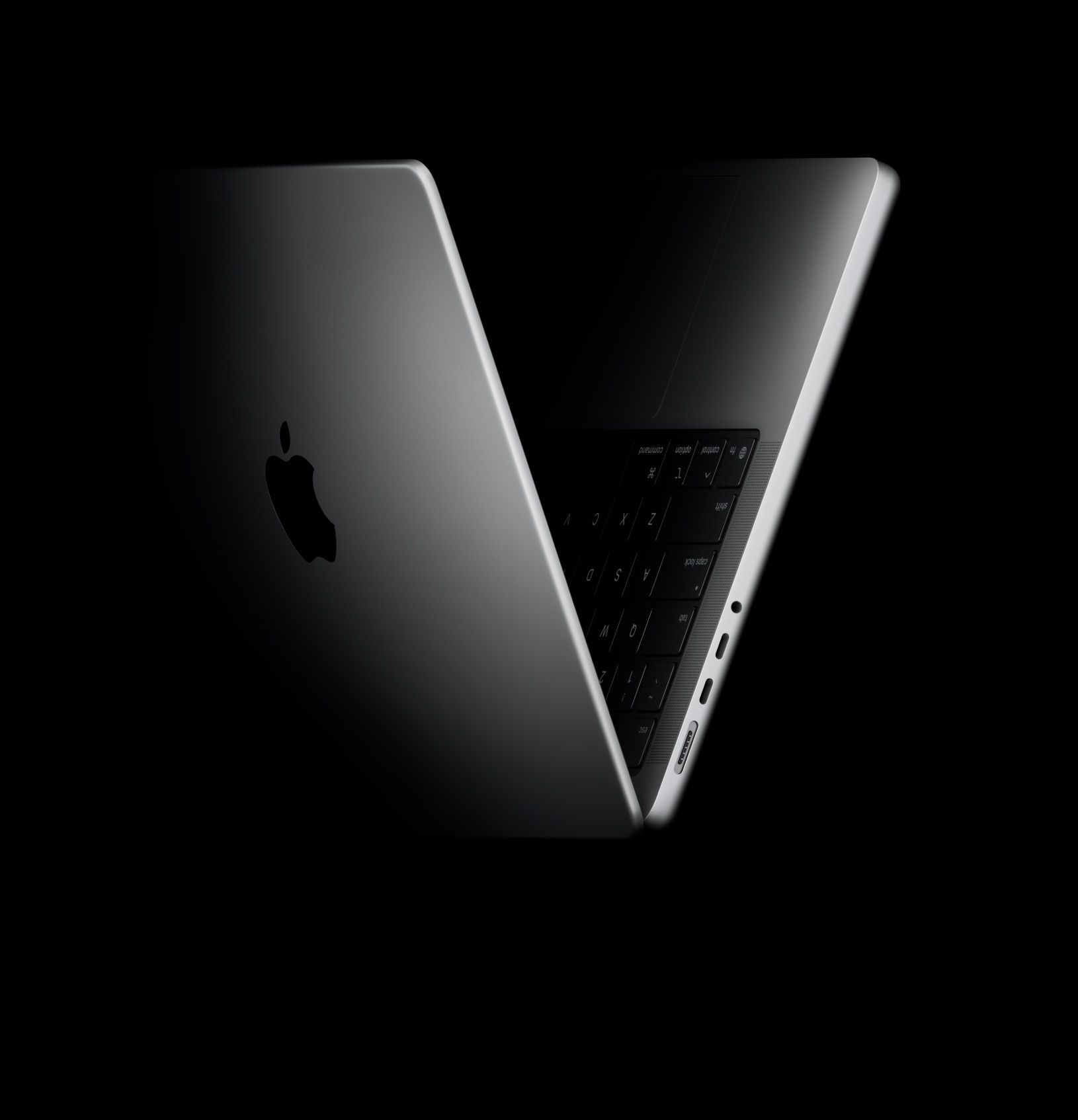
The Pro’s fans, higher-power chip bins, and thermal headroom collect their premium during sustained work: the 40-minute export, the hour-long render queue, the compile-test-compile loop that never lets silicon cool. If your week contains those, the Pro is not a luxury — it finishes real work meaningfully faster, session after session. If your week doesn’t, you are buying fans that will rarely spin. The honest audit: name the three heaviest things you did last month and whether each ran for minutes at full load. That answer is your machine.
Display and Speakers: The Underrated Half of the Premium
The performance conversation hides the Pro’s most tangible daily advantages. The mini-LED panel delivers deeper contrast, HDR highlights that streaming and photography actually use, higher sustained brightness, and ProMotion’s 120Hz smoothness — differences your eyes collect every hour, not just under load. The Air’s screen is excellent; the Pro’s is the best in any laptop, and creative professionals grading color have their answer in that sentence alone.
The speaker gap is nearly as large: the Pro’s six-driver array embarrasses everything else in the category, while the Air’s four-speaker system is merely good. For buyers whose laptop doubles as their television and stereo, the audiovisual half of MacBook Air vs MacBook Pro may matter more than the silicon half — and it is the half that never shows up in benchmark charts.
Weight, Battery, and the Life Around the Machine
The Air answers back where machines spend most of their time: in bags and on laps. It is meaningfully lighter (2.7 versus 3.4-plus pounds), thinner, and fanless-silent always — the better commuter, the better café machine, the better tray-table companion, as our commuting guide and café guide both conclude. Battery life favors the Air in mixed light use (the fanless efficiency compounds), while the Pro’s bigger cell wins sustained-work-on-battery scenarios — a distinction that again maps exactly onto the workload question.
Ports extend the pattern: the Pro’s HDMI, SD slot, and extra Thunderbolt port serve studio and field workflows; the Air’s two ports plus MagSafe serve everyone else with one less dongle argument. Nothing in this section changes the verdict logic — it sharpens it. The Air is the better laptop-as-lifestyle; the Pro is the better laptop-as-instrument.
Price and the Configuration Trap
The sticker gap between base models understates the real decision, because Apple’s configuration ladder does its persuading in the middle. A generously configured Air — 16GB-plus memory, 512GB-plus storage — lands within sight of the base Pro 14, and that overlap zone is where most MacBook Air vs MacBook Pro agonizing actually happens. The resolution rule: within the overlap, buy the Air configuration if the workload audit said Air (the RAM and storage serve you daily; the Pro’s thermal headroom wouldn’t), and stretch to the Pro only when the audit named sustained loads or the display premium by name.
Two money notes complete the picture. Apple’s Certified Refurbished store discounts both lines 15% with full warranties — the overlap zone’s best-kept escape hatch, often funding the exact upgrade the ladder was selling. And resale values, the segment’s best, hold nearly equally across both lines, so the ownership-cost gap stays close to the purchase gap. Our premium laptop guide runs the tier’s full longevity math.
MacBook Air vs MacBook Pro by Buyer
Students: the Air, almost without exception — the film-program editor is the exception. Writers, analysts, executives: the Air; the Pro’s premium buys nothing their week uses. Developers: the honest middle — web and app development lives happily on the Air; large native compiles, containers, and ML work justify the Pro’s cores and cooling. Video editors and 3D artists: the Pro, configured with memory before CPU upgrades. Photographers: the Air for libraries and delivery, the Pro when color-critical grading pays the bills. The undecided household upgrader: the Air 15 — the big screen scratches the Pro itch at Air economics, as our premium roundup argues.
Configuration Playbooks for Each Side
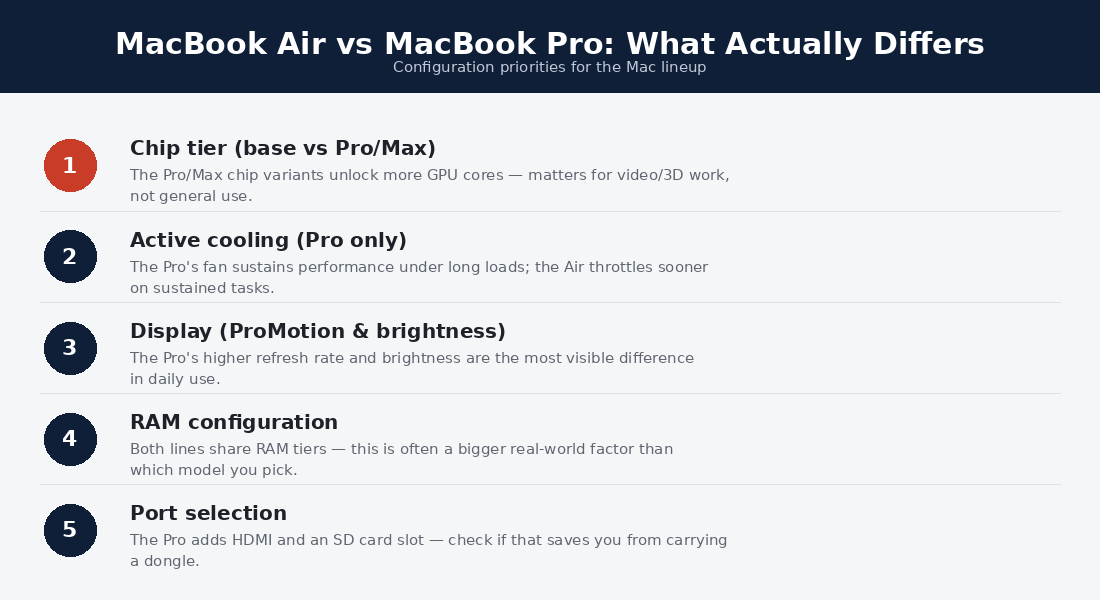
Configuring the Air: memory first and generously — 16GB minimum, 24GB for tab maximalists and photo libraries — because Apple silicon’s unified memory is the ceiling everything else lives under, and it is soldered forever. Storage second at 512GB unless external drives are already your habit. Chip upgrades last and usually never: within the Air’s thermal envelope, the step-up bins buy little the fanless chassis can sustain. The 13-versus-15 question is pure lifestyle — commuters take the 13, desk-and-couch buyers take the 15’s canvas.
Configuring the Pro: the same memory-first rule at higher stakes — sustained creative workloads eat RAM before cores, and 32GB is the professional floor for the video and 3D work that justified the machine. Then the chip tier the workload names (the mid bins hit the value knee; the max bins serve render farms in laptop costume), then storage sized to project files rather than optimism. On both sides of MacBook Air vs MacBook Pro, the refurbished store converts these playbooks into discounts — last year’s well-configured machine beats this year’s base configuration at the same price, every time the comparison is run honestly.
Three Owners, One Year Later
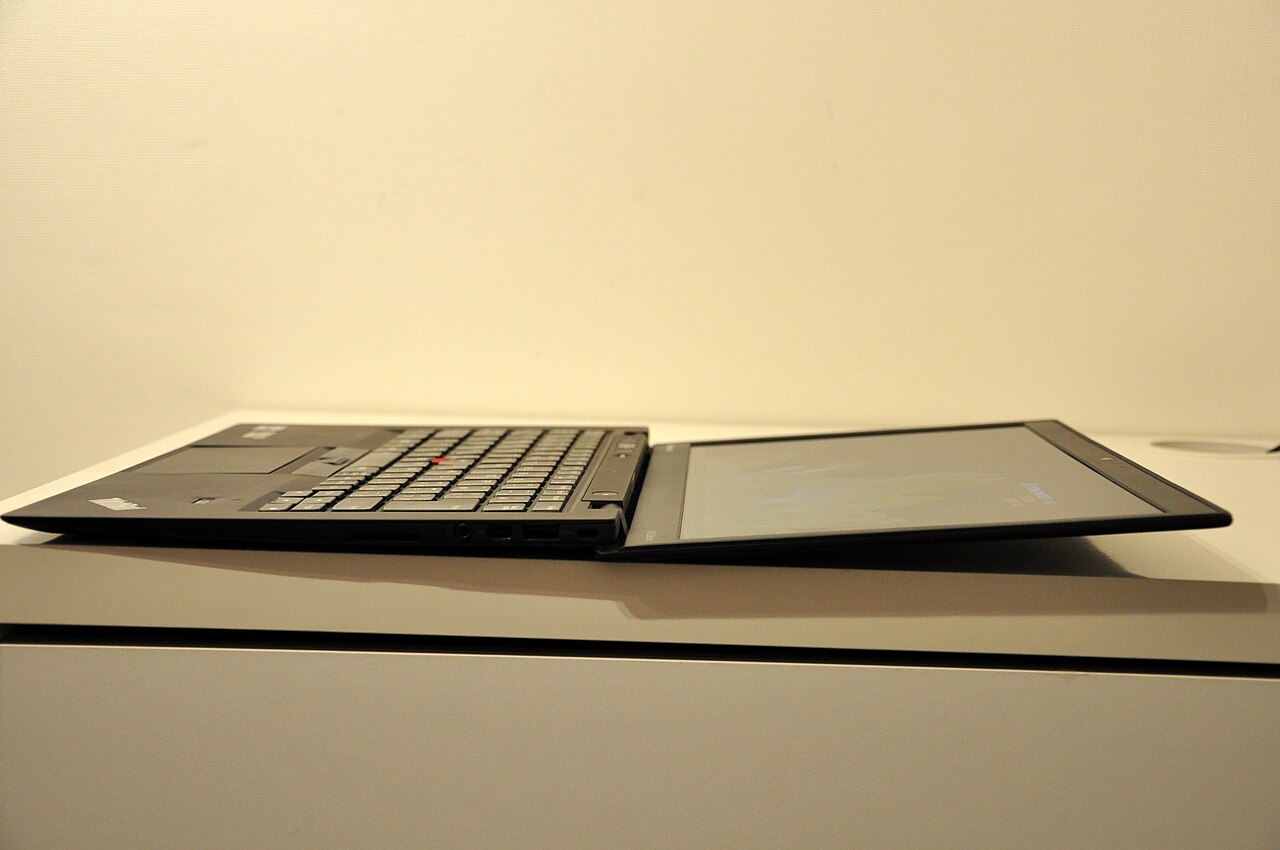
The consultant who bought the Air: a year of flights, decks, and client calls later, the machine has never once been the story — the battery outlasts every workday, the silence flatters every call, and the Pro she almost bought would have carried eleven months of unused fans through airports. Verdict kept. The video editor who bought the Pro: export sessions that ran 40 minutes on a borrowed Air run 24 on his Pro 14, which at his day rate paid the price gap by March; the mini-LED panel settled client color arguments the Air’s screen used to referee poorly. Verdict kept, funded by workload.
The graduate student who bought the base Pro for status: a year later it is a beautiful, heavy Air — the sustained loads never came, the weight rode every campus crossing, and the price gap would have covered a semester of books. The one regretted purchase among the three is the one the workload audit would have caught in ten minutes. MacBook Air vs MacBook Pro punishes exactly one buyer: the one who answered a status question with a hardware purchase.
The Cross-Platform Aside Worth One Paragraph
A fraction of MacBook Air vs MacBook Pro shoppers are really asking a bigger question — whether to stay on macOS at all — and they deserve the honest pointer: the premium Windows tier (our premium roundup ranks it) now matches Apple’s build quality, the ARM machines match its battery philosophy, and workflows locked to Windows-only software have their answer already. But for buyers genuinely inside the Apple question, the ecosystem gravity — continuity features, iPhone integration, the resale ladder — adds real value that no spec table prints, and it accrues identically to both machines. The platform question, once settled, cancels out of the comparison entirely.
MacBook Air vs MacBook Pro FAQs
Is the MacBook Pro worth it over the Air?
Only when your workload sustains heavy loads or your eyes will use the display daily — then it is worth every dollar. For burst workloads, the Air matches it at meaningfully lower cost, weight, and noise (zero, permanently).
Does the MacBook Air overheat without a fan?
It warms and gently throttles under long maximum loads — by design, silently, and rarely in ways burst-workload owners ever meet. Sustained-load users feel it within minutes, which is precisely the Pro’s job description.
Which lasts longer, MacBook Air or MacBook Pro?
Both wear Apple’s class-leading longevity: five-to-seven-year service lives and the segment’s best resale. The Pro’s thermal headroom ages slightly more gracefully under growing workloads; the Air’s simplicity has fewer parts to tire. Call it a draw shaded by workload.
Should I buy the 13-inch or 15-inch Air instead of a Pro?
If the Pro temptation was screen size rather than sustained power, yes — the Air 15 delivers the canvas at Air weight and price, and it is the quiet winner of many MacBook Air vs MacBook Pro deliberations that were never really about performance.
Is the base Pro ever the wrong Pro?
Frequently: buyers who justified the Pro with sustained workloads should fund memory and the mid chip bin before anything else, because the base configuration under-serves exactly the workloads that justified the purchase. A maxed Air beats an under-configured Pro at the Air’s workloads; an under-configured Pro beats nothing at its own.
The Benchmarks Worth Reading — and How
Benchmark charts mislead the MacBook Air vs MacBook Pro shopper in one specific way: they report ten-minute wind-sprints between machines whose real difference is marathon pace. Read them like this instead: single-burst scores (the ones headlines quote) should be nearly identical between same-generation Air and Pro — if a chart shows otherwise, it is measuring a chip-generation gap, not a chassis gap. The revealing numbers are the sustained-load curves and the 30-minute loop tests that independent labs like Notebookcheck publish: that is where the Air’s fanless line bends and the Pro’s flat line justifies its fans, and the distance between those curves is the exact size of the premium’s performance half.
Equally worth reading: battery rundowns split by workload type (the Air wins the light-use columns, the Pro the heavy ones), and speaker and display measurements, which quantify the halves of the premium that benchmarks ignore entirely. Ten minutes with the right charts confirms everything this comparison argues — and inoculates against the launch-week coverage that crowns whichever machine is newest, a cycle that has misdirected more MacBook Air vs MacBook Pro purchases than any spec ever printed.
Ecosystem, Longevity, and the Decade View
Zoom the MacBook Air vs MacBook Pro decision out to a decade and it becomes two purchases, not one: the machine you buy now and the one its resale funds in five or six years. On that horizon, both lines behave like the blue-chip assets of the laptop world — software support stretching seven-plus years, batteries replaceable at sane cost, chassis that outlive their silicon relevance — and the practical difference shrinks to which machine wastes less of its purchase price on unused capability during years one through five. That framing is the quiet, final argument for the Air’s side of the ledger in most lives, and for the Pro’s in the specific ones the audit names.
It also reframes the upgrade path: owners who outgrow an Air mid-ownership sell into the segment’s strongest used demand and step up to a refurbished Pro for less than the original price gap — a two-step route that beats over-buying on day one in every scenario except immediate sustained-workload need. The decade view forgives almost every choice except the status purchase; workload-matched buyers on either side end it with the same review, which is that they stopped thinking about the machine years ago.
How does the Air 15 change the MacBook Air vs MacBook Pro math?
It removed the Pro’s last casual justification — screen acreage — by delivering a genuinely large canvas at Air weight, silence, and price. Since its arrival, the honest Pro case rests entirely on sustained thermals and the mini-LED panel; buyers who name neither should consider the Air 15 the comparison’s true winner and the configuration budget’s best friend.
What about the MacBook Air vs MacBook Pro question for musicians and audio work?
Audio splits by session weight rather than by prestige: podcast editing, scoring sketches, and modest session counts run beautifully on the Air — fanless silence is itself a studio feature no Pro can match during recording. Large orchestral templates, dense plugin chains, and low-latency tracking sessions bank enough sustained load to justify the Pro’s cooling and memory ceilings. The recording-versus-mixing distinction is the tiebreaker: rooms that record near the machine lean Air; rooms that only mix lean wherever the session size points.
Do both machines handle external displays equally?
The Pro supports more simultaneous external displays and drives them with more thermal indifference — a real distinction for multi-monitor desk professionals — while current Airs comfortably run the single large display that covers most desk setups. Buyers planning serious multi-display workstations have quietly answered their own MacBook Air vs MacBook Pro question; everyone else can strike this row from the decision entirely.
Is fan noise on the MacBook Pro ever actually noticeable?
Under the office loads most owners run, effectively never — the fans idle silent and the machine matches the Air’s stillness. They announce themselves only during the sustained work that justified the purchase: long exports, renders, and compile marathons, where the sound is the premium doing its job. Recording environments and the noise-averse should still note the Air’s categorical advantage — zero is a different number than quiet, and it is the one spec no Pro configuration can buy.
Verdict: The Ultimate Answer Is Your Workload’s
MacBook Air vs MacBook Pro resolves cleanly once the marketing static clears: the Air wins for burst workloads — most buyers — on price, weight, silence, and identical felt speed; the Pro wins for sustained loads and display-critical work, where its premium converts directly into finished hours and trustworthy color. Audit the real week, buy refurbished where the overlap tempts, and configure memory before megahertz. The best MacBook is the one whose strengths your Tuesday actually collects.
