

Updated July 2026. As an Amazon Associate and affiliate partner, UrbanLaptop may earn a commission from qualifying purchases made through links on this page, at no extra cost to you. See our affiliate disclosure and how we test pages for details.
Let’s be honest about something most buying guides won’t tell you: there is no single winner among the best laptops. The best laptops list below is really a menu: there’s the best laptop for you, and figuring that out means cutting through spec sheets that all start to blur together after the third or fourth tab. We’ve spent a lot of hours doing exactly that so you don’t have to — comparing what manufacturers claim against what independent reviewers actually measured, and against what real owners complain about once the new-laptop excitement wears off.
This page is our running shortlist: the laptops we’d point a friend toward first, organized by the situation they’re actually shopping for — best overall, best on a tight budget, best for gaming, best for getting real work done on the road. Below that, you’ll find links to every deeper guide we’ve written, because “best overall” is a strange thing to chase if what you actually need is a laptop that survives four years of nursing school clinicals or renders 4K timelines without catching fire.

How We Picked the Best Laptops of 2026
We’re a young site, and we’re upfront about that: we don’t have a lab full of every laptop released this year sitting on a shelf. What we do is cross-reference several things before a model earns a spot on this page — the manufacturer’s actual published specs (not marketing copy), hands-on testing and benchmark numbers from outlets we trust, and the patterns that show up again and again in owner reviews once a laptop has been out in the wild for a few months.
A laptop that looks great on a spec sheet but has a habit of throttling under load, or a battery that quietly dies a year in, doesn’t make this list no matter how good the marketing photos look.
We also try to be honest about tradeoffs instead of pretending every pick is perfect. If a laptop earns its spot mainly on price and everything else is “fine,” we’ll say so. You can read the full breakdown of our process on the How We Test page.
The Best Laptops at a Glance
| Category | Model | Best For |
|---|---|---|
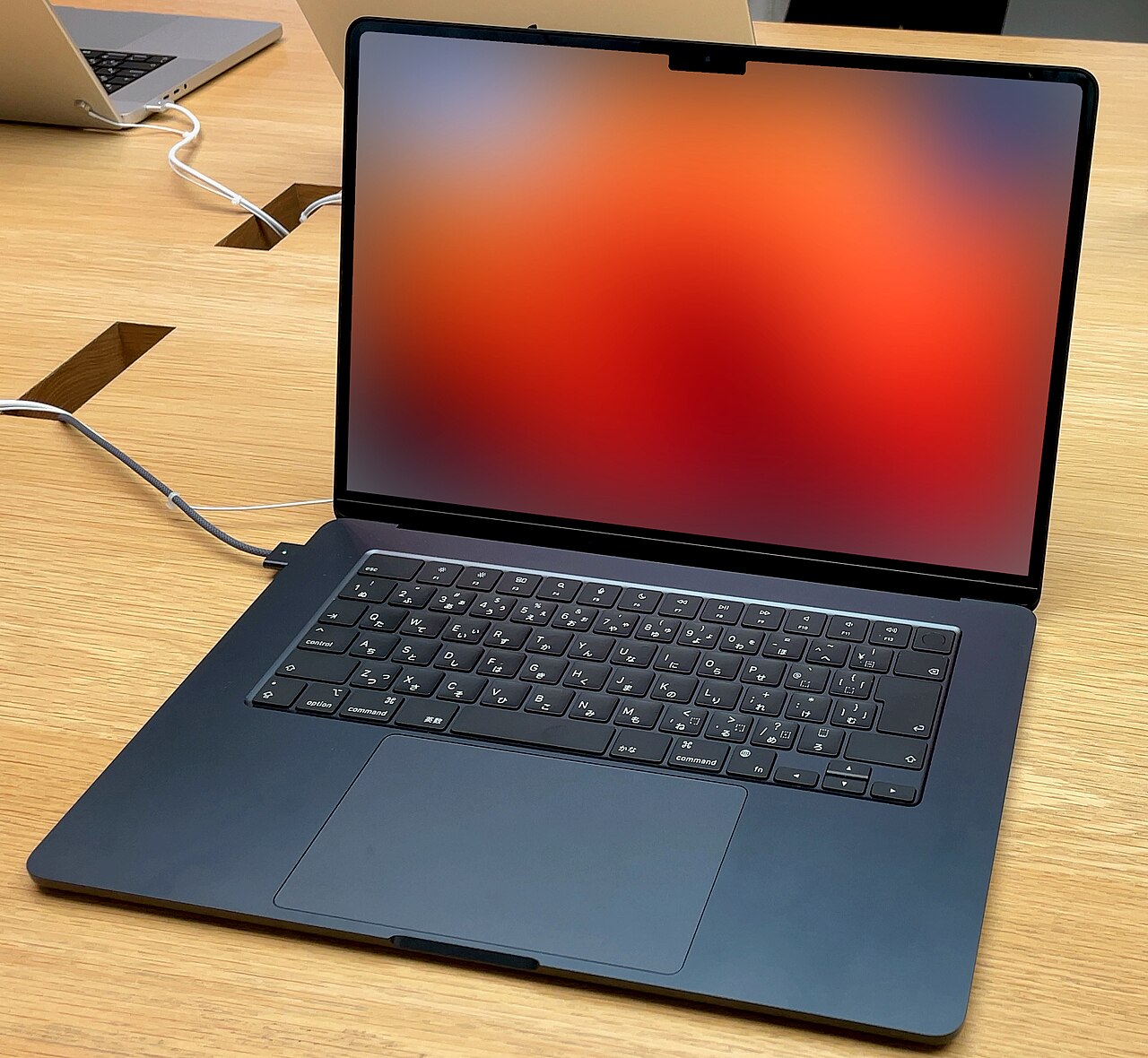
| Best Overall | Apple MacBook Air M5 (13″) | Most people who want speed, portability, and all-day battery in one machine |
| Best Overall (Windows) | Acer Swift 16 AI | Windows users who want a MacBook Air alternative |
| Best Budget | Apple MacBook Neo | Students and first-time Mac buyers on a tight budget |
| Best Budget (Windows) | Lenovo IdeaPad Slim 3X | Budget-conscious shoppers who need Windows for school or work apps |
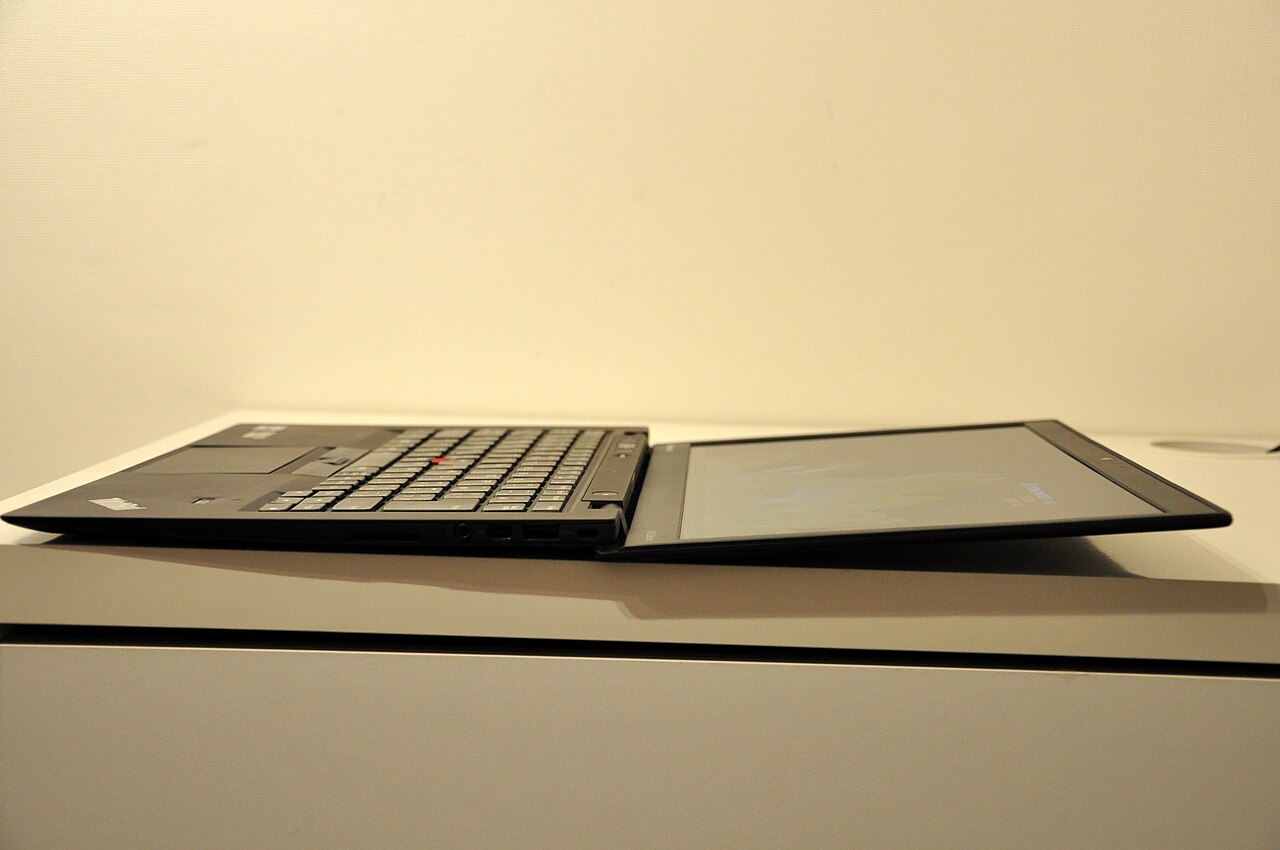
| Best Business | Lenovo ThinkPad X1 Carbon (Gen 12) | Professionals who travel and need durability plus a great keyboard |
| Best Gaming | Asus ROG Zephyrus G14 | Gamers who don’t want to carry a brick-sized laptop |
| Best Budget Gaming | Acer Nitro V 16 AI | Gamers who want real frame rates without a premium price tag |
| Best 2-in-1 | Microsoft Surface Pro | Anyone who wants a laptop and a tablet in one device |
| Best Chromebook | Asus Chromebook Plus CX34 | Web browsing, streaming, and light schoolwork on a tight budget |
We’ve deliberately left exact prices out of this table — they shift week to week on Amazon, and a static number here would be stale within days. Every pick below links straight to a live listing so you’re always looking at the real, current price.
We also weight recency deliberately. A laptop that was excellent two product generations ago can quietly become a mediocre value once newer chips deliver meaningfully better battery life or performance at the same price — so being on this list isn’t permanent, and we do remove picks that have been clearly outclassed.
A note on method before the list: rankings of the best laptops date fast, and the best laptops of any given January look dated by December, so this guide leans on the specs that age slowest — build quality, battery efficiency, RAM headroom, and repairability — and cross-checks sustained performance against independent lab data at Notebookcheck rather than launch-day benchmarks. The best laptops on this page are the ones we expect to still defend their spots in three years, which is the timeframe a purchase actually lives in.
Our Picks, Explained
Best Overall: Apple MacBook Air M5 (13″)
If a friend with no strong opinions on Mac versus Windows asked us to just pick one laptop for them, this is still the one we’d reach for. The M5 chip doesn’t need a fan to stay fast, which means the Air runs completely silent even when you’re juggling a dozen browser tabs, a video call, and a Spotify queue at once.
The Liquid Retina display looks genuinely great for photos and video, the trackpad remains the best in the industry, and the battery routinely lasts a full day of real use rather than the optimistic number on the box. It’s not perfect — the base storage fills up faster than you’d expect, and if you’re deep into Windows-only software, none of this matters anyway.
Best Overall (Windows): Acer Swift 16 AI
For years, “the Windows MacBook Air” was an aspiration more than a real product category. The Swift 16 AI is the closest thing we’ve tested to actually closing that gap. The OLED touchscreen is vivid enough that you’ll catch yourself showing photos to people just to watch their reaction, battery life holds up well across a working day, and Acer’s Copilot+ features are genuinely useful rather than bolted-on AI marketing. It’s a Windows laptop that doesn’t feel like a compromise, which is rarer than it should be.
Best Budget: Apple MacBook Neo
Apple’s cheapest ever entry point into the Mac lineup is a genuinely smart budget pick, not just a cut-down Air with worse marketing. The A18 Pro chip handles everyday tasks — web browsing, word processing, streaming — without a hint of strain, and you still get the fit and finish Apple is known for. The 8GB of unified memory is the real ceiling here: it’s fine for a student who lives mostly in a browser and a word processor, less fine if you’re the type who keeps twenty tabs and three apps open simultaneously. Know that limit going in and you’ll be happy with it.

Best Budget (Windows): Lenovo IdeaPad Slim 3X
This is the laptop we point budget-conscious Windows shoppers toward when they need something that just works for school or basic office tasks. It won’t win any design awards, and the chassis is plastic where pricier laptops use metal, but the everyday performance is solid, it’s light enough to carry around campus all day, and it does the job without any of the drama that cheaper laptops sometimes bring — no fan roaring under light load, no display that looks washed out in a lecture hall.
Best Business: Lenovo ThinkPad X1 Carbon (Gen 12)
ThinkPads have earned their reputation the boring way — by simply not breaking. The X1 Carbon pairs that legendary keyboard feel (still the benchmark every other laptop gets compared to) with a chassis that’s actually been tested against military durability standards, not just marketed that way. It’s not the lightest or flashiest laptop here, but if you’re the kind of person who lives out of their laptop bag between airports and client meetings, that trade is worth making.
Best Gaming: Asus ROG Zephyrus G14
Most genuinely powerful gaming laptops feel like carrying a small appliance. The Zephyrus G14 is the exception — it’s the rare gaming laptop light enough that you won’t think twice about actually taking it somewhere, without giving up the high-refresh display or GPU horsepower that gaming laptops exist for in the first place. It runs warmer than a dedicated desktop-replacement rig under sustained load, which is the tradeoff for that smaller chassis, but for anyone who wants to game and also carry the thing to class or work, it’s the obvious pick.
Best Budget Gaming: Acer Nitro V 16 AI
Gaming laptops have a reputation for punishing your wallet, and the Nitro V 16 AI is a welcome exception. It’s not going to max out every setting at high refresh rates, but it delivers genuinely playable frame rates in current titles, the cooling is better than we expected at this price, and the larger 16-inch display makes a real difference for anyone coming from a cramped budget laptop. If gaming is a “nice to have” rather than your entire personality, this is where we’d start.
Best 2-in-1: Microsoft Surface Pro
The Surface Pro remains the most convincing argument that a laptop and a tablet don’t need to be two separate purchases. Detach the keyboard and it’s a genuinely capable tablet for reading, sketching, or note-taking; reattach it and you’ve got a functional Windows laptop again. It’s not going to replace a proper workstation for heavy tasks, and the kickstand-on-your-lap experience takes some getting used to, but for anyone who wants real flexibility in one device, nothing else quite matches it.
Best Chromebook: Asus Chromebook Plus CX34
Chromebooks get an undeserved reputation as underpowered toys, and the CX34 is a good reminder that a well-built one is anything but. It boots in seconds, the battery comfortably outlasts a full day, and ChromeOS’s simplicity is a genuine feature rather than a limitation once you’ve set up Google apps and a handful of Android apps from the Play Store. It’s not for everyone — anyone tied to desktop-only Windows or Mac software should look elsewhere — but for browsing, streaming, and schoolwork, it’s hard to beat for the price.
Mistakes We See Shoppers Make Again and Again
A few patterns keep showing up whenever we talk to people who ended up unhappy with a laptop purchase, so it’s worth calling them out directly.
Buying based on the sale price, not the specs
A steep discount on a laptop with 4GB of RAM and a five-year-old chip is still a bad laptop. We’ve all been tempted by a big red “50% off” banner, but the underlying hardware is what determines whether you’re happy with it in six months, not how good the deal felt on day one.
Assuming more storage always means better value
A 1TB drive sounds like a lot until you realize you’ll never fill it, while the laptop it’s attached to has an underpowered chip that struggles with basic multitasking. Storage is the easiest spec to upgrade later with an external drive or cloud storage; a slow processor is not something you can fix after the fact.
Ignoring the keyboard and trackpad
You’ll touch these two things thousands of times a day, far more than you’ll ever notice the exact chip inside. Reading a few real owner reviews specifically about typing feel and trackpad accuracy — not just benchmark numbers — genuinely changes how much you’ll enjoy using the laptop day to day.
Not checking the return window
Even a laptop that looks perfect on paper can feel wrong in your hands — too heavy, a display that’s dimmer than expected, a fan that’s louder than the reviews suggested. Buying through a retailer with a generous, no-questions-asked return window (Amazon’s standard window covers most of this) takes the risk out of trying before you’re fully committed.
Shopping for a Specific Situation?
The nine picks above cover the broad strokes, but “best overall” is a strange metric if you’re actually shopping for something specific. We’ve written deeper guides for the situations that come up again and again — browse the ones that match what you’re actually trying to solve.
If You’re a Student
Coursework, budget, and portability tend to matter more than raw horsepower. We’ve broken this down by program, since a nursing student’s needs look nothing like an architecture major’s: nursing students, college students generally, architecture students, and anyone running AutoCAD.
If You Work in a Demanding Field
Some jobs genuinely need more than a general-purpose laptop can offer. See our picks for programming and coding, graphic design, video editing, machine learning and AI, lawyers, teachers, streaming and content creation, and frequent business travel.
If Budget Is the Deciding Factor
Whatever your ceiling is, we’ve got a guide for it: under $500, under $800, under $1,000, or if money genuinely isn’t the constraint, our premium picks worth the splurge.
If You Already Know the Type You Want
Sometimes the form factor is the whole decision. Browse by category: Chromebooks, 2-in-1 convertibles, ultrabooks, gaming laptops, business laptops, or something durable for kids.
Deciding Between Two Specific Models
If you’ve narrowed it down to two laptops and can’t pick, our head-to-head comparisons go deeper than a spec sheet ever could — real tradeoffs, not just numbers side by side.
A Few Things Worth Knowing Before You Buy
Every pick above is a starting point, not a final answer — the right laptop still depends on specs that are easy to get wrong if you’re not sure what actually matters. Rather than repeat all of that here, we’ve written dedicated, no-nonsense guides for the questions we get asked most:
- How much RAM do you actually need?
- Is 8GB RAM enough in 2026?
- SSD vs HDD — what’s the real difference?
- What laptop specs actually matter?
- Intel vs AMD vs Apple Silicon, explained plainly
- Is a refurbished laptop worth it?
Or start from the beginning with our flagship how to choose a laptop guide, which walks through the whole decision from scratch. Want to see specific models put through their paces first? Check our individual laptop reviews, or once you’ve picked one, the accessories worth pairing it with.
One pattern worth naming across all the best laptops here: the specs that predict satisfaction — battery, weight, keyboard, build — are the ones spec sheets bury, while the headline numbers age fastest. Shop the best laptops the way this guide ranks them and the machine disappears into your life, which is the whole point of shopping the best laptops well.
How the Best Laptops Break Down by Buyer
Reading the best laptops as a single ranking hides the real structure: they cluster by life, not by score. The best laptops for travelers weight battery and carried ounces (our commuter guide goes deep); the best laptops for students trade refinement for resilience and loan-friendly prices (the college guide maps it); and the best laptops for performance buyers spend on cooling that spec sheets don’t print (the gaming roundup explains why).
That clustering is why the best laptops from this page appear repeatedly across our niche guides wearing different medals — the same handful of excellent machines, judged against different Tuesdays. Use this page to shortlist among the best laptops, then let the guide closest to your actual week make the final call. The best laptops are the ones whose compromises land on days you don’t have.
Frequently Asked Questions
What is the best laptop overall in 2026?
For most people, the Apple MacBook Air M5 offers the best mix of speed, battery life, and build quality of anything we’ve looked at this year. If you need Windows specifically, the Acer Swift 16 AI is our top pick — it gets you similar all-day battery life and a genuinely vivid OLED display without leaving the Windows ecosystem.
What’s the best laptop if I’m on a tight budget?
The Lenovo IdeaPad Slim 3X is a strong all-around budget Windows pick, and Apple’s MacBook Neo is the most affordable way into the Mac ecosystem if you’d rather have macOS. Either way, check our laptops under $500 guide for more options if your budget is even tighter than that.
Should I buy a laptop with 8GB or 16GB of RAM?
For basic browsing, email, and streaming, 8GB is workable but tight. 16GB is the safer choice if you plan to keep the laptop for more than two or three years, or if you regularly run several apps at once. We cover this in a lot more depth in our RAM buying guide.
Is it better to buy a Mac or a Windows laptop?
Honestly, it comes down to what software you actually use day-to-day and which ecosystem you’re already invested in. Macs tend to have the edge on battery life and build consistency; Windows wins on hardware variety, gaming, and software compatibility with anything niche or industry-specific. Neither is objectively “better” — see our head-to-head comparisons if you’re trying to decide between a specific pair of models.
Do I need to wait for a sale before buying?
Not necessarily. Amazon prices on popular laptops fluctuate constantly, sometimes dropping and climbing back within the same week, so timing a “perfect” sale is mostly luck. If a laptop meets your needs and the current price feels reasonable, we generally don’t recommend waiting indefinitely — check the live price using the buttons on this page rather than going by any number you’ve seen elsewhere.
How often do you update this list?
We review pricing and availability regularly, and we revisit the picks themselves whenever a genuinely better option shows up or an existing pick gets discontinued or meaningfully outclassed. The “Updated” date at the top of this page always reflects the last real review, not just a cosmetic refresh.
Do you actually test these laptops yourselves?
We’re upfront that we don’t have every laptop on this list physically in hand — as a newer site, our process leans on cross-referencing manufacturer specs, hands-on benchmarks from outlets we trust, and patterns in verified owner reviews. You can read exactly how we vet each pick on our How We Test page.
Bottom Line
There’s no laptop on this page we’d be embarrassed to recommend to a friend, but the right one for you still depends on what you’re actually going to do with it. If you’re still not sure, start with our complete buying guide — it walks through the whole decision without assuming you already know what a Core Ultra chip is. And if a listing linked from this page ever looks off, out of stock, or the price seems wrong, let us know through our contact page — we’d rather fix it than leave a dead link up.
