

Updated July 2026. As an Amazon Associate and affiliate partner, UrbanLaptop may earn a commission from qualifying purchases made through links on this page, at no extra cost to you. See our affiliate disclosure.
The best budget laptops for college have one job description written by the syllabus and another written by campus life: run every course tool without complaint, survive four years of backpacks and dorm furniture, last a full class day on battery, and cost little enough that the loan math still closes. This guide ranks the best budget laptops for college against both job descriptions, and against the traps — cheap machines that fail sophomore year, expensive ones that solve problems students don’t have.
Best Budget Laptops for College: The Picks
Best overall value: refurbished ThinkPad X13 / T14 — business toughness at used-textbook prices.
Best new Windows: ASUS Zenbook 14 OLED (sale-priced) — the premium experience inside a student budget.
Best mid-range: Acer Swift 3 — the campus archetype: light, long-lasting, port-complete.
Best Apple route: refurbished MacBook Air M-series — the dorm default, bought sensibly.
Best minimal budget: a well-chosen Chromebook Plus — for browser-native majors only.
Best for engineering/CS: the refurb T14 in its 32GB configuration — workstation bones, student price.
What Four Years of Campus Actually Tests

Durability is the budget spec. A laptop that dies junior year doubles its real price, which is why the best budget laptops for college are defined by build first. Backpack crush, dorm-desk drops, and lecture-hall floor time are the actual test suite, which is why business-line refurbs — built for exactly this abuse — anchor this list. Hinges and chargers fail first on cheap machines; check both in every review you read.
Battery decides where you can study. Eight real hours covers a full class day plus library time without outlet hunting — the bar every entry among the best budget laptops for college clears; the difference between six and ten hours is the difference between choosing seats by outlets and choosing them by friends. Efficiency-first silicon has pushed this bar within budget reach — no student should accept four-hour machines anymore.
RAM outranks CPU, always. 16GB is the four-year floor for the best budget laptops for college: browser research sessions, note apps, and course tools stack up, and RAM is what keeps the stack responsive senior year. An older CPU with 16GB beats a newer one with 8GB for the entire degree. Weight under three pounds compounds across a thousand campus crossings, and ports matter more at school than anywhere — projectors, lab equipment, and library monitors still speak HDMI and USB-A.
1. Refurbished ThinkPad X13 / T14 — Best Overall Value
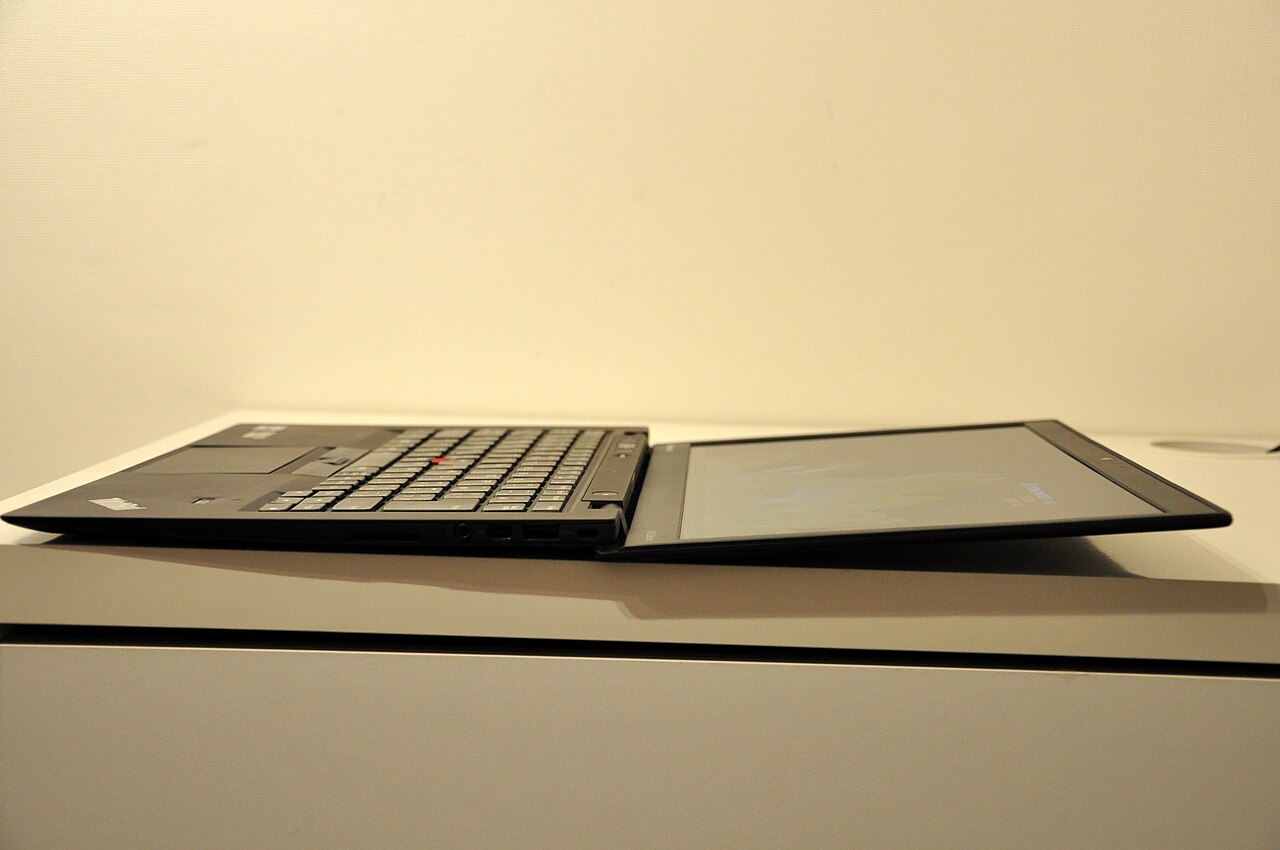
The fleet-refurb strategy from our under-$1,000 guide was practically invented for students: $350-500 buys MIL-SPEC durability, the best keyboard a term paper will ever meet, easy repairs (a spilled-on keyboard is a part, not a funeral), and total-loss economics that survive a stolen backpack. The X13 is the carry-first pick among the best budget laptops for college; the T14 adds screen and upgrade room for engineering toolchains. Batteries vary on refurbs — buy graded stock or budget $50 for a fresh cell, and the machine will outlast the degree.
2. Zenbook 14 OLED — Best New Windows
When sales push the Zenbook into the student band, it becomes the best new machine a college budget can touch: 2.8 pounds, 12-hour honest battery, a 3K OLED that makes eight-hour reading days easier on the eyes, and current silicon that will still feel modern at graduation. It gives up the refurb’s repairability and shrug-off economics in exchange for warranty, freshness, and a screen no used machine matches. Writers, designers, and heavy readers should weigh the panel heavily.
3. Acer Swift 3 — Best Mid-Range
The Swift 3 earns its place as the balanced default for students who want new, warrantied hardware without OLED-hunting sale calendars: campus weight, class-day battery, a full port array for every projector on campus, and 16GB configurations at honest prices. Our full Swift 3 review covers the compromises — deck flex, ordinary speakers — none of which appear on a syllabus. It is the machine most students shopping the best budget laptops for college are actually picturing, executed properly.
4. Refurbished MacBook Air — Best Apple Route
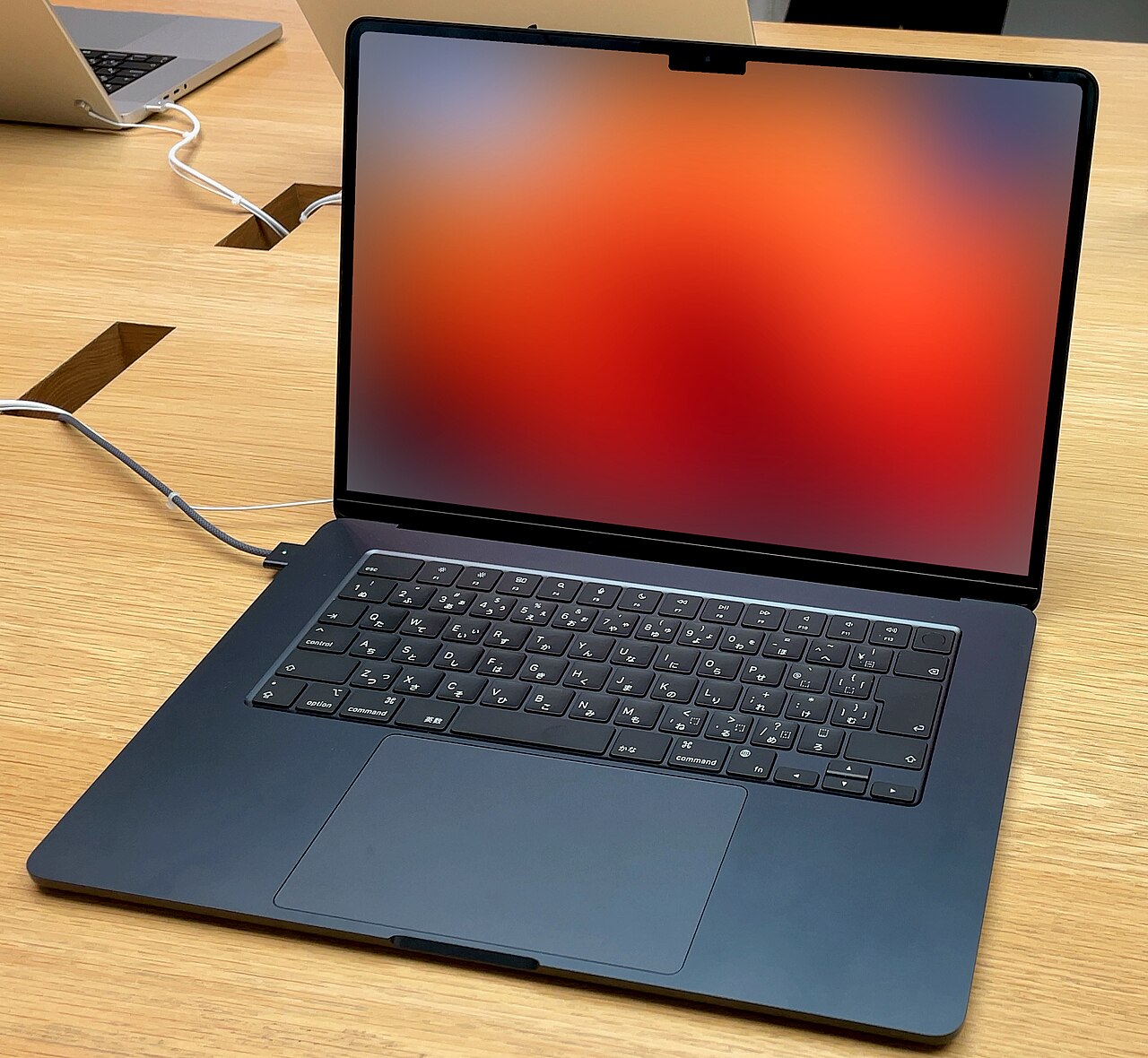
The dorm-default Air becomes budget-rational one step back from the current generation: Apple-refurbished or clean used M-series units land in the $700-850 band with the 15-hour battery, silent operation, and iPhone-ecosystem continuity that make it the most-recommended student machine on any campus. Resale value works like a scholarship — the Air recovers more at graduation than any Windows peer. The honest caveats: ports require a dongle, repairs require Apple, and 8GB base configs from older generations should be skipped for 16GB ones.
5. Chromebook Plus — Best Minimal Budget
For majors that live entirely in the browser — and honestly audit this before buying — a current Chromebook Plus at $300-400 delivers speed, battery, and zero-maintenance simplicity no Windows machine matches at the price. The disqualifiers are specific: any required Windows/Mac course software (statistics packages, CAD, specialized IDEs) ends the conversation, and our Chromebook guide maps the line in detail. Right major, right machine — the cheapest of the best budget laptops for college; wrong major, semester-one regret.
6. Refurb T14 32GB — Best for Engineering and CS
STEM toolchains — IDEs, VMs, MATLAB, CAD viewports, container stacks — eat RAM before anything else, and the refurb T14’s cheap 32GB configurations solve senior-year workloads at sophomore-year prices. Linux dual-boots cleanly (half of CS coursework is happier there; our programming guide goes deeper), parts are eternally available, and the keyboard survives 2 a.m. problem sets. It is the least glamorous pick on this list and the one most likely to be defended fiercely in four years.
Majors, Mapped to Machines
Humanities and social sciences live in documents, browsers, and PDFs — every pick here over-serves the workload, so optimize for reading comfort (the OLED) or price (the refurbs) and bank the rest. Business majors add Excel-heavy courses and presentation polish: 16GB for the spreadsheets, HDMI for the pitch, and the Swift 3 or refurb T14 covers the whole program. Nursing and pre-med need battery above all — clinical days and library marathons reward the Air and Zenbook tier.
Engineering and CS get their own pick above for RAM reasons, with one addition: check departmental software lists before buying anything, because a single Windows-only CAD requirement quietly disqualifies both the Chromebook and complicates the Mac. Design and media majors are the honest exception to the budget thesis — color-accurate panels and GPU acceleration justify stretching toward the used MacBook Pro tier, and no list of the best budget laptops for college should pretend otherwise. Undeclared? Buy the refurb T14: it retreats from no major except film production.
The Student Battery Day, Measured Honestly
A real campus Tuesday: 8 a.m. lecture with note-taking (screen bright, one hour), library block with forty research tabs (three hours), lunch streaming (one hour), afternoon lab or seminar (two hours), evening study session (two more). That is nine on-hours across fourteen clock hours, most of it away from convenient outlets — the schedule that makes eight real hours the floor and ten the comfort zone this guide keeps repeating. Manufacturer claims meet this schedule the way syllabus week meets finals week; derate by 40% before believing anything, a rule independent rundown testing at Notebookcheck validates across every brand on this page.
The habits that stretch any machine through that Tuesday cost nothing: brightness at two-thirds, the browser pruned between classes, updates scheduled for dorm nights, and a charge topped opportunistically at every desk with an outlet rather than heroically at 5%. Add a sub-seven-ounce GaN charger to the backpack permanently — the best budget laptops for college all charge over USB-C, which means one light brick serves the laptop, the phone, and the roommate diplomacy of shared power strips.
The Traps That Eat Student Budgets
The $250 false economy: bottom-shelf new laptops with 4-8GB RAM and plastic hinges cost more per year than any of the best budget laptops for college ranked here — they fail early and frustrate always. The gaming-laptop daily driver: capable but heavy, loud, and battery-poor; our gaming guide covers the honest crossover picks if play matters. The spec-sheet splurge: $1,500 machines solve professional problems students don’t have yet — the difference funds textbooks. The missing-port surprise: discovering at presentation time that the beautiful machine needs a dongle nobody owns. Skipping student discounts: education portals and campus programs routinely take 10-15% off the new picks here — always check before paying retail.
Surviving Four Years: The Ownership Playbook
Day one, before the first class: cloud backup configured for the documents folder (coursework loss is the only unrecoverable laptop failure), full-disk encryption on, find-my registered, and the machine added to the family or renters insurance rider if it cost four figures. Buy the $25 sleeve at the same time as the laptop — campus damage statistics are dominated by unpadded backpack impacts, and the sleeve is the cheapest component the machine will ever wear.
Each semester after: one dust-and-update evening (ten minutes), a battery-health check to catch degradation while warranties still care, and storage triage before it hits 90% full — machines slow down loudly when drives fill up, and students diagnose it as age when it is clutter. Junior year, refresh the battery on the refurb picks for $50 and enter senior year on fresh cells. Handled this way, every machine on this list graduates alongside its owner, and the refurbs frequently take a second degree with a sibling — the last line of the value argument for the best budget laptops for college being built like office equipment rather than electronics.
Where and How to Buy: The Student Checkout Playbook

The refurb route rewards vendor discipline: buy from sellers that grade cosmetics and battery health explicitly, warranty at least 90 days, and photograph actual units rather than stock renders. Manufacturer-refurbished programs (Lenovo Outlet, Apple Certified Refurbished, Dell Outlet) cost slightly more than marketplace listings and repay it in consistency — the right tier for anyone who doesn’t enjoy hardware roulette. Marketplace bargains work for buyers who can test a machine within the return window and walk away unsentimentally.
Buying new, stack the discounts in order: education-portal pricing first (verify with a student email), then seasonal sales on top where terms allow, then cash-back rails and campus bookstore price-matches. The order matters because education pricing often combines with sales but not with other coupons.
Two checkout rules regardless of route: pay with a card that extends warranties automatically — a free year of coverage on the exact machines students break — and screenshot the configuration page at purchase, because warranty claims and insurance riders both go smoother with receipts that specify the RAM and storage actually bought. None of this takes an hour, and together it routinely claws back 15-20% of the sticker on the best budget laptops for college.
Best Budget Laptops for College FAQs
How much should a college laptop cost?
The value band runs $350 (graded refurb) to $900 (sale-priced new premium); the midpoint near $600 serves most majors perfectly. Below the band, reliability fails the degree; above it, money buys refinements the syllabus never asks for.
Is a MacBook or Windows laptop better for college?
Course software decides first — a required Windows package ends the debate — then ecosystem and budget. Campus reality: both dominate every quad, professors care about submissions rather than logos, and the refurb strategies make either affordable.
Will 8GB of RAM last four years of college?
No — it is already tight freshman year under real multitasking, and course tools only grow. 16GB is the floor this entire guide assumes; it is the least regrettable spec upgrade in the student market.
Should students buy laptop insurance?
For $1,000+ machines, campus-theft-and-spill coverage often earns its premium; for the refurb tier, self-insurance wins — the replacement cost is the deductible. Either way, cloud backup of coursework is the non-negotiable policy that costs nothing.
When is the best time to buy a college laptop?
Back-to-school season (July-September) and holiday sales discount the new picks reliably; the refurb market is season-proof. Buying a month before campus beats buying the week of — arrival-day tech problems are the worst tech problems.
Beyond the Laptop: The $60 Study Kit
Three accessories multiply any machine on this list. The sleeve ($25) has already been assigned; the compact GaN charger ($25) keeps the heavy stock brick in the dorm and the backpack light; and a basic wireless mouse ($12) transforms library marathons and spreadsheet courses in ways trackpads never will. Everything else — stands, hubs, mechanical keyboards, second monitors — belongs to the dorm desk as budget allows, with an external monitor being the single best dorm upgrade for majors living in documents and code.
What not to buy: extended-warranty upsells at checkout (card-based extensions and campus repair options cover the realistic failures cheaper), branded backpack-laptop bundles (the markup buys logos), and any accessory sold in the same aisle as impulse candy. The best budget laptops for college keep their promise when the whole kit stays disciplined — the machine, the sleeve, the charger, the mouse, and the syllabus, with the savings pointed at the degree.
Can a tablet with a keyboard replace a college laptop?
For note-taking-first students in reading-heavy majors, nearly — until the first course requires desktop software, group project tooling, or a proctored exam client, which is usually semester one. The safe pattern for the best budget laptops for college question remains laptop-first, tablet-as-luxury; a refurb ThinkPad plus a basic tablet costs less than a flagship tablet-keyboard bundle and covers every scenario a degree throws.
Do the best budget laptops for college handle online exams and lecture recording?
Every pick here runs proctoring clients, video platforms, and recording tools simultaneously without strain — that stack is lighter than a normal study session’s tab load. The two specs that actually matter for exam season are the webcam (test it before the first proctored midterm, not during) and the battery margin that survives a two-hour exam plus the classes around it. Check departmental proctoring requirements against Chromebooks specifically; some clients remain Windows/Mac-only, which is one more reason the browser-native route needs a software audit first.
Is it worth waiting for a new laptop generation before college?
No — the student workload hasn’t outrun mid-range hardware in years, and the refurb market means last generation is always on sale. The month before campus beats any launch calendar; buy early enough to test, transfer files, and break in the setup before syllabus week makes every hour expensive.
What about printing, campus Wi-Fi, and other campus-specific quirks?
Campus printing still occasionally demands vendor drivers and USB-A sticks — one more quiet vote for the port-complete picks — and enterprise campus Wi-Fi enrolls painlessly on every platform here, Chromebooks included. The quirk that actually catches students is storage: lecture recordings and dataset downloads fill a 256GB drive by sophomore year, which is why the 512GB floor appears throughout this guide and why the refurb picks’ cheap SSD swaps age so gracefully.
Verdict: The Ultimate Degree-Length Machines
The best budget laptops for college share a shape: 16GB of RAM, eight-plus real hours, under three pounds, and construction that treats a backpack as a habitat rather than a hazard. The refurbished ThinkPads deliver that shape at the lowest cost, the Swift 3 and Zenbook deliver it new, the refurb Air delivers it with resale insurance, and the Chromebook delivers it to browser-native majors at the floor price. Match the machine to the major, take the student discount, and spend the savings on the education the laptop is for.
