Updated July 2026. As an Amazon Associate and affiliate partner, UrbanLaptop may earn a commission from qualifying purchases made through links on this page, at no extra cost to you. See our affiliate disclosure.
ThinkPad vs Latitude is the business-laptop question, argued in IT departments for two decades and inherited by every individual buyer shopping the corporate lines’ consumer and refurb markets. Both families exist for the same brief — fleets of machines that survive years of road abuse and keep working — and both deliver it, which is exactly why the ThinkPad vs Latitude decision comes down to the differences their shared mission hides: keyboards, service models, refurb economics, and the Linux question one side answers better.
ThinkPad vs Latitude: The Short Answer
Buy the ThinkPad for the best keyboard in computing, the deeper Linux support, the stronger enthusiast and parts ecosystem, and the refurb market’s most predictable value — the individual buyer’s pick more often than not. Buy the Latitude when Dell’s service terms win (on-site coverage in your region, an IT department that speaks Dell, or a corporate discount that moves the price), or when its quieter styling and Dell-ecosystem docking fit the office you actually work in. Both survive the decade; the tiebreaks are personal.
Build and Durability: A Draw With Different Accents
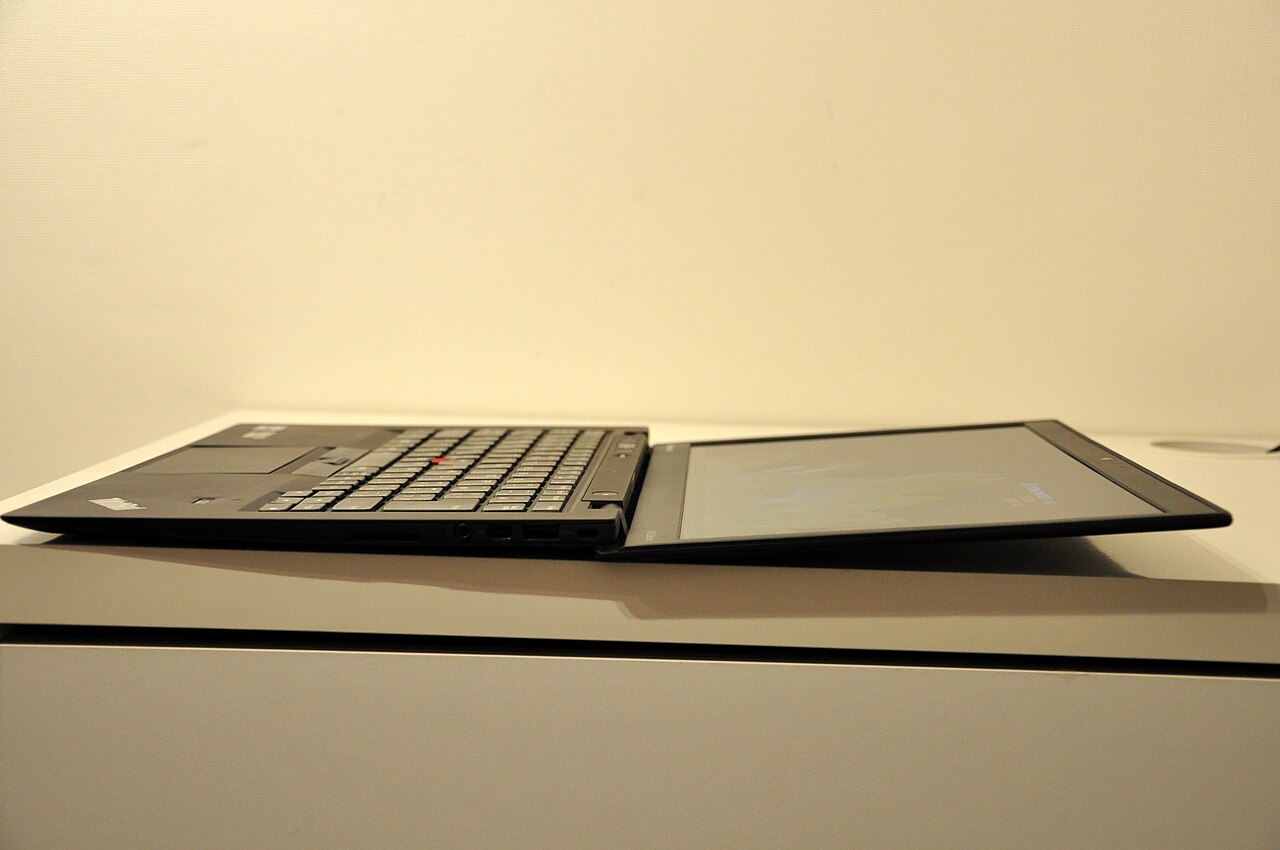
Both lines test against the same MIL-SPEC batteries — drops, vibration, dust, temperature swings — and both pass, because failing would end their fleet contracts. The ThinkPad’s carbon-fiber and magnesium construction reads warmer and lighter in hand; the Latitude’s aluminum-and-polymer builds read more conventionally corporate. Hinges, lids, and ports on both survive years of daily transit that would retire consumer machines — the shared engineering DNA that makes the ThinkPad vs Latitude refurb market the value engine our budget guide is built on.
The honest difference is philosophical: Lenovo optimizes the ThinkPad as a tool its owner touches all day (keyboard, TrackPoint, matte screens as defaults), while Dell optimizes the Latitude as an asset IT manages at scale (docking consistency, fleet imaging, service tiers). Individual buyers feel the first philosophy; procurement departments feel the second — and that asymmetry quietly decides most ThinkPad vs Latitude purchases before any spec sheet opens.
Keyboards and Input: The ThinkPad’s Home Field
No neutral reviewer scores this round close: the ThinkPad keyboard — deeper travel, sculpted keycaps, the deck stiffness our X1 Carbon review praises at length — remains the standard every laptop keyboard is measured against, and the TrackPoint keeps a devoted minority off trackpads entirely. Latitude keyboards are good corporate keyboards: consistent, spill-resistant, unmemorable. Writers, coders, and anyone whose output is measured in keystrokes should weight this round heavily; it is the largest daily-experience gap in the whole ThinkPad vs Latitude comparison.
Configurations, Service, and the Fleet Machinery
Spec sheets across the lines converge — same Intel and AMD generations, same RAM and storage ladders, similar screen options with Lenovo offering more matte and Dell more touch. The separating layer is service: Dell’s ProSupport with next-business-day on-site coverage is the industry’s benchmark where it operates well, and organizations that have used it rarely leave. Lenovo’s Premier support answers credibly but unevenly by region. Individual buyers inherit a different calculus: out of warranty, the ThinkPad’s published repair manuals, abundant parts, and legendary self-service culture make it the machine you fix yourself for $40, while the Latitude leans back toward depot service. Fleet buyers should price the support contracts; solo buyers should price the screwdriver.
Displays, Batteries, and the Rounds That Tie
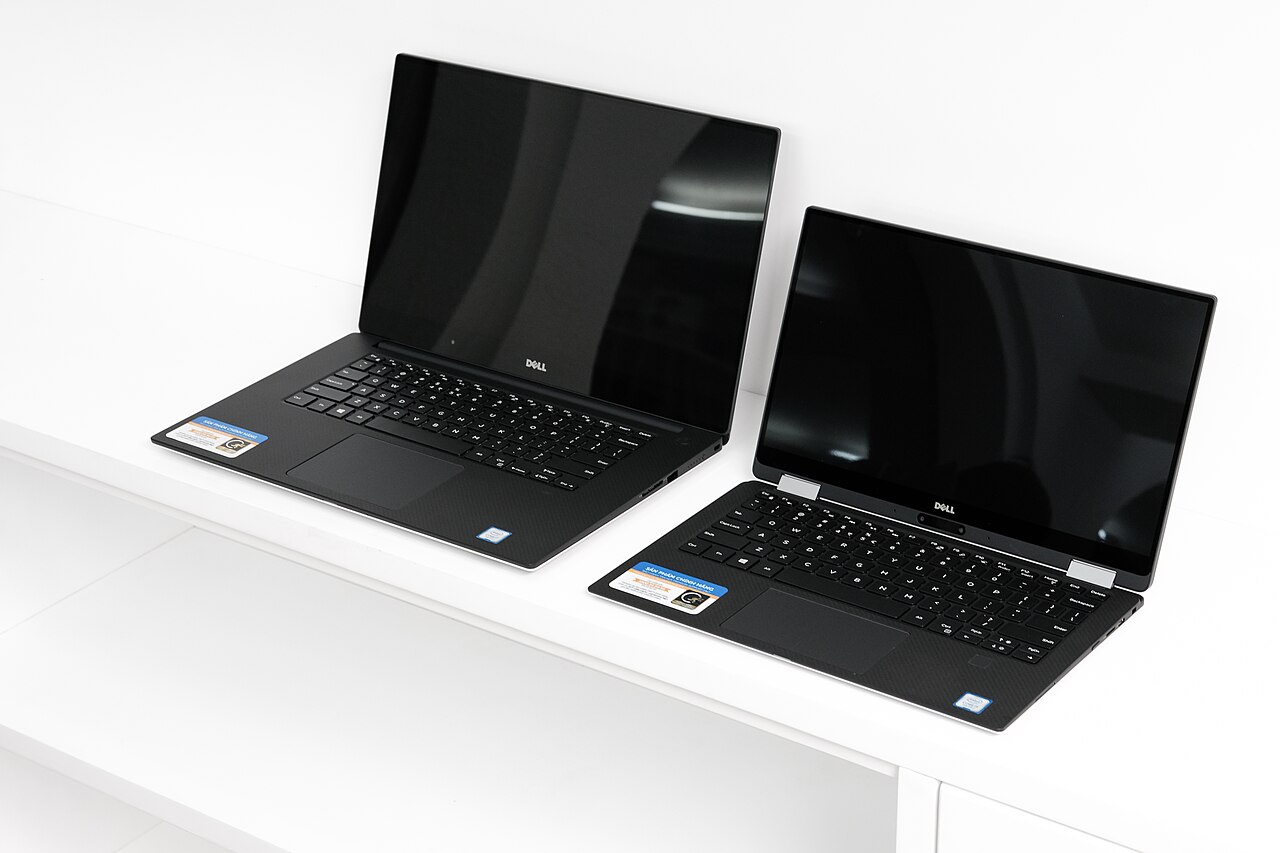
Screens across both lines run the corporate gamut from adequate-1080p to genuinely premium panels, with the same buying advice on either badge: skip the base low-brightness options (the classic fleet economy that ages worst), take 300-plus nits and 16:10 where offered, and note Lenovo’s matte-by-default culture serves outdoor and glare-prone work slightly better, while Dell offers touch more broadly. Neither line plays in OLED territory as widely as consumer flagships — buyers who want the spectacular panels should read our premium roundup and accept consumer-line service terms as the trade.
Batteries, thermals, and silicon tie almost by definition — the same processor generations, similar cells, and fleet-tuned power profiles on both. Real-world endurance lands in the 8-11 hour band across equivalent tiers, per independent testing at Notebookcheck, with year-to-year variation within each line exceeding the gap between them. The practical translation for the ThinkPad vs Latitude shopper: battery and speed are model-selection questions, not brand-selection questions, which returns the decision to the rounds that actually differ — keyboard, service, Linux, and the week’s refurb prices.
The Refurb Market: Where ThinkPad vs Latitude Gets Decided by Wallets
Both lines flood off-lease channels three years after deployment, and both are the best value in used laptops — but the markets behave differently. ThinkPad refurbs command slightly higher prices and hold them, buoyed by the enthusiast demand that also guarantees parts, guides, and community support for a decade per model. Latitude refurbs run a step cheaper for equivalent specs, making them the quiet arbitrage play for buyers who want fleet durability without the ThinkPad’s brand premium. Our budget guide’s fleet-refurb strategy works identically with either badge; the ThinkPad vs Latitude refurb decision is honestly a price-list decision, made model-by-model on the day you shop.
Linux and the Developer Vote
The ThinkPad wins this round on institutional commitment: Lenovo certifies major distributions across the line, ships Fedora and Ubuntu preinstalled on select models, and enjoys upstream kernel attention that makes ThinkPads the default answer in our Linux laptop guide. Latitudes run Linux well in practice — Dell’s own developer-edition history proves the competence — but certification breadth, community documentation, and fingerprint-reader-grade edge cases all tilt Lenovo. Developers and future dual-booters should count this as a real ThinkPad vs Latitude differentiator; Windows-forever buyers can skip the round entirely.
Model Ladders, Decoded
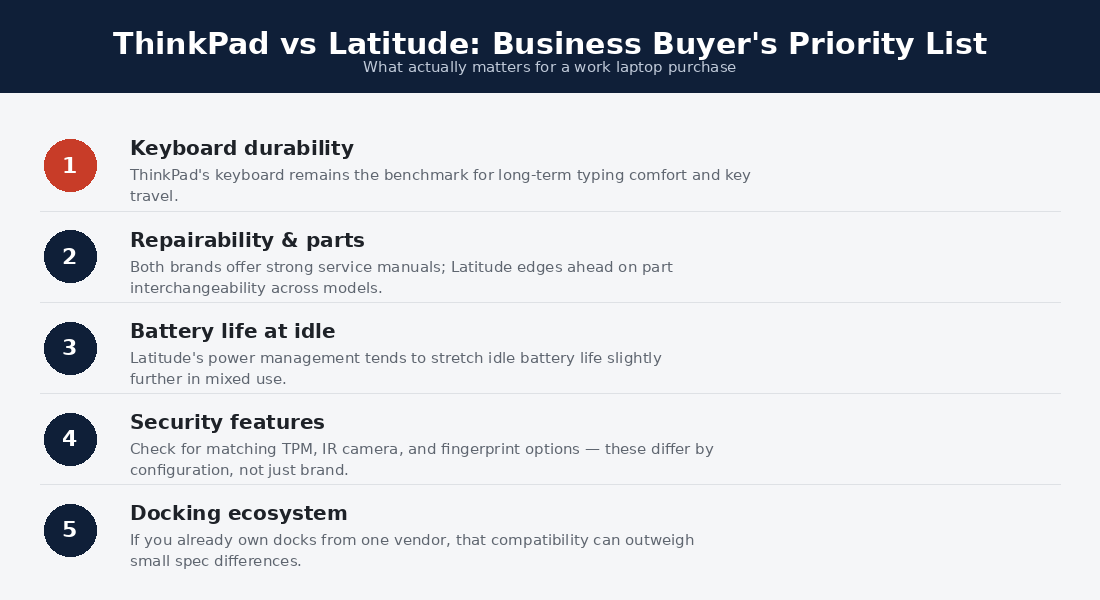
Half the confusion in ThinkPad vs Latitude threads comes from mismatched tiers, so map them first. Lenovo’s ladder: the X1 line (premium ultrabooks — the X1 Carbon is the flagship), the T series (the mainstream workhorse and the refurb market’s crown jewel), the X series (compact travel), the P series (workstations), and the E series (budget corporate, a visible step down in build). Dell answers: the Latitude 9000s (premium, X1 rivals), 7000s (mainstream-premium, T-series rivals), 5000s (the fleet volume tier), and 3000s (budget, E-series equivalent) — with Precision as the P-series counterpart.
The buying rule the ladders imply: compare 9000-vs-X1, 7000-vs-T, 3000-vs-E — never a 3000-series Latitude against a T-series ThinkPad, which is where most online ThinkPad vs Latitude horror stories are secretly born. In the refurb market the sweet spots align at T-series and 7000-series three-year off-lease units: peak fleet build at post-depreciation prices, the exact machines the budget guide’s strategy targets.
Two Desks, Two Right Answers
The freelance developer who chose the ThinkPad: a refurb T14 at $420, Fedora installed in an evening with every sensor working, a keyboard that carries eight-hour coding days, and a $30 battery swap done at the kitchen table in year two. His summary: the machine assumes you own it. The regional sales office that chose Latitudes: eleven 7000-series units on a ProSupport contract — when a hinge failed in a hotel, Dell’s technician met the rep on-site next morning, and the office manager has never opened a laptop in her life. Her summary: the machine assumes somebody else owns the problem.
Both stories end in satisfied years-long ownership, which is the honest core of ThinkPad vs Latitude: these are two service philosophies wrapped around equivalent metal, and the right answer is the philosophy that matches who will hold the screwdriver — you, or a contract.
ThinkPad vs Latitude by Buyer
The individual professional buying new: ThinkPad, led by the keyboard and the X1 Carbon’s class leadership. The budget buyer in the refurb market: whichever badge is cheaper that week at your spec — the durability is shared. The organization sizing a fleet: price ProSupport against Premier in your region; the support contract outweighs the hardware delta. The developer: ThinkPad, for the Linux ecosystem. The Dell-docked office worker: Latitude, because ecosystem friction is real and WD-series docks already own the desks. The student: the refurb of either, per our college guide — and the ThinkPad’s parts culture edges it for a four-year, self-maintained life.
Security, Manageability, and the IT Scorecard
Both lines ship the full corporate security stack — TPM, self-encrypting drive options, smart-card and NFC configurations, IR cameras for Hello, and firmware-level protections (Lenovo’s ThinkShield and Dell’s SafeBIOS answering each other feature for feature). Fleet manageability likewise mirrors: Intel vPro across the upper tiers, mature imaging toolchains on both, and BIOS management consoles IT departments already know. Auditors will not split ThinkPad vs Latitude on the security scorecard; both exist because that scorecard is table stakes.
The differences are stylistic. Lenovo publishes hardware maintenance manuals openly — a transparency the repair community rewards — while Dell’s fleet diagnostics (SupportAssist telemetry, on-site dispatch integration) automate the failure-to-fix pipeline more completely for managed environments. Privacy-forward buyers note both companies’ telemetry defaults deserve a settings pass on day one, on either badge. The round ties, again — and again in a way that flatters both: ThinkPad vs Latitude is a comparison between the two machines everyone else’s security marketing is imitating.
Is the ThinkPad vs Latitude choice different for remote workers?
Slightly, and toward the ThinkPad: without an IT department to hold the Dell service contract, the Latitude’s institutional advantages thin out, while the ThinkPad’s self-service culture, superior keyboard for home-office marathons, and webcam/mic parity carry the remote day. The exception is the remote employee of a Dell shop — corporate-supplied Latitudes with ProSupport reaching your home address replicate the office machinery wherever you sit, which is precisely their design brief.
ThinkPad vs Latitude FAQs
Which is more durable, ThinkPad or Latitude?
Functionally a tie — both test to the same military standards and both survive fleet life by design. The ThinkPad carries the stronger reputation; the Latitude carries the same engineering with less folklore.
Which is better for Linux?
ThinkPad, by certification breadth, preinstall options, and community depth. Latitudes run Linux well; ThinkPads run it officially.
Are refurbished ThinkPads or Latitudes better value?
Latitudes usually price lower for equal specs; ThinkPads hold value and parts availability longer. Buy on the day’s price list — the durability that matters is shared.
Do ThinkPads still have the best laptop keyboards?
Yes, and it remains the single biggest daily-use gap in the comparison. Typists who try both rarely stay undecided.
Which should a small business standardize on?
The one whose support terms serve your geography and whose dealer relationship discounts deepest — at small-fleet scale, ThinkPad vs Latitude is a procurement question wearing a hardware costume, and both answers work.
Buying Either Line Well
New purchases from both makers reward the same two moves: never pay list (Lenovo’s perpetual sales and Dell’s business-store pricing mean 20-30% discounts are the true baseline, and small-business accounts unlock better tiers on both sites), and configure against longevity — 16GB minimum, the brighter screen option, and the three-year warranty extension that costs least at checkout. Both configurators bury their best value in mid-tier presets; both punish base-model economies that fleet buyers would never accept.
Refurb purchases invert the discipline: buy the grade, not the badge. A-grade units from vendors who photograph actual machines, disclose battery health, and warranty 90-plus days beat marketplace gambles on either line. Target the T-series and Latitude 7000 sweet spots at the three-year off-lease point, verify the specific model’s Linux notes if that future beckons, and let the week’s price list settle the ThinkPad vs Latitude question the way the fleet market always intended — on value, delivered either way.
How long do ThinkPads and Latitudes actually last?
Five to eight years of real service is the honest range for the mainstream tiers of both lines — the fleet engineering is the constant, and batteries (replaceable on both, cheaply on the ThinkPad) are the only scheduled mortality. The second-life math is the category’s signature: a three-year corporate deployment followed by four-plus years of refurb ownership, which is why the ThinkPad vs Latitude fleet machines dominate every honest value guide, this site’s included.
What about the trackpads and TrackPoint in daily use?
Trackpads across current tiers of both lines are good-to-very-good glass surfaces that no longer embarrass either badge, though neither matches consumer-flagship haptics. The TrackPoint remains the ThinkPad’s cult differentiator: dismissed by most, irreplaceable to a devoted minority who never move their hands from home row, and worth one honest week of trying before judging. Latitude offers no answer to it — Dell bet correctly that most users wouldn’t miss what they never adopted, which is also why the round only matters to buyers who already know they’re in the minority.
Do either line’s laptops work well for trading or multi-monitor desk setups?
Both dock into multi-monitor setups with fleet-grade reliability — Thunderbolt across the upper tiers, mature dock ecosystems on both sides, and the sustained-workload composure our trading laptop guide demands. The guide’s picks lean ThinkPad for the keyboard-heavy, alert-driven trading day, but the Latitude 7000 series clears every technical bar identically; traders already inside a Dell dock ecosystem lose nothing by staying.
Which wins ThinkPad vs Latitude for travel-heavy consultants?
The X1 Carbon tier takes it on carried physics — lighter than any Latitude equivalent, with the keyboard that makes hotel-desk marathons survivable and optional built-in 5G that turns transit into office hours, per our commuting guide. The Latitude counterargument is institutional: consultants whose firms hold Dell contracts get on-site service in whatever city the project lands, which no personal warranty matches. Independent consultants buy the ThinkPad; employed ones travel with whatever the firm’s contract covers, gladly.
Are the budget tiers (ThinkPad E / Latitude 3000) worth buying?
Only with expectations calibrated: both budget tiers trade the fleet-grade builds, keyboards, and service eligibility that give these lines their reputations, keeping mostly the badge. At their price points, three-year-old T-series and 7000-series refurbs beat them on every dimension except warranty freshness — the recommendation this comparison and our budget guide converge on from opposite directions. Buy the used flagship over the new economy model; the fleet market exists to make that trade available.
How do resale values compare at upgrade time?
ThinkPads hold measurably more at every age point — the enthusiast demand that sustains their parts ecosystem also props their used prices, while equivalent Latitudes quietly undercut them, which is precisely why the value-hunting refurb buyer often lands Dell. Sellers flip the logic: a three-year-old X1 Carbon or T14 exits an ownership faster and richer than its Latitude twin. Whichever side you buy, keep the box and service records; fleet-line buyers pay real premiums for provenance.
Verdict: The Ultimate Fleet-Grade Choice
ThinkPad vs Latitude ends in a split decision with a clear reading: the ThinkPad wins the individual buyer on keyboard, Linux, refurb predictability, and self-service culture, while the Latitude wins organizations that live inside Dell’s service and docking machinery — and ties everything else. Both are the right answer to the question that actually matters, which is whether a laptop can survive five years of real work. Buy the ThinkPad when the choice is yours; respect the Latitude when the price list or the IT department votes; and in the refurb market, let the week’s best deal wear the crown.