


Updated July 2026. As an Amazon Associate and affiliate partner, UrbanLaptop may earn a commission from qualifying purchases made through links on this page, at no extra cost to you. See our affiliate disclosure.
Laptop specs are written to be compared and designed to be misread: the numbers manufacturers print biggest are the ones that matter least, while the specs that decide daily satisfaction — panel brightness, sustained thermals, battery chemistry, keyboard feel — hide in footnotes or never appear at all. This plain-English guide ranks laptop specs by how much they’ll actually shape your years with the machine, and hands you the reading order that turns any spec sheet transparent in ninety seconds.
Laptop Specs, Ranked by Real-World Weight
Tier one — the specs that decide satisfaction: RAM (16GB floor, permanent on most machines), screen quality measured in nits and ratio rather than inches, battery as real hours not cell size, and build quality no sheet prints. Tier two — the specs that decide fit: weight with charger, port selection, keyboard and trackpad, storage at 512GB-plus. Tier three — the specs marketing leads with: CPU tier beyond “current mid-range” (see our laptop CPU guide), GPU except for named workloads, resolution past sharp-enough, and every AI acronym of the current season. Read spec sheets bottom-tier last and the machines sort themselves.

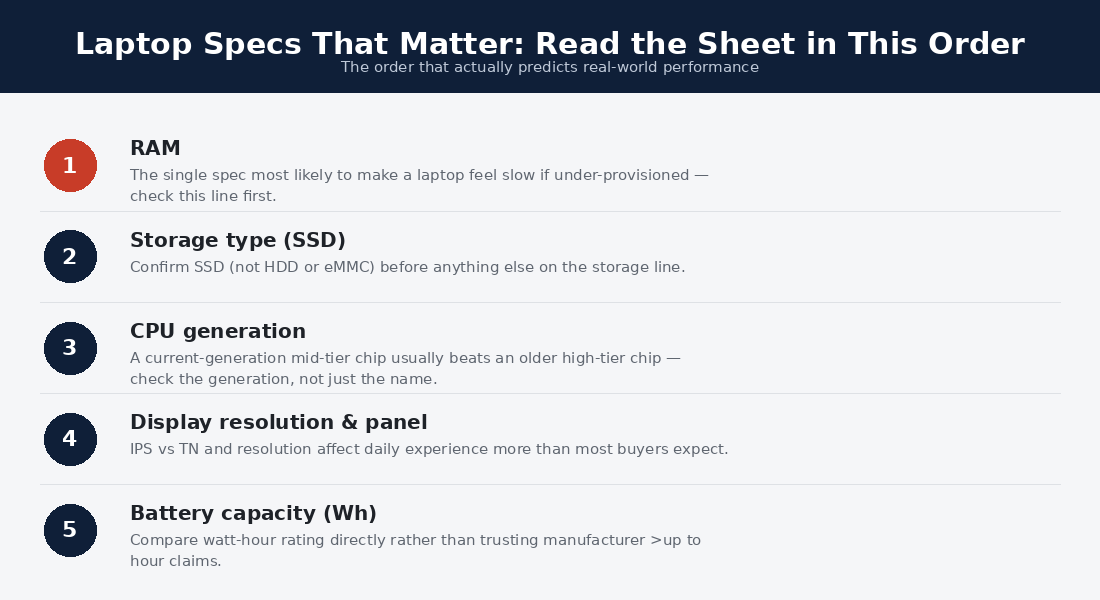
RAM: The Spec That Ages
Memory is the laptop spec with the steepest aging curve and — on most modern machines — no second chance: soldered RAM makes the checkout decision permanent. The arithmetic this site repeats across every guide: 8GB is already tight under real multitasking, 16GB is the four-to-five-year floor for every mainstream life, and 32GB earns its premium only for named workloads — heavy creative suites, engineering toolchains, serious container work. Browser tabs are the honest benchmark: modern research sessions hold dozens, each a small program, and RAM is what keeps the stack instant. Among all laptop specs, this is the one to over-buy deliberately, because it is the one you cannot fix later.
The Screen: Where Specs Hide Hardest
Panel marketing prints size and resolution — the two least predictive numbers — while burying the four that decide daily comfort. Brightness: 300 nits is the indoor floor, 400-plus travels to window seats and terraces; the gap between 250 and 400 nits is the gap between squinting and working. Aspect ratio: 16:10 and 3:2 fit visibly more document than old 16:9 at the same diagonal.
Panel tech: IPS is the honest default, OLED the contrast-and-color upgrade with minor battery tax. Finish: matte fights glare, glossy pops color — a lifestyle vote. Resolution earns money only to sharp-enough (roughly 1920p at 13-14 inches, 4K at 27-inch external monitors per our monitor guide); beyond that it buys battery drain wearing a marketing badge.
Battery: Derate Everything
Battery is the laptop spec where the printed number and the lived number diverge most reliably. Manufacturer figures come from dim-screen video loops; real mixed work — bright screen, busy radios, calls — delivers roughly 60% of the claim, a rule independent rundowns at Notebookcheck confirm across every brand and year.
Shop with the multiplier: a claimed 18 hours means a working 11 (all-day with margin), a claimed 10 means a working 6 (an afternoon). Watt-hours tell you cell size, but architecture decides consumption — efficiency-first silicon stretches the same cell hours further, the entire thesis of our endurance rankings. And check the charger: USB-C PD charging is the quiet convenience spec that makes every café outlet and power bank a fuel stop.
Storage, Ports, and the Practical Tier
Storage: 512GB is the sane floor (256GB fills by year two and slows as it fills), NVMe speed differences within a generation are imperceptible outside benchmarks, and user-replaceable SSDs — increasingly rare — quietly double a machine’s upgrade life; our SSD guide covers the whole story. Ports: count what your week actually plugs in — a missing HDMI or USB-A is a daily dongle tax, and Thunderbolt-class USB-C is the one-cable-desk enabler the docking tier depends on. Connectivity: current Wi-Fi and Bluetooth generations matter most in café and hotspot lives. None of these laptop specs sell machines; all of them shape ownership.
Laptop Specs by Buyer: Worked Examples

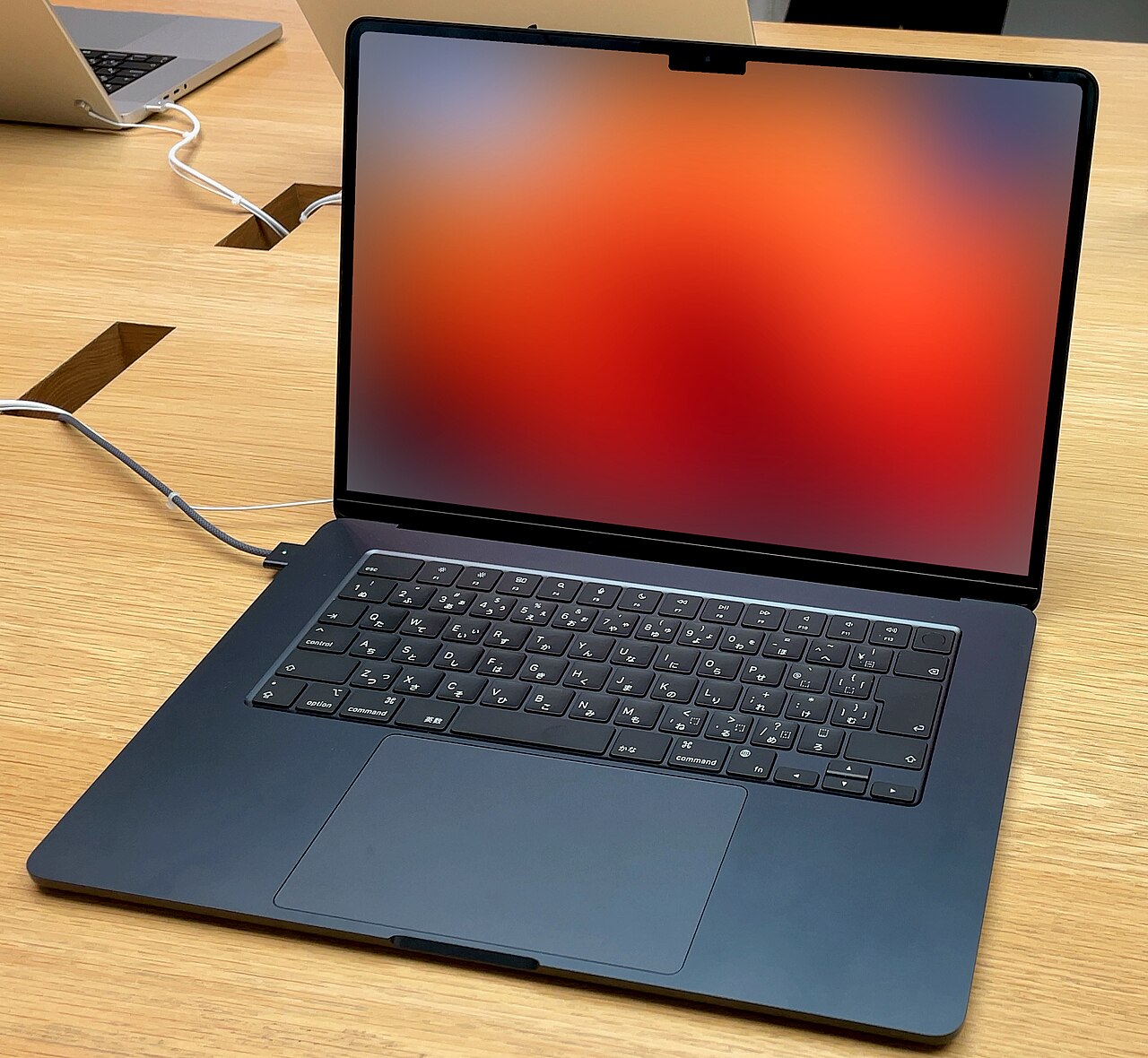
The commuter reads laptop specs weight-first: under three pounds, USB-C charging, ten derated hours, and a chassis reviews call stiff — the exact filter behind our commuting picks. The home-office worker inverts to comfort: the screen and keyboard rows dominate because desk hours dwarf transit hours, and a docking-friendly Thunderbolt port unlocks the one-cable desk. The traveler and nomad adds the replaceability test from our nomad guide: laptop specs that any regional capital can re-buy within 48 hours.
The budget buyer uses laptop specs as a corner-cutting detector: 8GB RAM, sub-250-nit panels, and 128-256GB drives are where cheap machines hide their price, and the refurb business tier from our budget guide dodges all three at the same money. The creative and developer promotes tier-three specs legitimately — sustained cooling, color coverage, cores — because their workloads are the named exceptions this page keeps carving out. Same sheet, five reading orders; the buyer’s week is the sorting algorithm.
The Specs No Sheet Prints
The satisfaction gap between machines with identical laptop specs comes from the unprinted column: keyboard travel and deck stiffness (writers feel it by paragraph three), trackpad accuracy and click acoustics, hinge quality and one-hand opening, fan tuning under office loads, webcam and mic honesty on calls, chassis flex under grip, and the service-and-parts culture behind the badge. Reviews and showroom minutes measure these; spec sheets never will. The practical protocol: use the printed specs to shortlist and the unprinted ones to choose — the exact inversion of how the industry hopes you shop, and the method every guide on this site applies for you.
How Laptop Specs Age: The Five-Year View

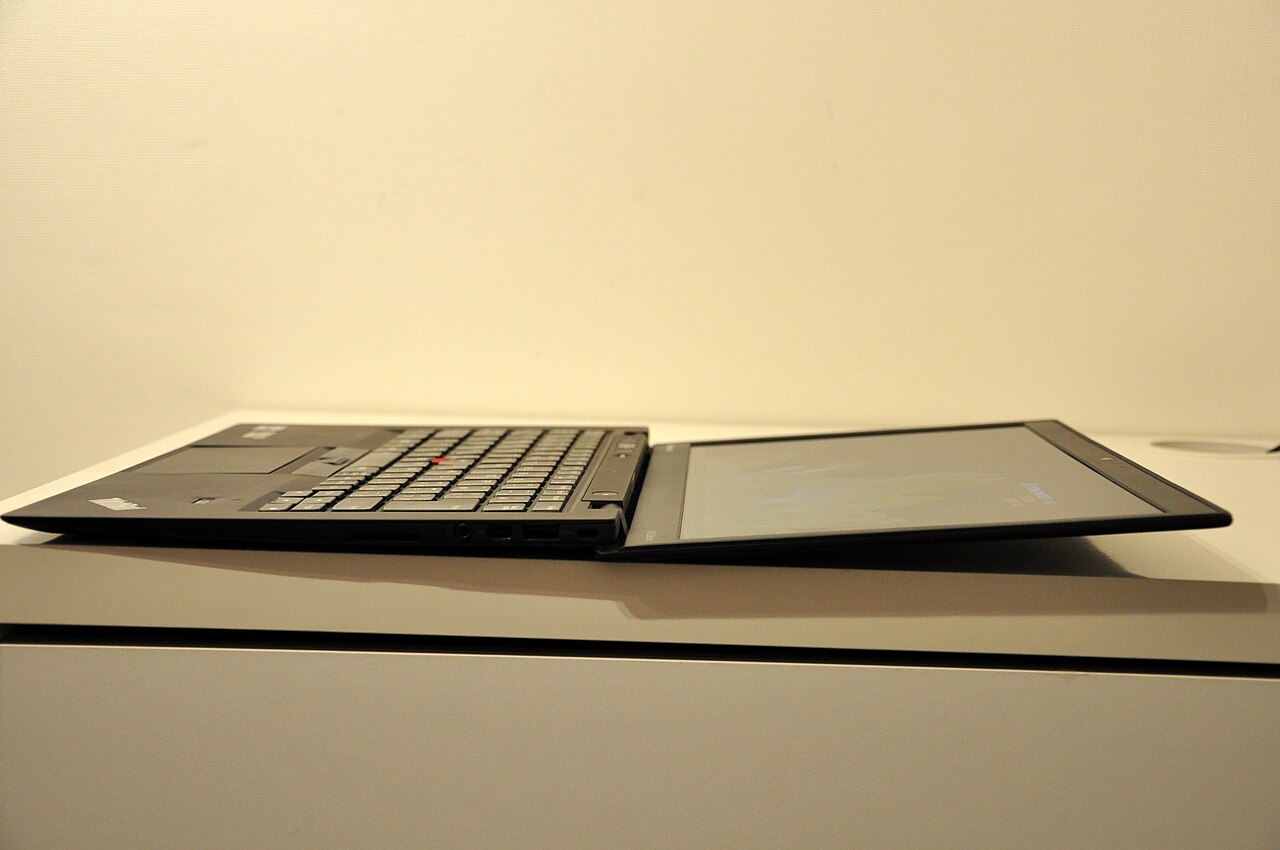
Project any spec sheet five years forward and the tiers reshuffle honestly. RAM ages worst-or-best depending entirely on the checkout choice: 16GB machines cruise into year five while 8GB twins limp by year two — the single largest divergence in used-laptop satisfaction. Batteries age on chemistry’s schedule (80% health near year three of daily cycling) regardless of brand, making replaceability and charging habits the real longevity specs. Screens and builds age gracefully or not at all: a bright 16:10 panel is as pleasant in year five as day one, and chassis quality decides whether year five exists.
Meanwhile the marquee laptop specs age into irrelevance fastest: CPU tier gaps compress as software targets the mainstream, resolution beyond sharp-enough never mattered, and each season’s headline acronym joins its predecessors in the footnotes. The five-year view is this page’s ranking argument in time-lapse — the specs that cost the most marketing ink depreciate fastest, and the quiet tier-one column is what a used buyer will pay for later. Buy what ages; skip what dazzles.
Where to Verify Laptop Specs Independently
The sheet names the claim; three sources check it. Lab databases (Notebookcheck’s per-model measurements above all) verify brightness, battery, and sustained thermals — the specs makers round upward. Owner communities surface the year-two truths: hinge wear, battery curves, keyboard reliability — the unprinted column’s long-term record. And teardown or repair databases reveal upgradeability and serviceability, the laptop specs that determine whether a machine can grow. Ten minutes across the three sources catches essentially every spec-sheet trap this page lists — and doubles as the method behind every review UrbanLaptop publishes, which is why our guides cite their referees by name.
Reading a Spec Sheet in Ninety Seconds
The drill, in order: RAM first (16GB or walk away), then screen nits and ratio (300-plus, 16:10-or-taller preferred), then battery watt-hours against the machine’s silicon class (derate the claim), then weight with the charger imagined in the bag, then ports against your week, then storage at 512-plus. If the sheet survives all six, the CPU line will almost certainly say “enough” — current mid-tier chips over-serve mainstream work, per the CPU guide — and the remaining decision belongs to reviews of the unprinted specs and the price on the day. Ninety seconds, six numbers, and the marketing tiers never get a vote.
Laptop Specs Glossary: The Terms That Trip Buyers

Nits: screen brightness — the panel number that predicts comfort better than resolution ever will. 16:10 / 3:2: aspect ratios taller than TV-shaped 16:9; more document per diagonal inch. Watt-hours (Wh): battery cell size — meaningful only divided by the silicon’s appetite. PD charging: USB-C Power Delivery, the universal-charger standard worth insisting on. Soldered RAM: memory fixed at manufacture — the reason the 16GB decision is permanent. NVMe: the fast SSD interface; within a generation, speed differences are benchmark theater.
TGP: a GPU’s power budget — the fine print that makes identical GPU names perform differently by 30%. U / H / HX: processor power classes, efficiency to desktop-hot; the letter that predicts fan noise. NPU / TOPS: AI acceleration hardware and its marketing unit — real, young, and not yet worth paying tiers for. MIL-SPEC: military-standard durability testing; marketing when idle, meaningful when the machine commutes. Ten terms, and every laptop specs sheet published this year reads in plain English.
The Three Most Expensive Spec Mistakes
Fifteen years of reader mail compresses to three. The 8GB regret leads by volume: the machine felt fine in the store, choked by year two, and could not be fixed — the mistake this page’s RAM section exists to prevent, at a $50-100 checkout difference. The dim-screen discovery follows: the spec sheet said Full HD, the buyer read sharpness, and the 250-nit panel washed out at the first window seat — nits were never printed and never asked.
The flagship-chip consolation completes the set: money moved from tier-one laptop specs to a marquee processor, and the owner spent five years with a fast chip driving a mediocre screen from a flexy chassis — the misallocation the entire ranking above is built against. All three mistakes share a signature: they optimized what the sheet emphasized, and the sheet emphasizes what ages fastest.
Laptop Specs FAQs
What laptop specs do I need for everyday use?
16GB RAM, a 300-nit-plus screen, ten derated battery hours, 512GB storage, under three-and-a-half pounds with charger, and any current mid-tier processor. That machine handles documents, browsing, calls, and streaming for five years — everything past it is workload-specific.
Which laptop specs matter most for students?
The same list with durability promoted: campus life tests hinges and corners harder than silicon. Our college guide builds the full picture — RAM and build first, badge last.
Are gaming laptop specs different?
Inverted: GPU tier and cooling lead, screen refresh follows, and the CPU recedes further. The wattage fine print (TGP) outranks the GPU’s name — the trap our gaming guide exists to flag.
Do higher laptop specs mean longer laptop life?
Only the right ones: RAM headroom and build quality extend life; CPU and resolution overbuys just cost more upfront. A 16GB mid-tier machine outlives an 8GB flagship-chip machine in practice, because memory is what workloads grow into.
What specs matter for trading laptops?
RAM, connectivity stability, and multi-monitor bandwidth — the platforms themselves are light. Our trading laptop guide ranks the fleet; the spec logic is this page’s tier-one list with ports promoted.
How do laptop specs differ between Windows, Mac, and Chromebook shopping?
The ranking holds; the floors move. Mac shopping compresses to two decisions — RAM and storage at checkout, both permanent — because Apple standardizes everything else above this page’s floors. Chromebook shopping adds the update-expiration date as a tier-one spec unique to the platform, per our Chromebook guide, while its cloud-first design relaxes the storage row. Windows shopping is where the full drill earns its keep: the ecosystem’s range means both the best values and the worst traps live there, separated by exactly the laptop specs this page ranks.
Should refurbished buyers read laptop specs differently?
Two amendments: battery health joins tier one (ask for the cycle count or health percentage; grade-A vendors publish it), and upgradeability gets promoted — the used business machines our budget guide champions often accept RAM and SSD upgrades that let a $400 purchase grow into its second life. The marketing tiers matter even less used: nobody resells a screen’s nits short, but every listing leads with the processor. Read used listings with this page’s ranking and the bargains identify themselves.
What single laptop spec predicts satisfaction best?
If forced to one: screen brightness-and-ratio, because you look at the panel every minute of ownership and its quality cannot be upgraded, worked around, or forgotten. RAM decides whether year four feels fine; the screen decides whether every hour does. That both cost less than the processor upgrades most buyers default to is the quiet scandal of laptop specs marketing — and the cheapest fix in the whole guide.
Do laptop specs matter less when buying from this site’s guides?
That is precisely their job: every roundup and review here has already run the drill — the RAM floors enforced, the nits checked against lab data, the batteries derated, the unprinted column weighed in reviews — so the guides’ shortlists arrive pre-filtered. The reason this page exists anyway is independence: a reader who can read laptop specs fluently can audit our picks, catch the day’s configurator traps we cannot see, and shop confidently in categories we have not covered yet. Teach the drill once and every future purchase inherits it — the most durable spec upgrade on the site.
Do external accessories change which laptop specs matter?
Meaningfully — the desk half of a hybrid setup can rescue several rows. A monitor from our monitor guide forgives a smaller panel; a dock forgives a thin port array; a stand and keyboard forgive ergonomics. What accessories can never rescue are the carried laptop specs: RAM, battery, weight, and build travel everywhere the machine does, which is why this page’s tier one is dominated by exactly those four. Buy the portable specs right and let the desk fill in the rest — the cheapest path to a machine that works everywhere.
How many laptop specs should a buyer actually compare at once?
Six — the drill’s list — and no more: past that, comparison fatigue does the marketing’s work for it, and shoppers default back to the biggest font on the page. The practical technique for a shortlist of three machines is a six-row table filled from the sheets and the lab data, at which point the winner is usually obvious and occasionally tied — and ties break on the unprinted column, in person, at a store. Structured comparison is the entire defense against a market that profits from unstructured browsing.
Verdict: The Ultimate Spec Is Fit
Laptop specs reward exactly one reading strategy: rank them by how they age and how often you touch them, not by font size on the product page. RAM, screen, battery, and build decide the years; ports, weight, and storage decide the fit; the marquee silicon almost always says enough. Learn the ninety-second drill, apply the derating multiplier, respect the unprinted column — and every machine on this site’s guides suddenly reads like an open book, which was the entire point of writing this one.


